11
5-2. Display when power is applied
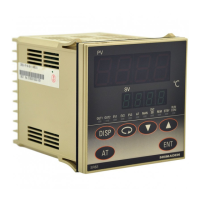
When power is applied, the initial screen when power is applied displays each screen for about 1 sec. and switches to the basic
screen of screen group 0 as shown in the following figure.
Series name (, , )
Input type (: thermocouple, : R.T.D., : Voltage [mV], : Voltage [V])
(For current mA input, select voltage input after providing receiving impedance of 250Ω externally.)
Indicates control output 1
OUT1 output type (: Contact, : SSR drive voltage, : Voltage, :Current)
Indicates control output 2
OUT2 output type (, , , )
Lower limit value of selected measuring range
Higher limit value of selected measuring range
0-0 basic screen, 0 screen group from here
Measured value (PV): Switches to screen for setting various functions by operation key from “0-0 basic screen.”
Target set value (SV): For screen sequence, see parameter diagram on previous page.
5-3. Switching screens
Within 0 screen: Screen group primarily set by end users.
Screen group 1: Target set value setting screen group (multi SV).
Screen group 2: Screen group that sets PID constant.
Screen group 3: Displayed if equipped with programming function (optional). See “Programming Function Instructions.”
Screen group 4: Screen group primarily set by manufacturer / equipment maker. (Initial setting screen group)
(1) Switching screens within screen group 0
Each time the key is pressed the screen display switches to the next screen. If pressed when the last screen is displayed, returns
to the 0-0 basic screen.
0-0 Basic screen 0-1 Standby screen 0-2 Output 1 monitoring 0-17 Latching release screen
(2) Switching between screen group 0 and screen group 1
Pressing the key on the basic screen of screen group 0 switches to “1-0 initial screen” of screen group 1.
Pressing the key on the “1-0 initial screen” of screen group 1 switches to the initial screen of screen group 2.
Screen group 0 Screen group 1
0-0 Basic screen 1-0 Initial screen
key
(3) Switching screens within screen group 1
Each time the key is pressed on the “1-0 initial screen” in screen group 1, the screen display switches to the next screen. If
pressed when the last screen is displayed, returns to the “1-0 initial screen.”
With screen group 1, each time the key is pressed, the screen is switched in the reverse direction.
1-0 Initial screen 1-1 FIX on/oFF 1-5 FIX SV3


 To Next Page
 Loading...