EasyManua.ls Logo

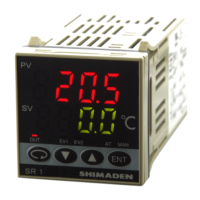
Shimaden SR92 - User Manual

Default Icon
32 pages
Print Icon
To Next Page IconTo Next Page
Loading...
Notice
Please ensure that this instruction manual is given to the final user of the instrument.
Preface
This instruction manual is meant for those who will be involved in the wiring, installation, operation and routine
maintenance of the SR90 series (SR91, SR92, SR93 and SR94) and describes matters to be attended to in handling
the SR90 series, how to install it, its wiring, its functions and operating procedures.
Keep this manual at the work site while handling the instrument and follow the guidance provided herein.
SR90F-1ME
Aug. 2019
SR90 Series
(SR91, SR92, SR93, SR94)
Digital Controller
Instruction Manual
Please check that the delivered product is the correct item or specification you ordered.
Please do not begin operating this product before you read this instruction manual
thoroughly and understand its contents.

Table of Contents

Questions and Answers

Summary

Safety Rules

Installation and Wiring

Installation Site (environmental conditions)

Specifies suitable and unsuitable environmental conditions for instrument installation.

Wiring

Detailed instructions and precautions for wiring the instrument and its components.

Terminal Layout

Illustrates the terminal layout for different SR90 series models for wiring reference.

Terminal Arrangement Table

A table detailing terminal names, descriptions, and corresponding numbers for wiring.

Before Starting Operation

Step-by-step guide for initial checks and settings before operating the controller.

Explanation of Screens and Setting

Parameter Flow

Visual representation of the screen navigation and parameter setting flow.

Procedure of Setting in Screen Group 0

Detailed steps for setting parameters within Screen Group 0.

Setting of target set value (SV)

Procedure for setting the target set value (SV) using the basic screen.

Manual setting of control output

Steps for switching to manual mode and setting control output values.

AT (auto tuning)

Explains execution, stopping, unexecutable conditions, and automatic stop of auto-tuning.

Standby mode (STBY)

Explains standby mode, event behavior during standby, and PV display settings.

Setting of event set value

Procedure for setting event types and corresponding alarm values.

Explanation of Screen Group and Setting

AT (auto tuning) action control screen

Controls the execution and status of the auto-tuning function.

Event 1 (EV1) set value setting screen

Sets the event type and value for Event 1 alarms.

Event 2 (EV2) set value setting screen

Sets the event type and value for Event 2 alarms.

Output 1 proportional band (P) setting screen

Sets the proportional band (P) for Output 1 control.

Event 1 type code setting screen

Selects the alarm type code for Event 1.

Event 2 type code setting screen

Selects the alarm type code for Event 2.

Heater break;loop alarm action setting screen

Sets the action for heater break/loop alarm (Lock/Real mode).

Heater break alarm value setting screen

Sets the threshold value for heater break alarm.

Heater loop alarm value setting screen

Sets the threshold value for heater loop alarm.

Analog output type setting screen

Selects the type of signal to be output as analog.

DI mode setting screen

Configures the mode for the digital input (DI) terminal.

Communication mode setting screen

Sets the communication mode (Local or Communication).

Communication protocol setting screen

Selects the communication protocol (Shimaden, Modbus ASCII/RTU).

Explanation of Functions

P.I.D.

Explanation of Proportional (P), Integral (I), and Derivative (D) control parameters.

Soft Start

Details the soft start function for gradual output control during startup.

Maintenance and Troubleshooting

Cause of Trouble and Troubleshooting

Identifies common problems, their causes, and suggested remedies.

Error Codes, Causes and Remedies

Lists specific error codes and their corresponding causes and remedies.

Input measured value problems

Troubleshooting for issues related to incorrect input measured values.

Heater break;loop alarm problems

Troubleshooting for heater break or loop alarm issues.

Specifications

Summary

Safety Rules

Installation and Wiring

Installation Site (environmental conditions)

Specifies suitable and unsuitable environmental conditions for instrument installation.

Wiring

Detailed instructions and precautions for wiring the instrument and its components.

Terminal Layout

Illustrates the terminal layout for different SR90 series models for wiring reference.

Terminal Arrangement Table

A table detailing terminal names, descriptions, and corresponding numbers for wiring.

Before Starting Operation

Step-by-step guide for initial checks and settings before operating the controller.

Explanation of Screens and Setting

Parameter Flow

Visual representation of the screen navigation and parameter setting flow.

Procedure of Setting in Screen Group 0

Detailed steps for setting parameters within Screen Group 0.

Setting of target set value (SV)

Procedure for setting the target set value (SV) using the basic screen.

Manual setting of control output

Steps for switching to manual mode and setting control output values.

AT (auto tuning)

Explains execution, stopping, unexecutable conditions, and automatic stop of auto-tuning.

Standby mode (STBY)

Explains standby mode, event behavior during standby, and PV display settings.

Setting of event set value

Procedure for setting event types and corresponding alarm values.

Explanation of Screen Group and Setting

AT (auto tuning) action control screen

Controls the execution and status of the auto-tuning function.

Event 1 (EV1) set value setting screen

Sets the event type and value for Event 1 alarms.

Event 2 (EV2) set value setting screen

Sets the event type and value for Event 2 alarms.

Output 1 proportional band (P) setting screen

Sets the proportional band (P) for Output 1 control.

Event 1 type code setting screen

Selects the alarm type code for Event 1.

Event 2 type code setting screen

Selects the alarm type code for Event 2.

Heater break;loop alarm action setting screen

Sets the action for heater break/loop alarm (Lock/Real mode).

Heater break alarm value setting screen

Sets the threshold value for heater break alarm.

Heater loop alarm value setting screen

Sets the threshold value for heater loop alarm.

Analog output type setting screen

Selects the type of signal to be output as analog.

DI mode setting screen

Configures the mode for the digital input (DI) terminal.

Communication mode setting screen

Sets the communication mode (Local or Communication).

Communication protocol setting screen

Selects the communication protocol (Shimaden, Modbus ASCII/RTU).

Explanation of Functions

P.I.D.

Explanation of Proportional (P), Integral (I), and Derivative (D) control parameters.

Soft Start

Details the soft start function for gradual output control during startup.

Maintenance and Troubleshooting

Cause of Trouble and Troubleshooting

Identifies common problems, their causes, and suggested remedies.

Error Codes, Causes and Remedies

Lists specific error codes and their corresponding causes and remedies.

Input measured value problems

Troubleshooting for issues related to incorrect input measured values.

Heater break;loop alarm problems

Troubleshooting for heater break or loop alarm issues.

Specifications

Shimaden SR92 Specifications

General IconGeneral
BrandShimaden
ModelSR92
CategoryController
LanguageEnglish

Related product manuals