
EasyManua.ls Logo

Shimaden SR1 Series - User Manual

Shimaden SR1 Series
12 pages
Print Icon
To Next Page IconTo Next Page
Loading...
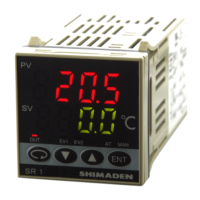
SR1, SR3, SR4 Series Digital Controller
Instruction Manual
Please do not begin operating this product until you have read this instruction manual thoroughly and you
understand its contents.
SR1F-1KE
Nov. 2017

Questions and Answers

Shimaden SR1 Series Specifications

General IconGeneral
Control MethodPID
Input TypeThermocouple, RTD, DC Voltage, DC Current
Output TypeRelay, SSR drive, DC voltage/current
DisplayLED
Power Supply100 to 240 VAC, 50/60 Hz or 24 VAC/DC
Control OutputRelay contact, Current
Alarm OutputRelay contact
Sampling Cycle0.5 seconds
Accuracy±0.3% of full scale

Summary

Safety Rules and Introduction

General Safety Warnings

Covers critical warnings, cautions, and notes for safe operation and equipment protection.

Check Before Use and Model Codes

Ensures correct product identification and checks for any errors or damage upon delivery.

Installation Procedures and Parts

Details on mounting the controller and using genuine replacement parts.

Installation Conditions, Mounting, and Wiring

Environmental Conditions and Mounting

Specifies suitable and unsuitable environmental conditions and provides mounting dimensions.

Wiring Notes and Safety Precautions

Key safety precautions and notes for correct wiring procedures to prevent electric shock.

Terminal Layout, Specifications, and Front Panel

Terminal Configuration and Insulation

Details terminal layout, insulation blocks, and arrangement tables for signal connections.

General Specifications Overview

Summarizes key technical specifications including display, input, control, and output characteristics.

Front Panel Components

Explains the function of indicator lamps and control keys on the front panel.

Screen Navigation and Settings Operations

Screen Changing Procedures

Guides on how to navigate between different screen groups and initial screens.

Mode 0 Screen Operations

Details on operating Mode 0 screens, including output monitor, auto tuning, and event settings.

Event Action Point Configuration

Describes how to set alarm action points for events based on deviation or absolute values.

Mode 1 Device Maker Settings

Introduces Mode 1 for device maker specific settings and configurations.

Mode 1 Detailed Settings (Part 1)

Hysteresis, Integral, and Derivative Time

Configuration for hysteresis, integral time, derivative time, and manual reset for control tuning.

Limiters and Proportional Control Settings

Settings for target value function, output limiters, and proportional cycle time.

Event 1 Configuration and Standby Action

Setup for Event 1 type, hysteresis, and standby action modes.

Event 2 Configuration and Standby Action

Setup for Event 2 type, hysteresis, and standby action modes.

Mode 1 Detailed Settings (Part 2)

Event 2 Standby and Control Output Characteristics

Configures Event 2 standby actions and control output characteristics like heating/cooling.

SV Limiters and PV Bias;Filter Settings

Settings for SV limiters, PV bias for input correction, and PV filter for noise reduction.

Input Scaling, Unit, and Range Settings

Configures input scaling, units (°C/°F), measuring range codes, and decimal point position.

Event Action and Pre-Startup Procedures

Deviation and Absolute Value Alarms

Details alarm actions based on deviation from target value or absolute measured values.

Standby Action and Code Table

Explains standby action modes and provides a code table for event output control.

Pre-Startup Checks and Configuration

Covers essential checks and settings before initial operation of the controller.

Measuring Range Codes and Troubleshooting

Measuring Range Code Table

Lists available measuring range codes for various input types like thermocouples and R.T.D.

Maintenance and Troubleshooting Guide

Provides procedures for maintenance, error code explanations, and troubleshooting steps.

Related product manuals
