EasyManua.ls Logo

Shimaden SR3 Series - User Manual

Default Icon
12 pages
To Next Page IconTo Next Page
Loading...
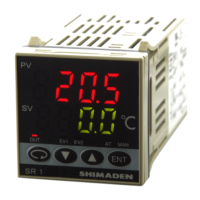
SR1, SR3, SR4 Series Digital Controller
Instruction Manual
Please do not begin operating this product until you have read this instruction manual thoroughly and you
understand its contents.
SR1F-1KE
Nov. 2017

Questions and Answers

Shimaden SR3 Series Specifications

General IconGeneral
BrandShimaden
ModelSR3 Series
CategoryController
LanguageEnglish

Summary

3. Wiring

3-1. Note on Wiring

Follow terminal layout, use correct terminals, disconnect power, prevent electric shock.

6. Explanation of Screens and Setting

7. Event Action

8. Before starting up

Checking of Wiring

Verify all wiring connections to the terminals are correctly made before operation.

Application of Operating Power

Apply operating power to energize the controller and check displays and lamps.

Setting of Measuring range and input type

Select input type and code from settings to define measuring range and input signals.

Setting of control type

Select ON-OFF action or use PID auto tuning for control type.

Setting of Control Output Characteristics

Choose heating (RA) or cooling (dA) characteristics for control output.

10. Maintenance and Troubleshooting

10-2. Cause of Trouble and Troubleshooting

Guides users through common problems like error codes or incorrect PV values.

10-3. Error Codes, Causes and Remedies

Lists error codes and their causes/remedies for screen display and input value issues.

Related product manuals