EasyManua.ls Logo

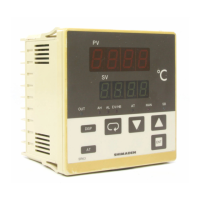
Shimaden SR91 - User Manual

Default Icon
32 pages
Print Icon
To Next Page IconTo Next Page
Loading...
Notice
Please ensure that this instruction manual is given to the final user of the instrument.
Preface
This instruction manual is meant for those who will be involved in the wiring, installation, operation and routine
maintenance of the SR90 series (SR91, SR92, SR93 and SR94) and describes matters to be attended to in handling
the SR90 series, how to install it, its wiring, its functions and operating procedures.
Keep this manual at the work site while handling the instrument and follow the guidance provided herein.
SR90F-1ME
Aug. 2019
SR90 Series
(SR91, SR92, SR93, SR94)
Digital Controller
Instruction Manual
Please check that the delivered product is the correct item or specification you ordered.
Please do not begin operating this product before you read this instruction manual
thoroughly and understand its contents.

Table of Contents

Questions and Answers

Shimaden SR91 Specifications

General IconGeneral
Control MethodPID
Input TypeThermocouple, RTD, DC Voltage, DC Current
Output TypeRelay, Voltage Pulse, Current, SSR drive
DisplayLED Display
Power Supply100-240V AC
Accuracy±0.3% of full scale ±1 digit

Summary

Safety Rules

General Safety Precautions and Warnings

Covers WARNING, CAUTION, and NOTE for safe operation, grounding, fuses, and handling.

Installation and Wiring

External Dimensions and Panel Cutout

Wiring Procedures

Wiring Safety and Connection Guidelines

Safety warnings, terminal layout, wiring process, and CT connection for instrument wiring.

Terminal Layouts

Model-Specific Terminal Diagrams

Illustrates terminal connections for SR91, SR92, and SR93/SR94 models.

Terminal Arrangement and Insulation

Pre-Operation Procedures

Initial Setup and Configuration Steps

Essential checks and settings required before operating the instrument for the first time.

Front Panel Components

Setting Procedures: Screen Group 0

Advanced Setting Operations

Manual Output Details and Auto Tuning (AT)

Supplementary details on manual output and procedures for executing, stopping, and conditions for auto tuning (AT).

Standby Mode and AT Control

Event Configuration and Bias Settings

Output Parameter Configuration

Setting Control Output Parameters for Outputs 1 and 2

Detailed settings for output 1 and 2, including proportional band, hysteresis, integral/derivative times, and limiters.

Event and Alarm Configuration

Event Types, Standby Actions, and Heater Alarms

Configuration for event types, hysteresis, standby actions, and heater break/loop alarm settings.

Analog Output and Communication Setup

Input Scaling and PV Settings

Function Explanations: Events

Function Explanations: PID and Limiters

PID Control Parameters and Output Limiters

Explanation of PID (Proportional, Integral, Derivative) parameters and the function of lower/higher limit output limiters.

Function Explanations: Output and DI

Function Explanations: Standby and Soft Start

Maintenance and Troubleshooting

Troubleshooting Common Problems and Error Codes

Lists common issues, their causes, and remedies, including general problems and specific error codes.

Specifications: Display and Input

Specifications: Control and Communication

Related product manuals