EasyManua.ls Logo

Shimaden SR4 Series - User Manual

Default Icon
12 pages
Print Icon
To Next Page IconTo Next Page
Loading...
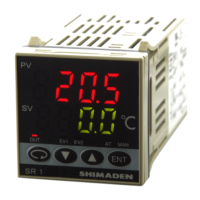
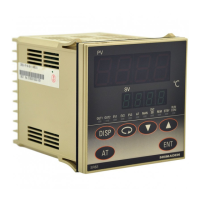
SR1, SR3, SR4 Series Digital Controller
Instruction Manual
Please do not begin operating this product until you have read this instruction manual thoroughly and you
understand its contents.
SR1F-1KE
Nov. 2017

Questions and Answers

  • L
    Lisa LambAug 10, 2025
    What to do if the display on my Shimaden SR4 goes out?
    • M
      Mark GarciaAug 10, 2025
      If the Shimaden Controller's display goes out and the instrument isn't working, inspect the power source and wiring connections. Check the wiring, and examine the product for any issues that may require repair or replacement.
  • J
    Jacob LopezAug 17, 2025
    Why is the PV value incorrect on my Shimaden SR4?
    • P
      Patrick PhelpsAug 17, 2025
      If the displayed PV value on your Shimaden Controller seems incorrect, first check if the set measuring range code is correct for the input signal. Also, ensure the wiring to the input terminals of the sensor is correctly connected.
  • I
    Isaac BlackAug 25, 2025
    How to unlock the keys on a Shimaden SR4?
    • C
      cynthiarossAug 25, 2025
      If the keys on your Shimaden Controller are not working, it may be due to the keylock being enabled. Try releasing the keylock. If that doesn't solve the issue, examine the product for deterioration and consider repairing or replacing it.
  • B
    Bruce FrankSep 1, 2025
    What to do if ON-OFF action is too fast on Shimaden SR4 Controller?
    • M
      Michelle PorterSep 1, 2025
      To address the issue of overly fast ON-OFF action of the control output on your Shimaden Controller: * Change the OFF setting for P to a two-position type ON-OFF action. * Increase the hysteresis value of the ON-OFF action.

Summary

Safety Rules and Warnings

General Safety Guidelines

Details general warnings, cautions, and notes for safe operation and equipment protection.

SR1, 3, 4 Series Specific Safety

Highlights specific safety precautions and warnings for the SR1, 3, 4 series digital controllers.

Equipment Protection Measures

Advises on measures to prevent damage to equipment and facilities due to product faults.

Manual Adherence Requirement

Emphasizes the importance of following the instruction manual for proper operation.

Wiring Procedures and Notes

3. Wiring Safety Warnings

Contains critical warnings regarding wiring to prevent electric shock and equipment damage.

Terminal Layout and Specifications

3-2. Terminal Layout

Illustrates terminal connections for SR1 and SR3/SR4 models.

Front Panel Components and Operation

Screen Navigation and Settings

Detailed Parameter Settings

Advanced Input and Output Settings

Event Actions and Pre-Startup Procedures

Pre-Startup Checks and Settings

Covers wiring checks, power application, and essential parameter settings before operation.

Maintenance, Troubleshooting, and Error Codes

Troubleshooting Common Problems

Identifies common problems, their causes, and provides corresponding remedies.

Error Code Analysis and Solutions

Details screen display problems, their causes, and remedies focusing on input measured value issues.

Shimaden SR4 Series Specifications

General IconGeneral
Input TypeThermocouple, RTD, DC Voltage
Output TypeRelay
Power Supply100-240V AC, 24V AC/DC
DisplayLED
Size48x48mm, 48x96mm, 96x96mm
CommunicationRS-485 (optional)

Related product manuals