EasyManua.ls Logo

Shimadzu ATX Series - User Manual

Shimadzu ATX Series
152 pages
Print Icon
To Next Page IconTo Next Page
Loading...
321-78001D
Sep. 2016
SHIMADZU MIDDLE EAST & AFRICA FZE UAE HEAD OFFICE
Warehouse No. RA08UC02, Jebel Ali, Dubai, P.O. Box 262081 United
Arab Emirates
Phone: 971(4)883-6668 Fax: 971(4)883-6808
Kosuyolu Mah., Salih Omurtak Cad., No:57
34718, Kadikoy Istanbul, Turkey
Phone: 90(216)545-8940 Fax: 90(216)545-8941
79 Science Park Drive #02-01/08, Cintech IV Singapore Sceince
Park 1 Singapore 118264
Phone: (65)6778-6280 Fax: (65)6779-2935
SHIMADZU MIDDLE EAST & AFRICA FZE ISTANBUL BRANCH
Unit F, 10-16 South Street Rydalmere N.S.W. 2116
Phone: 61(2)9684-4200 Fax: 61(2)9684-4055
Phone: 55(11)2134-1688 Fax: 55(11)3611-1635
SHIMADZU SCIENTIFIC INSTRUMENTS (OCEANIA) PTY. LTD.
SHIMADZU(CHINA)Co.,LTD. PUXI BRANCH
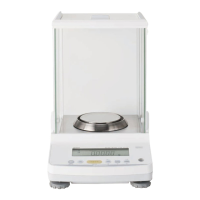
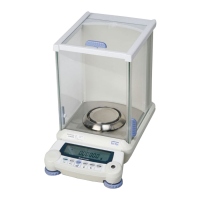
ATY324ATY224ATY124ATY64
ATX324ATX224ATX124ATX84

Table of Contents

Other manuals for Shimadzu ATX Series

Questions and Answers

  • R
    Rhonda RogersAug 13, 2025
    How to troubleshoot WindowsDirect communication not operating on Shimadzu ATX?
    • J
      johnsonrachelAug 13, 2025
      If WindowsDirect communication for your Shimadzu Scales isn't working, first check the communication cable (whether it's a Shimadzu authorized part or a general market alternative) and its connection. If you're using a USB serial converter, ensure it's set to a COM port number between COM1 and COM4, as higher numbers might not be compatible. Also, the driver for the USB serial converter may need to be reinstalled. Some notebooks have a setting to disable RS-232C ports to save power; make sure this setting is enabled. Finally, LAN communications might interfere with serial key device settings, so try using WindowsDirect communication without the LAN.
  • J
    Joseph WebbAug 17, 2025
    What to do if the cursor doesn't move to another cell when inputting data into Excel from Shimadzu Scales?
    • V
      victor21Aug 17, 2025
      When inputting data into Excel from Shimadzu Scales, and the cursor doesn't move to another cell, first turn off any function for conversion to 2-byte characters in Windows. Next, in Excel, go to [Options], then the [Edit] tab, and ensure that [Move selection after Enter] is checked. If cells move correctly with keyboard input, there's no issue. You can also check the input data in another application like Notepad.
  • N
    Nancy MccartyAug 21, 2025
    Why is the operation sometimes abnormal on Shimadzu ATX?
    • K
      Kristina TerrellAug 21, 2025
      If your Shimadzu Scales are sometimes operating abnormally, it could be due to the PC's processing capability. Try setting the communication speed to 300 bps. Malfunctions can also occur if the data transmission interval is too short, so ensure each data batch is displayed before the next one is sent. Avoid using the continuous output function if there's limited processing capability. Also, refrain from using the PC's keyboard or mouse while data is being sent from the balance.
  • J
    Jeremy HolmesAug 25, 2025
    Why is data input to the PC as garbled characters from Shimadzu Scales?
    • S
      Seth GrantAug 26, 2025
      If data is input to your PC as garbled characters from Shimadzu Scales, it's possible that either the balance or the PC isn't correctly set for the WindowsDirect connection function. Please refer to "Setting the Function" on page 105 to reconfigure these settings.
  • J
    James JohnsonAug 28, 2025
    What to do if data is input to the PC as garbled characters with Shimadzu ATX?
    • N
      Nathan HarringtonAug 28, 2025
      If data is being input as garbled characters, ensure that both the balance and the PC are properly configured for the WindowsDirect connection function. Refer to 'Setting the Function' to reconfigure these settings.
  • E
    emeltonSep 1, 2025
    How to fix WindowsDirect communication not operating at all on Shimadzu ATX?
    • R
      Robert BerrySep 1, 2025
      If WindowsDirect communication is not working, verify the communication cable (use a Shimadzu authorized part or another part available on the general market) and check the connection. If using a USB serial converter, ensure it's set to COM1 to COM4. Reinstall the USB serial converter driver if necessary. Also, ensure RS-232C ports are enabled in your PC's power settings. Finally, try disabling LAN communications to avoid interference with serial key device settings.
  • T
    Tristan VelazquezSep 4, 2025
    What to do if the cursor doesn't move to another cell in Excel with Shimadzu ATX Scales?
    • U
      ulopezSep 4, 2025
      If the cursor isn't moving to another cell when inputting data into Excel, first, disable any function for conversion to 2-byte characters in Windows. Next, in Excel's [Options], under the [Edit] tab, check the [Move selection after Enter] option. If the issue persists, check the input data in another application like Notepad.
  • P
    phillipslauraSep 8, 2025
    Why is the operation sometimes abnormal with Shimadzu ATX Scales?
    • D
      David GibsonSep 8, 2025
      If the operation is sometimes abnormal, try setting the communication speed to 300 bps. Ensure that one batch of data is displayed before the next is sent, and avoid using the continuous output function if there are processing limitations. Also, refrain from using the PC's keyboard or mouse while data is being sent from the balance.

Shimadzu ATX Series Specifications

General IconGeneral
BrandShimadzu
ModelATX Series
CategoryScales
LanguageEnglish

Related product manuals