-10-
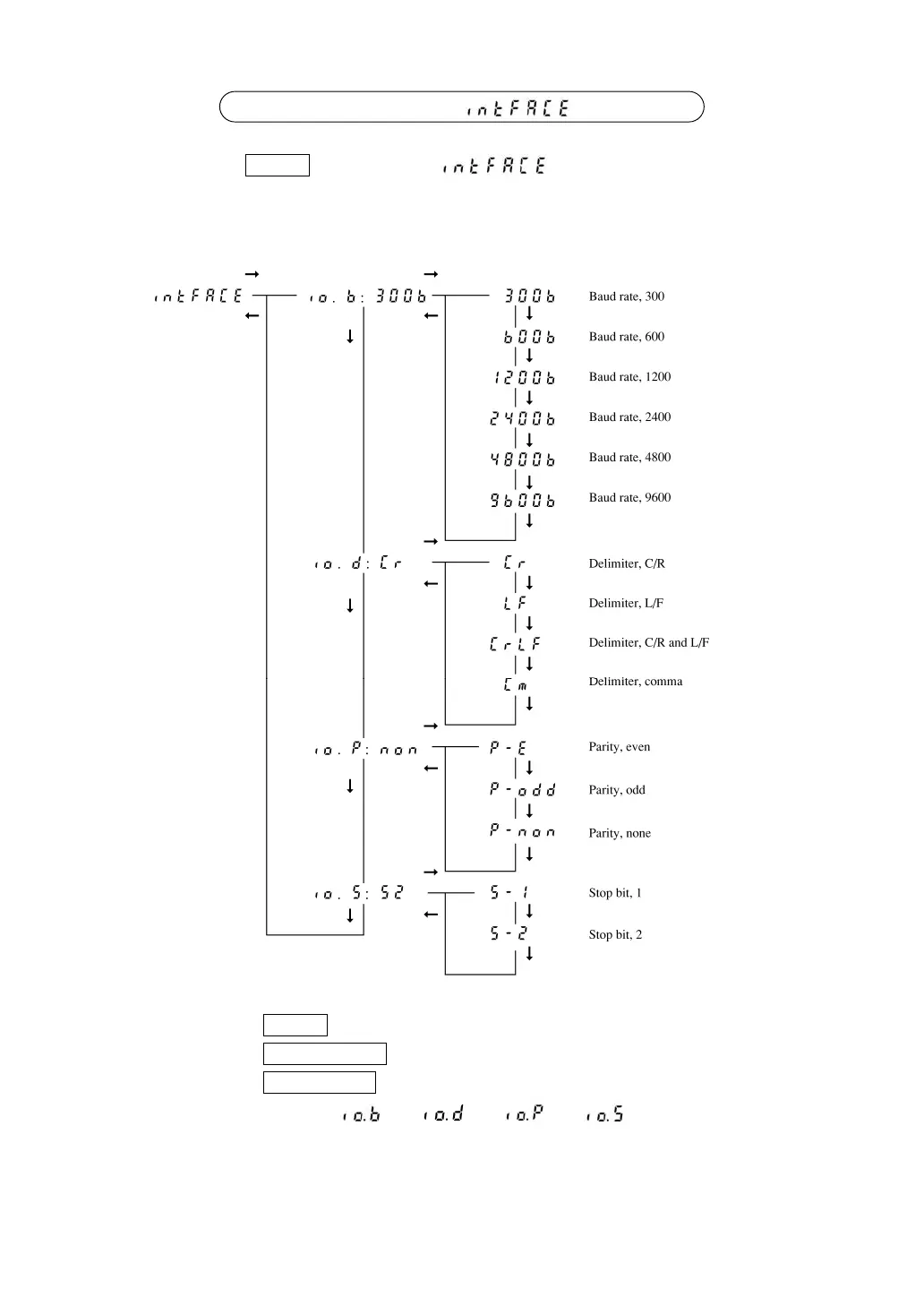
6.2 Menu display when is selected
Pressing the TARE key when the “ ” is displayed at 1st hierarchy
menu enters 2nd hierarchy menu.
In this menu, the input/output format can be set.
(→) : Press the TARE key.
(←) : Press the POWER/BRK key.
(↓) : Press the CAL/MENU key.
• When the display shows “ :
**
, :
**
, :
**
, :
**
”, the currently set
conditions are displayed on
**
.



 To Next Page