-22-
16. PERIPHERAL DEVICES
16.1 The EP-60A Electronic Printer
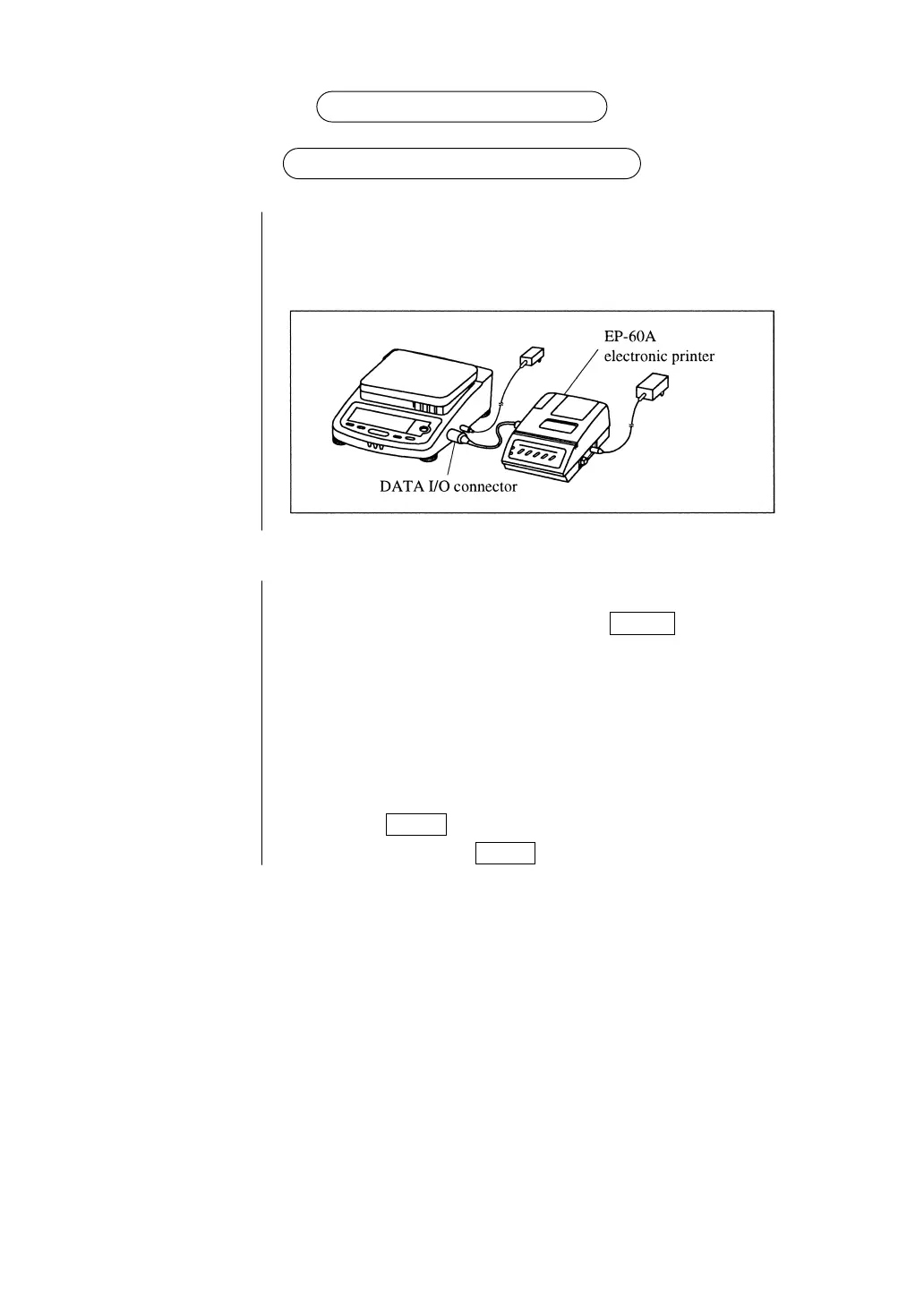
Connection When connecting this balance to the EP-60A, first be sure to pull up
the AC adapter for the balance and EP-60A. Then connect to data I/O
connector as shown below.
Functions
Manual The displayed value is printed whenever the PRINT key is pressed.
printing
Autoprint In the g display of the balance, when the display is within zero ± 3
count, the display is stabled when the sample over 20 counts of g
display is loaded, the balance automatically prints out. Unload this
sample and wait for the display falls into within zero ± 3 counts, then
load a next sample.
Statistic Pressing the STAT key statistically calculates and prints the data
calculation until next pressing of the STAT key.
See Instruction Manual for Electronic Printer EP-60A for further details.



 To Next Page