https://shimano-steps.com/
30 31
https://shimano-steps.com/
E6000 MANUALE8000 CONCEPT E8000 MANUAL E6000 CONCEPT
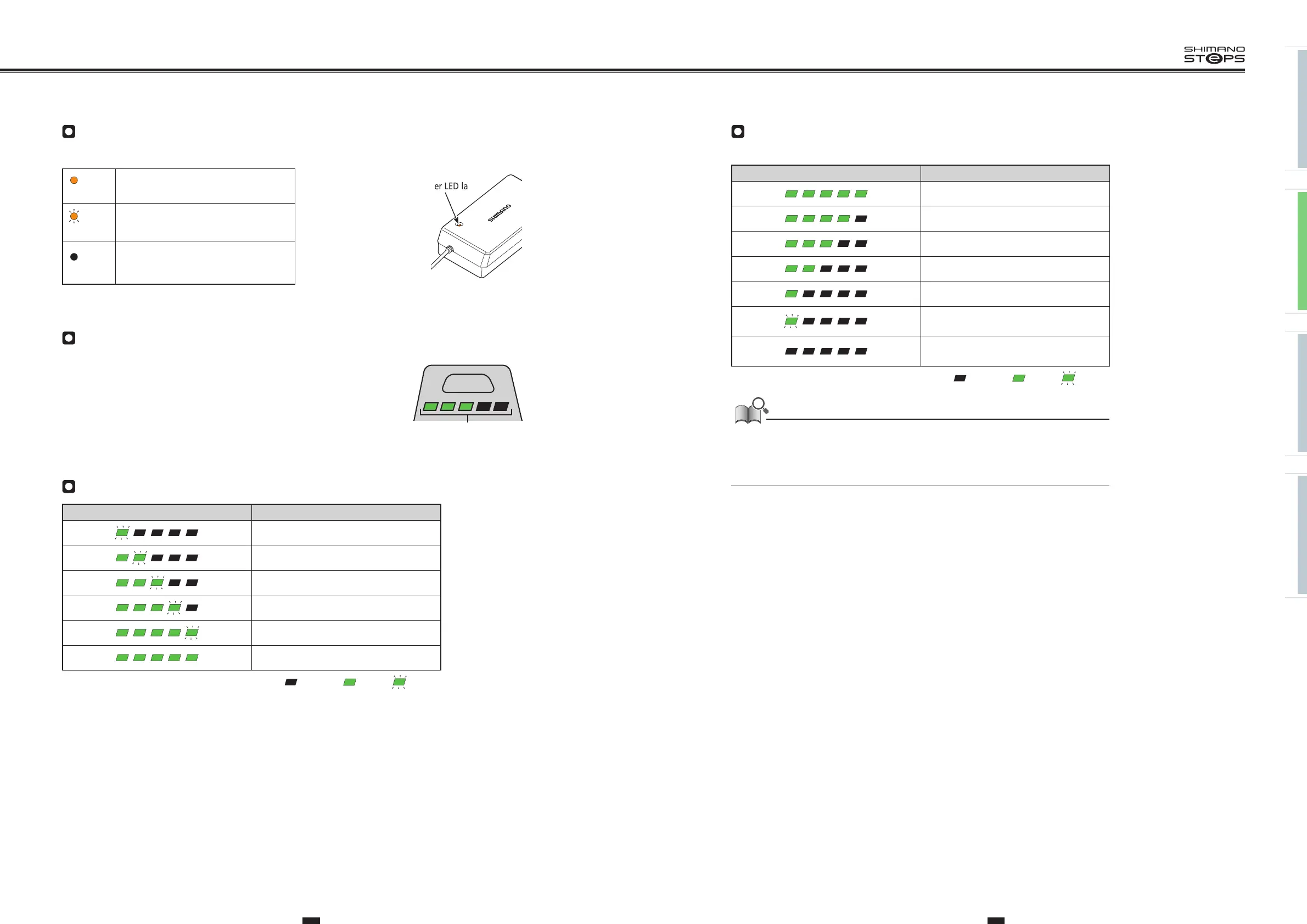
About the Charger LED Lamp
After charging has started, the LED lamp on the charger lights up.
Lit up
Charging (Within 1 hour after the
completion of charging)
Blinking
Charging error
Turned off
Battery disconnected
(1 hour or more after the completion of
charging)
Charger LED lamp
About the Battery LED Lamp
You can check the current charging status on the LED lamp on the battery.
Battery LED lamps
Charging-in-Progress Indication
Battery level indication*1 Battery level
0% - 20%
21% - 40%
41% - 60%
61% - 80%
81% - 99%
100%
*1
: No light : Lit up : Blinking
Battery Level Indication
The current battery level can be checked by pressing the battery's power button.
Battery level indication*1 Battery level
100% - 81%
80% - 61%
60% - 41%
40% - 21%
20% - 1%
0%
(When battery is not installed on bicycle)
0%, Power off / Shutdown
(When battery is installed on bicycle)
*1
: No light : Lit up : Blinking
When remaining battery capacity is low, system functions begin to shut off in the following order.
1. Power assistance (Assist mode automatically switches to [ECO] and then assistance shuts off.
The switch to [ECO] occurs earlier if a battery-powered light is connected.)
2. Gear shifting
3. Light






 To Next Page