https://shimano-steps.com/
68 69
https://shimano-steps.com/
E6000 MANUALE8000 CONCEPT E8000 MANUAL E6000 CONCEPT
INSTALLING AND WIRING THE
DRIVE UNIT
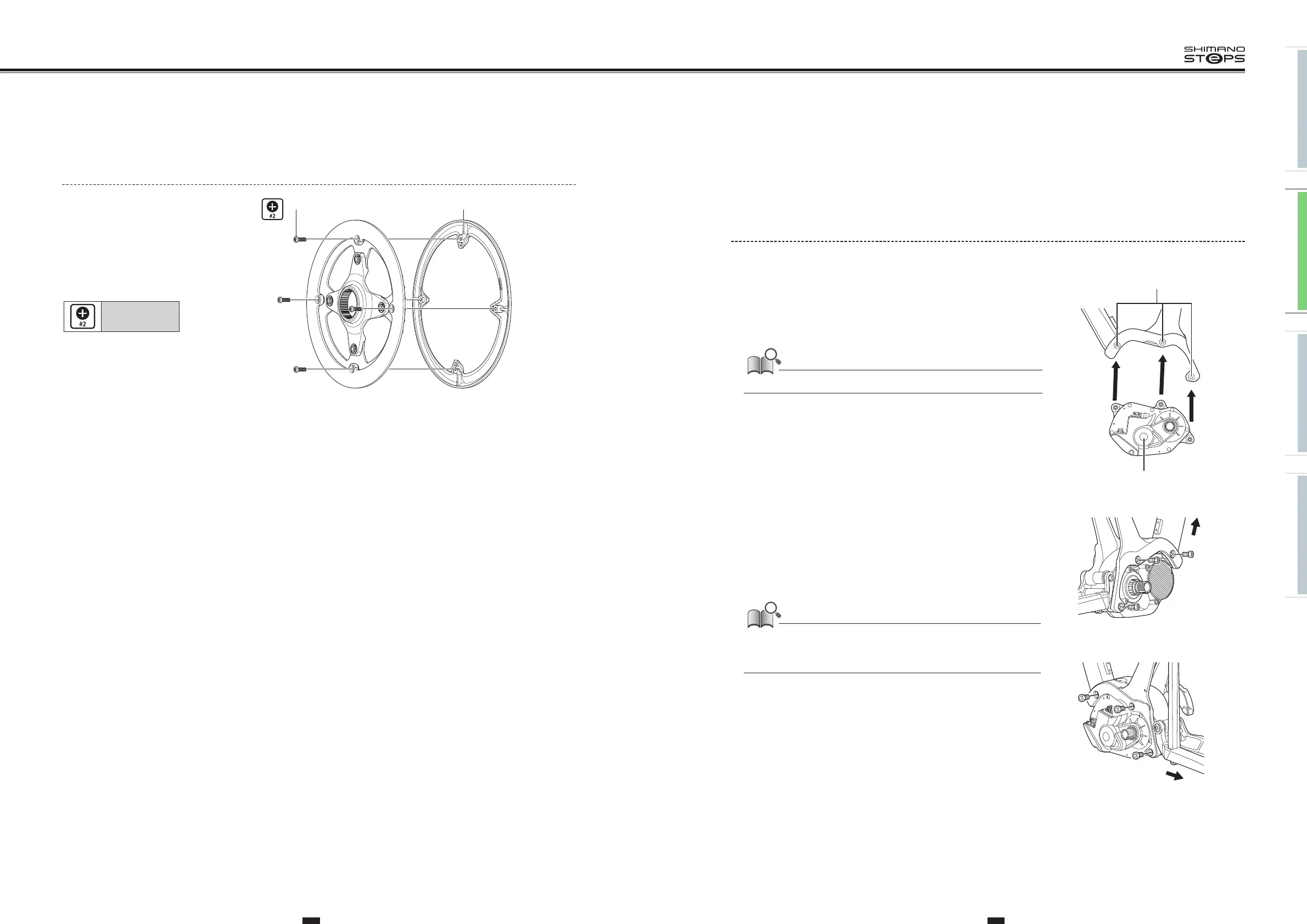
Installing the Drive Unit
Route the cables before installing the drive unit.
1. Align the drive unit with the three mounting holes on the right
side and left side of the frame.
(A)
Mounting holes
(B)
Drive unit
Be careful not to pinch the cables with the frame or drive unit case.
(A)
(B)
2. First attach the drive unit fixing bolts (M8) to the right side.
After this, attach the drive unit fixing bolts (M8) to the left side.
Tighten the drive unit fixing bolts (M8) until the drive unit
makes firm contact with the inside of the right side of the frame.
(y)
Front of bicycle
(z)
Rear of bicycle
Drive unit fixing bolts (M8) and nuts are not included with Shimano products.
Use those supplied by the manufacturer. For information on the tightening
torques, contact the manufacturer.
Right side
(y)
Left side
(z)
Replacing the chain guard
(SM-CRE80 44T Double chain guard)
Replace the chain guard as shown in
the illustration.
(A)
Chain guard fixing bolt
(B)
Chain guard
Tightening torque:
0.7 N·m
(B)(A)






 To Next Page