https://shimano-steps.com/
72 73
https://shimano-steps.com/
E6000 MANUALE8000 CONCEPT E8000 MANUAL E6000 CONCEPT
MAINTENANCE
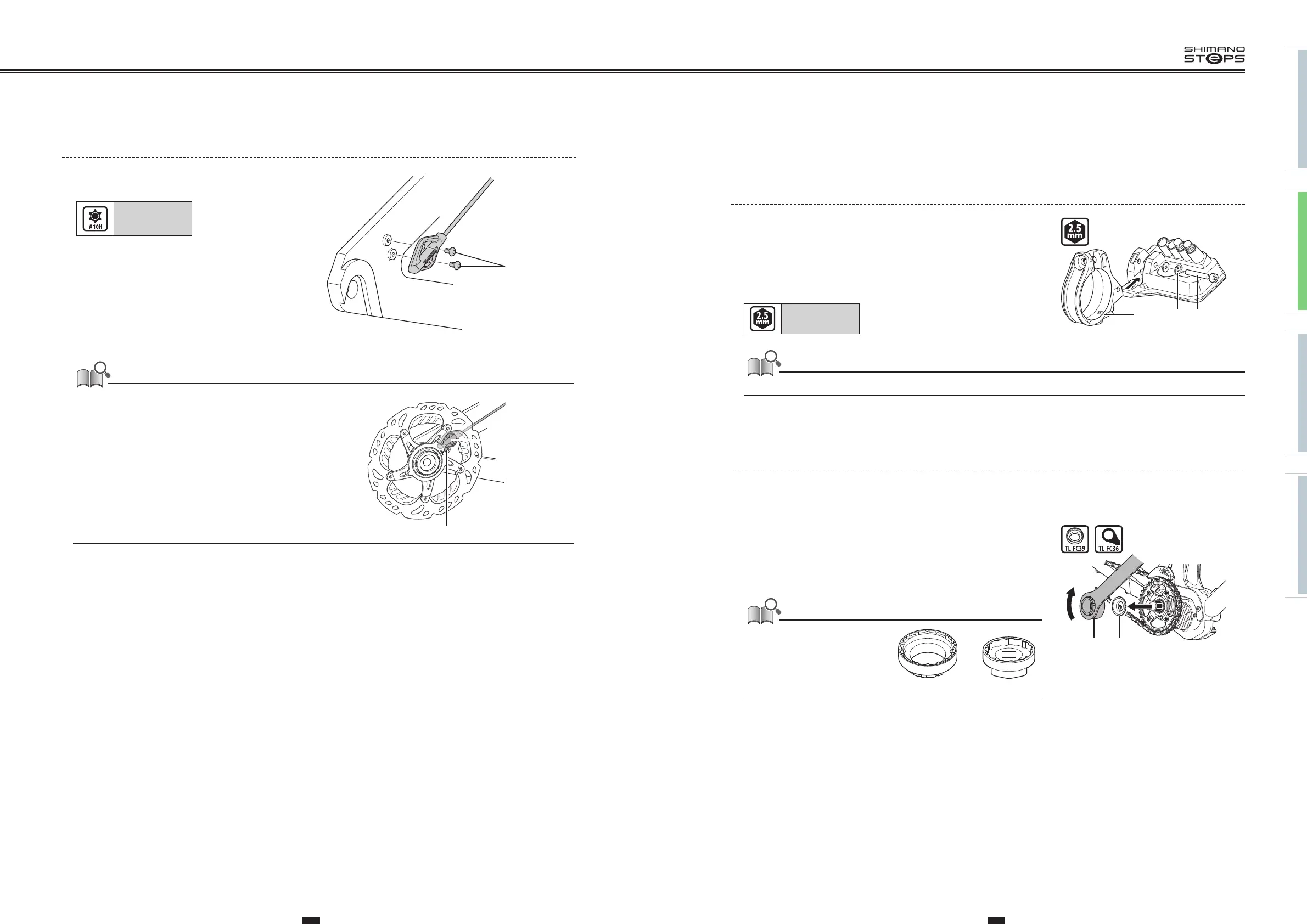
Replacing the Clamp Band
1. Remove the case fixing bolt with a 2.5mm hexagon wrench and
replace the clamp band.
(A)
Clamp band
(B)
Washer
(C)
Case fixing bolt
Tightening torque:
0.6 N·m
If using a handlebar with a thick diameter, reinstall it using the included Ø35mm clamp band.
(A) (B) (C)
Replacing the Front Chainring
1. Perform procedures with the chain installed to the rear wheel.
Attach the left and right crank arms using TL-FC16.
2.
While holding the wheel, use the Shimano original tool to
loosen the lock ring in the direction shown in the illustration.
(A)
TL-FC39/TL-FC36
(B)
Lock ring
• If using a torque wrench, use TL-FC39
in combination with TL-FC33.
•
An impact wrench cannot be used.
(B)(A)
3. Remove and then replace the front chainring.
To install a front chainring, refer to ”INSTALLING AND WIRING
THE DRIVE UNIT” (page 69) and ”INSTALLING THE CRANK AND
FRONT CHAINRING” (page 152).
TL-FC39 TL-FC33
<SM-DUE11>
Install the speed sensor with the 2 speed sensor
fixing bolts.
Tightening torque:
0.6 N·m
Speed sensor
fixing bolt
• Use the special magnet model for the disc brake rotor.
(A)
Magnet unit
(B)
Speed sensor
(B)
(A)






 To Next Page