https://shimano-steps.com/
98 99
https://shimano-steps.com/
E6000 MANUALE8000 CONCEPT E8000 MANUAL E6000 CONCEPT
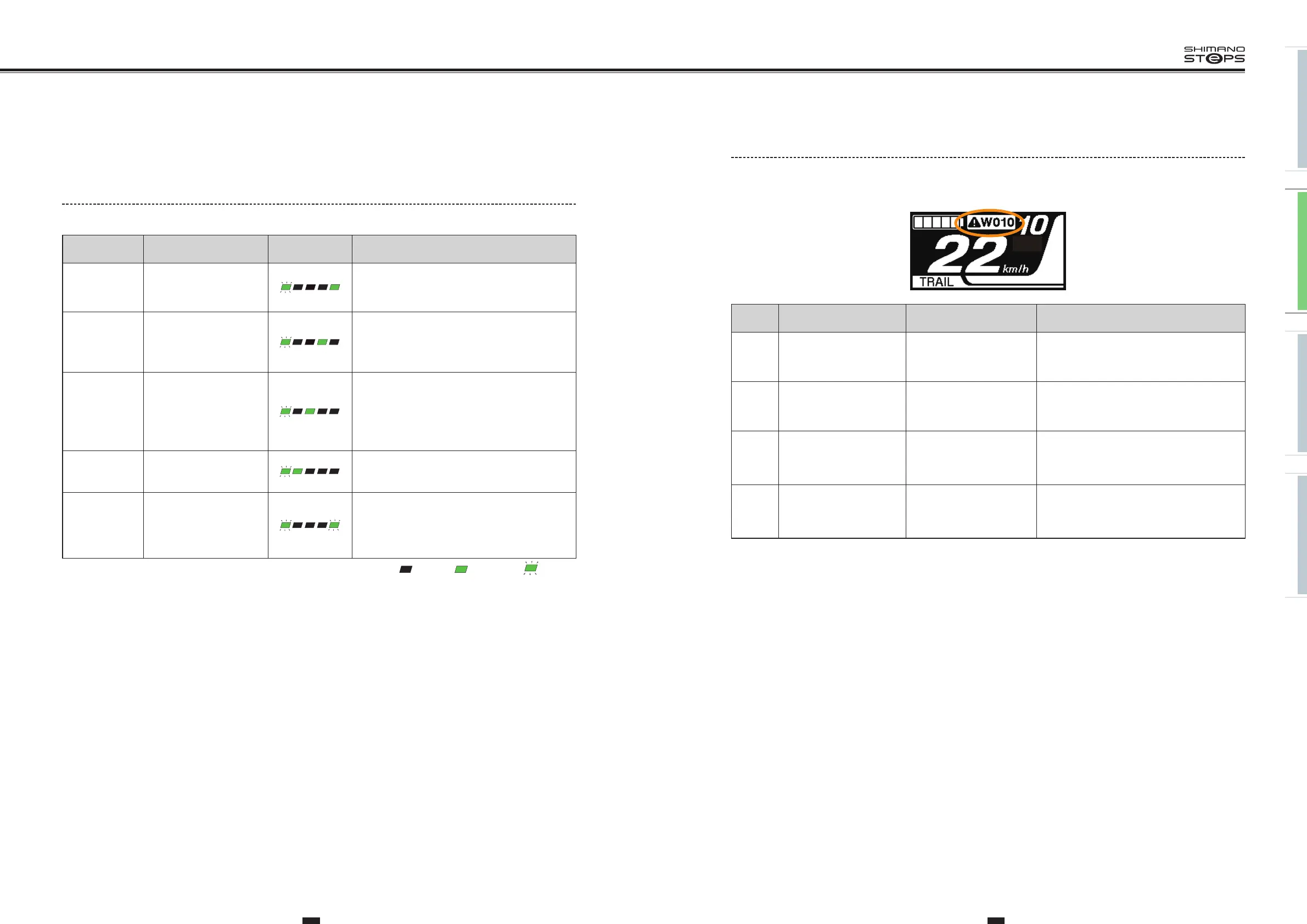
Warning Messages on the Cycle Computer
This disappears if the error is fixed.
<SC-E8000>
Code
Display
preconditions
Operational restriction when
an error is being displayed
Remedy
W010
Temperature of the drive
unit is higher than it is
during times of normal
operation.
Power assistance may be
lower than usual.
Stop using the assist function until the
temperature of the drive unit drops.
If the situation does not improve, contact the
place of purchase.
W011
The traveling speed cannot
be detected.
The maximum speed up to
which power assistance is
provided may be lower than
usual.
Check that the speed sensor is properly
installed.
If the situation does not improve, contact the
place of purchase.
W013
Initialization of torque
sensor was not completed
successfully.
Power assistance may be
lower than usual.
With your foot off the pedal, press the battery
power button and turn on the power again.
If the situation does not improve, contact the
place of purchase.
W032
An electronic derailleur
may have been installed in
place of a mechanical
derailleur.
Power assistance provided
in [WALK] mode may be
lower than usual.
Reinstall the derailleur for which the system is
configured to support.
If the situation does not improve, contact the
place of purchase.
TROUBLE SHOOTING
Battery LED Lamp Error Indications
System errors and similar warnings are indicated by the battery LED lamps through various lighting patterns.
Error indication
type
Indication condition
Lighting
pattern *1
Recovery
System error
Communication error with
the bicycle system
Make sure that the cable is not loose or improperly
connected.
If the situation does not improve, contact the place
of purchase.
Temperature
protection
If the temperature exceeds
the guaranteed operating
range, the battery output
is turned off.
Leave the battery in a cool place away from direct
sunlight until the internal temperature of the
battery decreases sufficiently.
If the situation does not improve, contact the place
of purchase.
Security
authentication
error
This is displayed if a
genuine drive unit is not
connected.
This is displayed if any of
the cables are
disconnected.
Connect a genuine battery and drive unit.
Check the condition of the cables.
If the situation does not improve, contact the place
of purchase.
Charging error
This is displayed if an error
occurs during charging.
Remove the charger from the battery and press the
power button. If an error appears contact an
agency.
Battery
malfunction
Electrical failure inside the
battery
Connect the charger to the battery and then
remove the charger. Press the power button with
only the battery connected.
If an error appears with only the battery connected,
contact the place of purchase.
*1 : No light : Lighting up : Blinking






 To Next Page