https://shimano-steps.com/
130 131
https://shimano-steps.com/
E6000 MANUALE8000 CONCEPT E8000 MANUAL E6000 CONCEPT
CHANGING THE ASSIST MODE
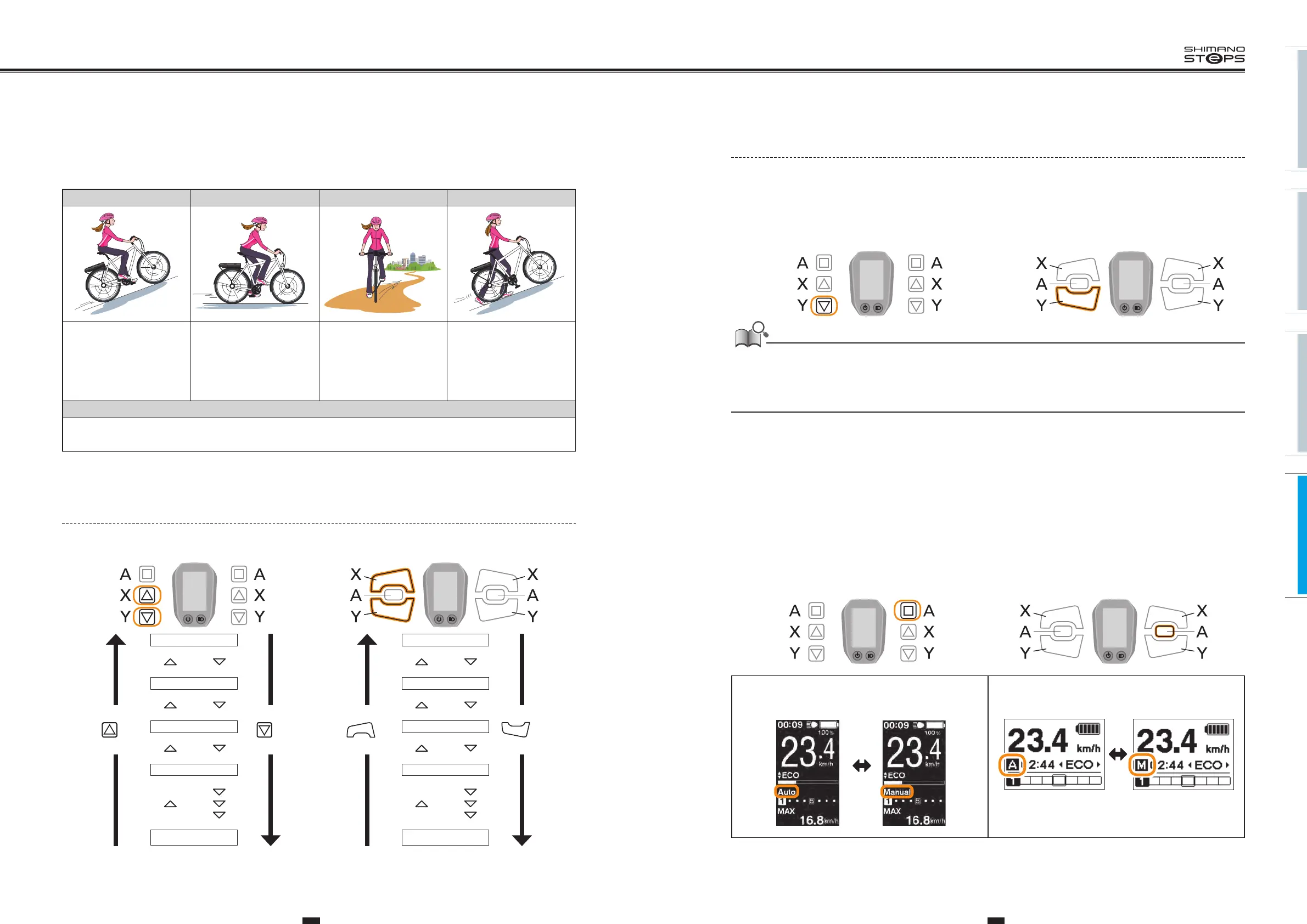
You can select a SHIMANO STEPS assist mode for each particular application.
HIGH NORM (NORMAL) ECO WALK
Use when powerful assistance
is required, such as when
riding up steep uphill slopes.
Use when an intermediate
level of assistance is needed,
such as when you want to
enjoy riding comfortably on a
gentle slope or level ground.
Use when you want to enjoy
long distance riding on level
ground. When pedaling is not
very strong, the amount of
assistance is reduced and
energy consumption is lessened.
This mode is particularly
useful when you walk the
bicycle with heavy baggage
on it or walk it out of a
basement.
OFF
This mode does not provide power assistance when the power is turned on. Since there is no power consumption associated
with the power assistance, it is useful for reducing battery consumption when the battery is running low.
How to Change the Assist Mode
HIGH
NORM
ECO
OFF
WALK
Assist Shift
(2secs)
Assist
X
button
Assist
Y
button
HIGH
NORM
ECO
OFF
WALK
Assist Shift
(2secs)
Assist
X
button
Assist
Y
button
<SW-E6000> <SW-E6010>
Walk Assist Mode Operation
1. When "WALK" is displayed, press and hold down Assist-Y button to start the walk assist function.
2.
Releasing Assist-Y button, or pressing Assist-X button can stop the walk assist function.
• If Assist-Y is not operated for over 1 minute, the mode will change to OFF.
• If the bicycle does not move after the walk assist function turns on, the function automatically stops. To restart the walk assist function, release
the assist switch and press and hold down Assist- Y again.
• The walk assist function can operate at a maximum of 6 km/h.
• The assistance level and speed vary with the gear position.
SWITCHING GEAR SHIFTING
MODE (AUTO/MANUAL)
1. From the basic screen, press Shift-A button to switch between automatic and manual gear shifting modes.
Assist Shift
<SW-E6000> <SW-E6010>
Assist Shift
<SC-E6010>
Automatic
Manual
<SC-E6000>
Automatic Manual
Assist Shift
Press
and
hold
down
Press
and
hold
down
Assist Shift
<SW-E6000> <SW-E6010>






 To Next Page