https://shimano-steps.com/
154 155
https://shimano-steps.com/
E6000 MANUALE8000 CONCEPT E8000 MANUAL E6000 CONCEPT
ATTACHING/REMOVING THE
DRIVE UNIT COVER
Before checking the wiring, installation or removal, the drive unit cover must be removed.
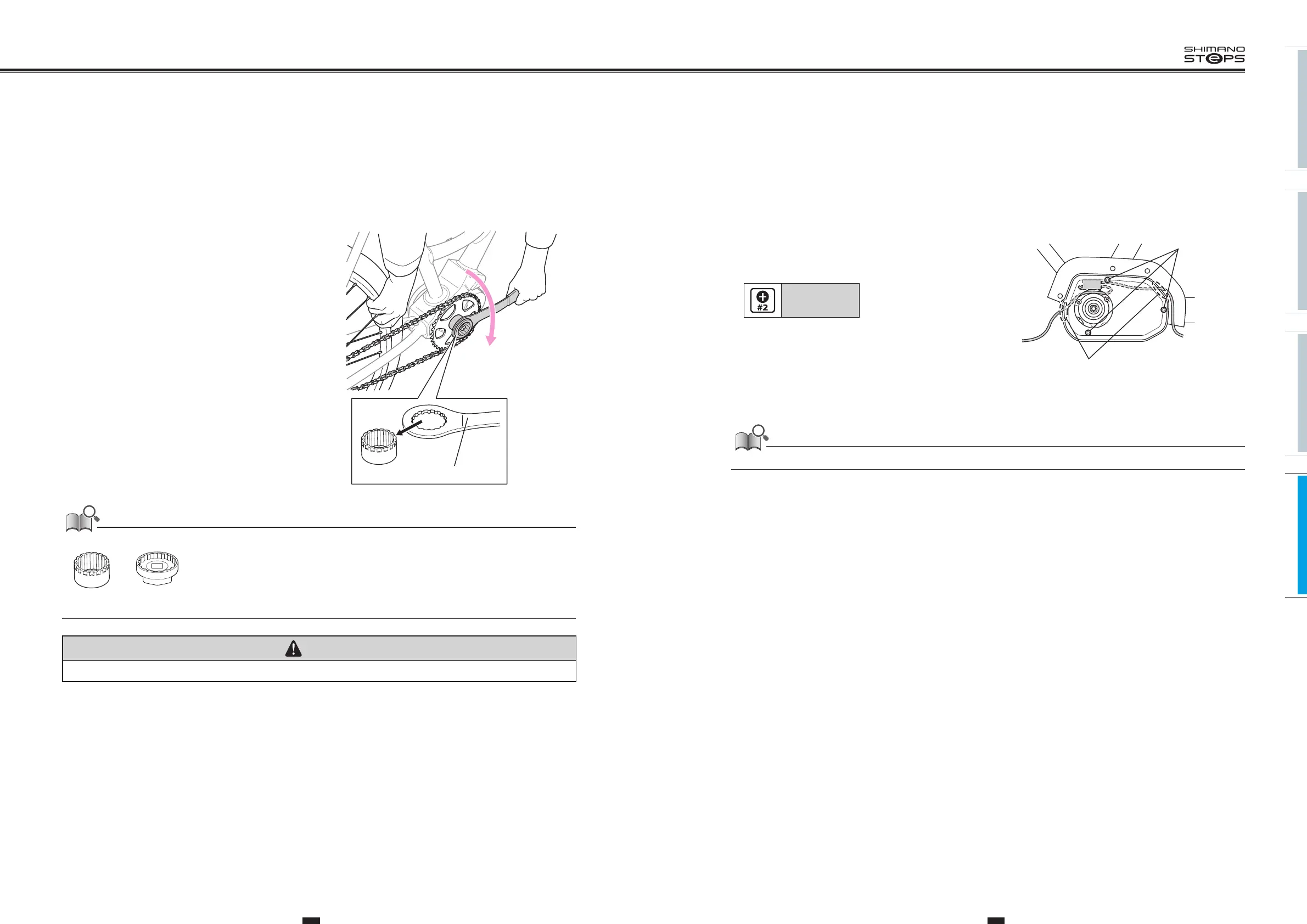
1. To Remove the drive unit cover, loosen the cover
fixing bolts in the three locations.
Before installing the drive unit cover, Pass the front light and tail
light cables through the cable holes.
Tightening torque:
0.6 N·m
Cover fixing
bolts (M3)
Cable holes
Note: When installing the cover, check that the cables is not screwed. If the cable is left screwed, it may cause damage to the cable.
REPLACING THE FRONT
CHAINRING
Perform replacement with the chain installed to the rear wheel.
1. Remove the crank arm cap.
2.
Remove the crank mounting bolt with a 14 mm socket
wrench. After that, remove the right side crank using
TL-FC11.
3.
Place the bicycle on the ground or while holding the
wheel, use the TL-FC38 with the TL-FC32 or FC36 to
loosen the lockring clockwise.
TL-FC38 TL-FC32 / FC36
Loosen
If using a torque wrench, use TL-FC38 in combination with TL-FC33.
TL-FC33TL-FC38
Note: An impact wrench cannot be used.
CAUTION
The lock ring has a left hand thread.
4. Replace the front chainring. To install a front chainring
refer to steps 3 to 6 in ”INSTALLING THE CRANK AND FRONT CHAINRING” (page 152).






 To Next Page