https://shimano-steps.com/
156 157
https://shimano-steps.com/
E6000 MANUALE8000 CONCEPT E8000 MANUAL E6000 CONCEPT
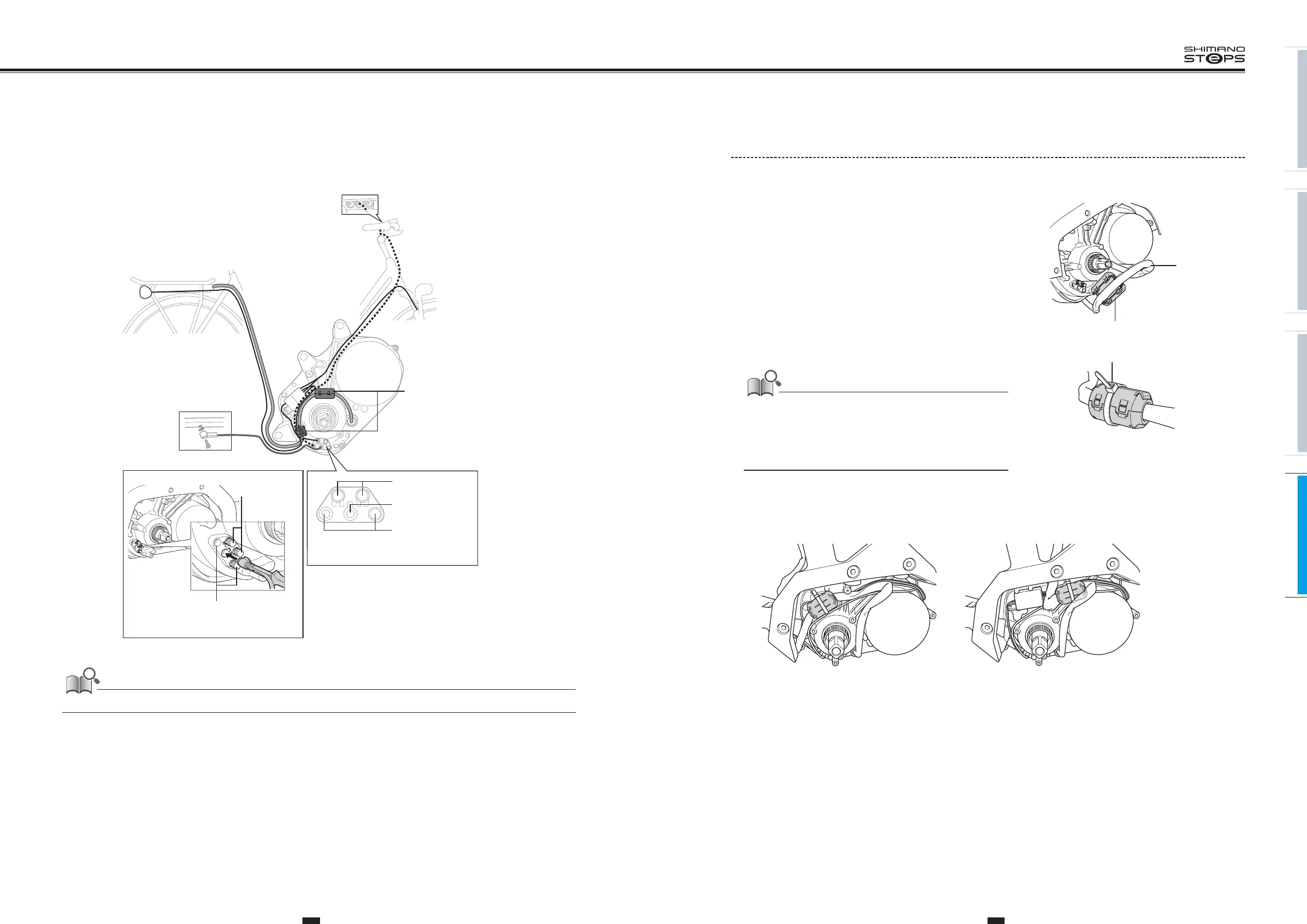
Installing/Removing the Ferrite Core
(DU-E6001/E6010/E6002/E6012)
If a ferrite core is included with drive unit, install it by following the procedure described below.
Depending on the specifications, a ferrite core may not be included with drive unit, so installation is not required.
1. Install the ferrite core on the power cord.
Make sure that the power cord is not pinched and firmly secure the
ferrite core.
Ferrite core
Power cord
2. Fix the ferrite core with the zip tie.
• Check that the ferrite core tabs are firmly secured.
• Do not cut off the excess portion of the zip tie. The cut surface of the
zip tie may scratch the cable or case.
• Do not drop the ferrite core or subject it to any shocks. Subjecting the
ferrite core to shocks will cause it to break or crack, rendering it
unusable.
Zip tie
3. Position the ferrite core so that the power cord fits inside the drive unit.
Battery for rear carrier
<example>
Battery for down tube mounting
<example>
(a) (b)
WIRING
Below is an example of wiring on a rear carrier type battery.
Speed sensor
connector
Light connectors
E-TUBE connectors
for cycle computer
and motor unit
Ferrite core
(May not be included,
depending on the
product’s specifications.)
Left side
E-TUBE connectors for
cycle computer and
motor unit
Light
connectors
Be sure to attach dummy plugs to any unused ports.






 To Next Page