https://shimano-steps.com/
160 161
https://shimano-steps.com/
E6000 MANUALE8000 CONCEPT E8000 MANUAL E6000 CONCEPT
MEASURING AND ADJUSTING
THE CHAIN TENSION
When using an internal geared hub, it is necessary to adjust the chain tension.
Measure and Adjust the Chain Tension
Manually
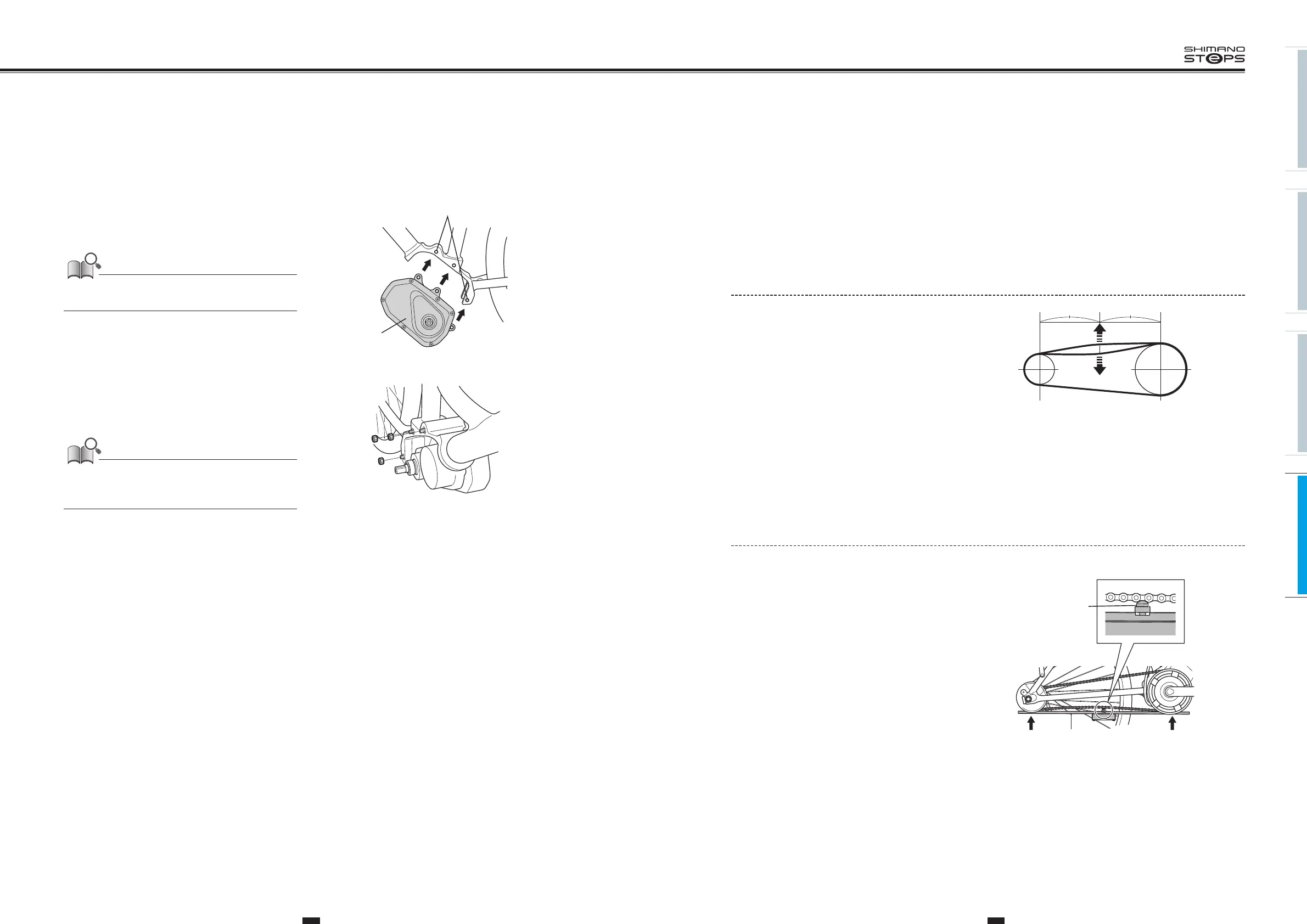
1. Set the chain in place and pull it up and down
with a force of about 10N (1kg).
2. Adjust so that there is 15 mm or more of slack
in the chain.
Measure and Adjust Chain Tension with the
Chain Tension Measurement Tool <TL-DUE60>
Set the chain in place, and then apply pressure from the bottom of the chain with the chain tension measurement tool.
1. Place the chain tension measurement tool
against the bottom of the chain.
2.
Press up until chain tension measurement tool
touches the front chainring and rear sprocket.
Chain tension measurement tool
<TL-DUE60>
Projection part
INSTALLING/REMOVING THE
DRIVE UNIT
1. Align the three mounting holes in the drive unit
with those in the frame.
Be careful not to pinch the cables with the frame or drive
unit case.
Drive unit
Mounting holes
2. Insert M8 bolts, attach nuts from the opposite
side, and tighten them to the designated
torque.
Bolts and nuts are not included with Shimano products. Use
those supplied by the manufacturer. For information on the
tightening torques, contact the manufacturer.






 To Next Page