https://shimano-steps.com/
168 169
https://shimano-steps.com/
E6000 MANUALE8000 CONCEPT E8000 MANUAL E6000 CONCEPT
Connecting to the Bicycle
Use Shimano original tool
<TL-EW02>
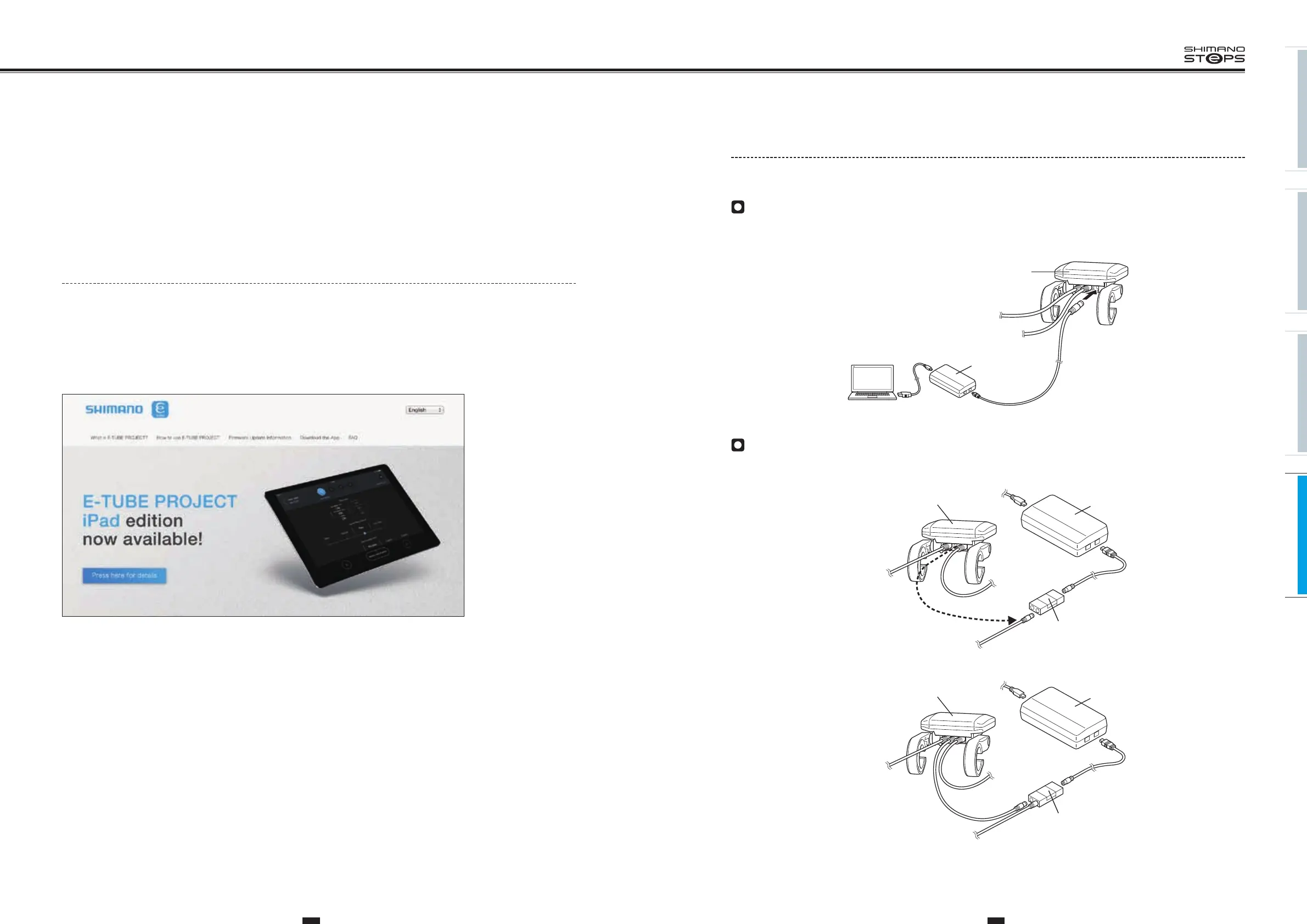
When the cycle computer has an available port
1. Remove a dummy plug from cycle computer.
2. Connect
<SM-PCE1>
to an available port of the cycle computer.
Cycle computer
To assist switch
To drive Unit
PC
SM-PCE1
When the cycle computer has no available port
1. Connect
<SM-JC40/JC41>
to
<SM-PCE1>
.
2. Disconnect
<EW-SD50>
from the center port of the cycle computer and connect it to
<SM-JC40/JC41>
.
To assist switch
To drive Unit
To shift switch
SM-PCE1
SM-JC40/JC41
To PC
Cycle computer
3. Connect
<EW-SD50>
to the available port of
<SM-JC40/JC41>
and the center port of the cycle computer.
To assist switch
To drive Unit
To shift switch
SM-PCE1
SM-JC40/JC41
To PC
Cycle computer
E-TUBE PROJECT
The "E-TUBE PROJECT" application can be used to connect a bicycle to a personal computer. This application offers the following functions:
•
Update of the firmware for the entire system or for unit parts
•
Customization functions that allow a wide range of settings to be made from the cycle computer
•
Fault diagnosis via error checks
Get the Application
See the website below for details and for the latest information on the E-TUBE PROJECT.
Application for E-TUBE PROJECT is available at:
http://e-tubeproject.shimano.com






 To Next Page