https://shimano-steps.com/
178 179
https://shimano-steps.com/
E6000 MANUALE8000 CONCEPT E8000 MANUAL E6000 CONCEPT
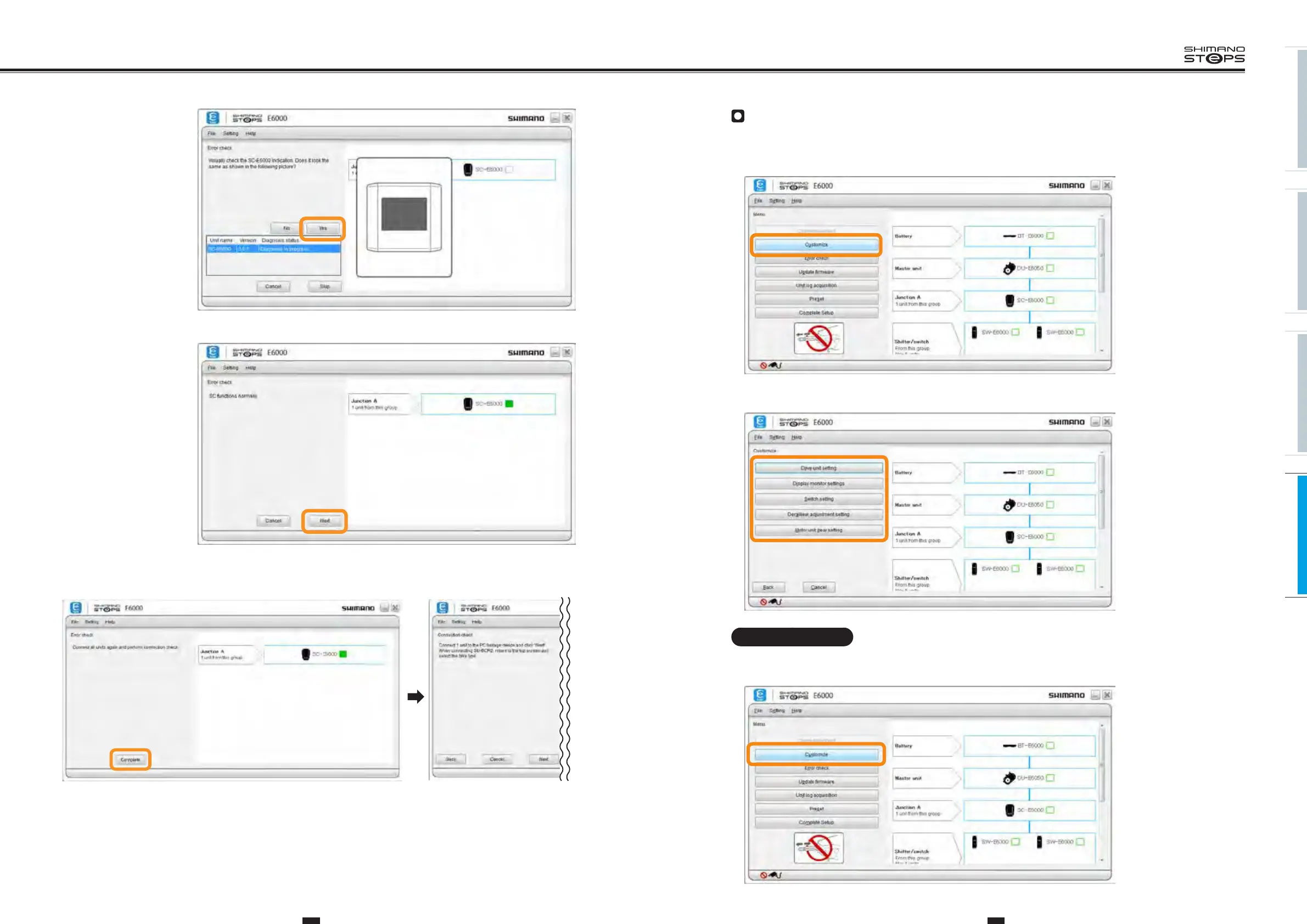
Customize
This function is used to customize the E-BIKE system.
The BOSCH eBike Drive Unit and other E-bike Drive Units cannot be customized with E-TUBE PROJECT.
1. Click [Customize] in the main menu screen.
2.
Click [Drive unit setting], [Display monitor settings], [Switch setting], [Derailleur adjustment setting], [Motor
unit gear setting] in the customize menu screen to go to each setting screen.
Drive unit setting
Configure the settings of the drive unit.
1. Display the customize menu screen.
(Main menu screen)
(Customize screen)
(Main menu screen)
6. Check the operation of
the unit and the display.
If there are no issues
with the displayed unit,
click "Yes".
7.
Click "Next" when
confirmation of normal
operation displays.
8.
Click "Complete" to finish the firmware restoration process.






 To Next Page