https://shimano-steps.com/
180 181
https://shimano-steps.com/
E6000 MANUALE8000 CONCEPT E8000 MANUAL E6000 CONCEPT
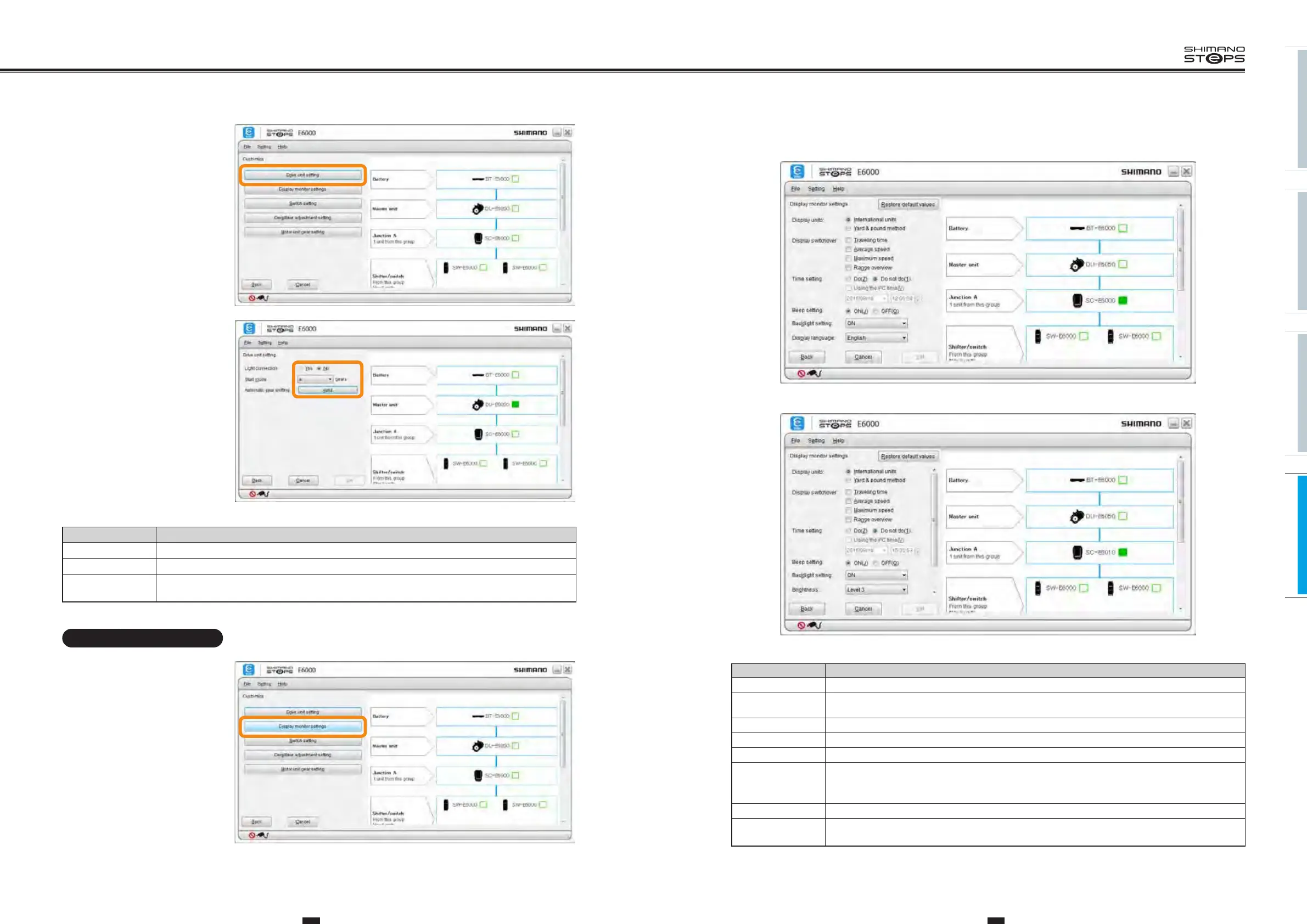
3. Click each item to select the settings description.
The items that can be set are as follows.
Item Description
Display units You can select the International System (km) or the Imperial System (mile) of units.
Display switchover
You can select whether to display the items "Traveling time", "Average speed", "Maximum speed", and "Range
overview".
Time setting You can adjust the time setting.
Beep setting You can select whether to turn the beep on or off.
Backlight setting You can select whether to turn the backlight on, off or manual.
Brightness
The backlight brightness can be selected from the following levels: "Level 1" / "Level 2" / "Level 3" / "Level 4" /
"Level 5".
This menu can only be set using SC-E6010.
Display language You can select the display language from "English", "French", "German", "Dutch", "Italian", and "Spanish".
Font color
The font color can be set to white or black.
This menu can only be set using SC-E6010.
* Click [Restore default values] and then [Set] to reset the settings to default.
<SC-E6000>
<SC-E6010>
2. Click [Drive unit setting] in the
customize menu screen.
3. Click each item to select the
settings description.
The items that can be set are as follows.
Item Description
Light connection Select "Yes" when connecting a light or "No" when not connecting a light.
Start mode Switches the start mode on or off. You can change gear position when on is selected.
Automatic gear
shifting
The auto shifting setting window is displayed. You can select whether auto shifting is enabled, disabled, and
the auto shifting adjust values.
Display monitor settings
Configure the settings of the display monitor.
1. Display the customize menu
screen.
2.
Click [Display monitor settings]
in the customize menu screen.






 To Next Page