https://shimano-steps.com/
182 183
https://shimano-steps.com/
E6000 MANUALE8000 CONCEPT E8000 MANUAL E6000 CONCEPT
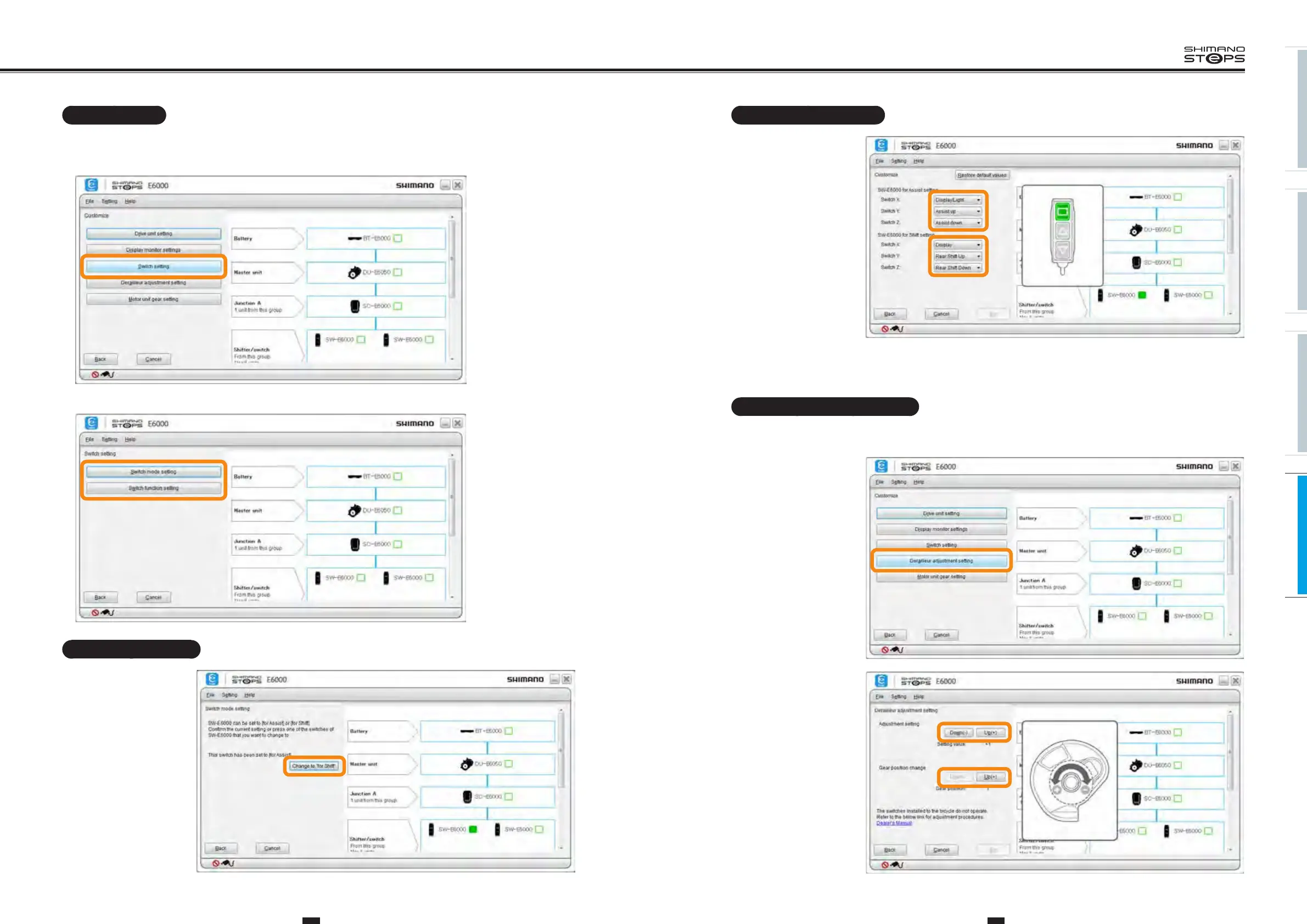
Switch function setting
You can change the functions
to assign to switches (X), (Y)
and (Z).
Select the desired setting for
each switch.
Note: Click [Restore default values] and then [Set] to reset the switch functions to default.
Derailleur adjustment setting
The derailleur can be adjusted.
Note: Usually, this operation is not necessary.
1. Display the customize
menu screen.
2.
Click [Derailleur
adjustment setting] in
the customize menu
screen.
3.
Click [Down] / [Up] to
adjust.
Note: During this operation,
the derailleur will not
operate even when the shift
switch of SW-S705 and SW-
E6000/E6010 is operated.
Note: The crank does
not need to be rotated
for operations related
to adjustment and gear-
shifting.
Switch setting
1. Display the customize menu screen.
2.
Click [Switch setting] in the customize menu screen.
3.
Click [Switch mode setting] or [Switch function setting] to go to each setting screen.
Switch mode setting
SW-E6000/E6010 can be used as
the assist mode switch or gear
shifting switch. You can select
which mode to use.
On the E-TUBE PROJECT
screen, the assist mode switch
is indicated as "SW-E6000/
E6010 for Assist" and the gear
shifting switch is indicated as
"SW-E6000/E6010 for Shift".
Configure the setting according
to the instructions displayed on
the screen.






 To Next Page