https://shimano-steps.com/
184 185
https://shimano-steps.com/
E6000 MANUALE8000 CONCEPT E8000 MANUAL E6000 CONCEPT
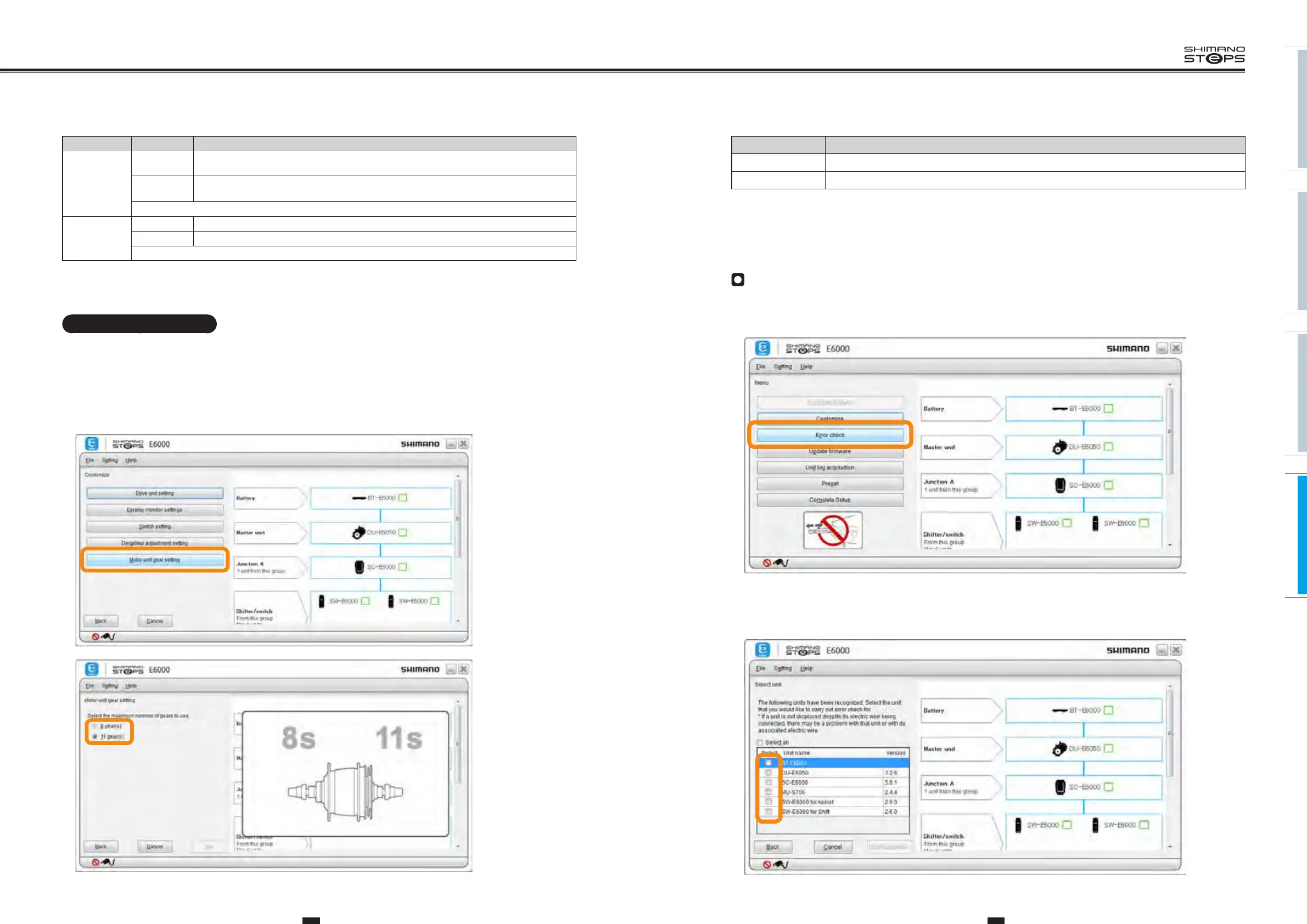
The items that can be set are as follows.
Item Description
8 gear(s) Select this when MU-S705 is installed to SG-S505 / SG-C6060.
11 gear(s) Select this when MU-S705 is installed to SG-S705.
3. Click any setting and then [Set] in the motor unit gear setting screen.
Error Check
When a single unit or multiple units are connected, this function checks their operation and identifies any units which have a problem.
1. Click [Error check] in the main menu screen.
2. Select the unit you want to check and then click [Start diagnosis].
• An error check of the selected unit will start. Perform operations following the instructions on the screen.
The settings to be adjusted are as follows.
Item Description
Adjustment
setting
Down (-)
The components that control gear-shifting rotate in the direction to indicate a lighter gear (clockwise,
direction of "-" indication).
Up (+)
The components that control gear-shifting rotate in the direction to indicate a heavier gear
(counterclockwise, direction of "+" indication).
Displays the current set value in [Setting Value]. (-4 to +4)
Gear position
change
Down (-) Gears will be shifted to a lighter gear.
Up (+) Gears will be shifted to a heavier gear.
Displays the current number of sprockets in [Gear position]. (1 to 8 or 1 to 11)
4. Click [Set] to complete adjustment.
Motor unit gear setting
MU-S705 can be used for hubs of SG-S705 (11 gears), SG-S505 (8 gears) and SG-C6060 (8 gears) by making additional settings. These settings can
be made with the motor unit gear setting.
Note: Before making the motor unit gear setting, check the derailleur to be installed.
1. Display the customize menu screen.
2.
Click [Motor unit gear setting] in the customize menu screen.






 To Next Page