15
INSTALLATION/REMOVAL
Removing the disc brake rotor
Removing the disc brake rotor
Perform the removal of the disc brake rotor in the reverse order from the installation
procedure.
Installing the brake caliper
Post mount type
1. Install the wheel with an attached disc brake rotor onto the frame.
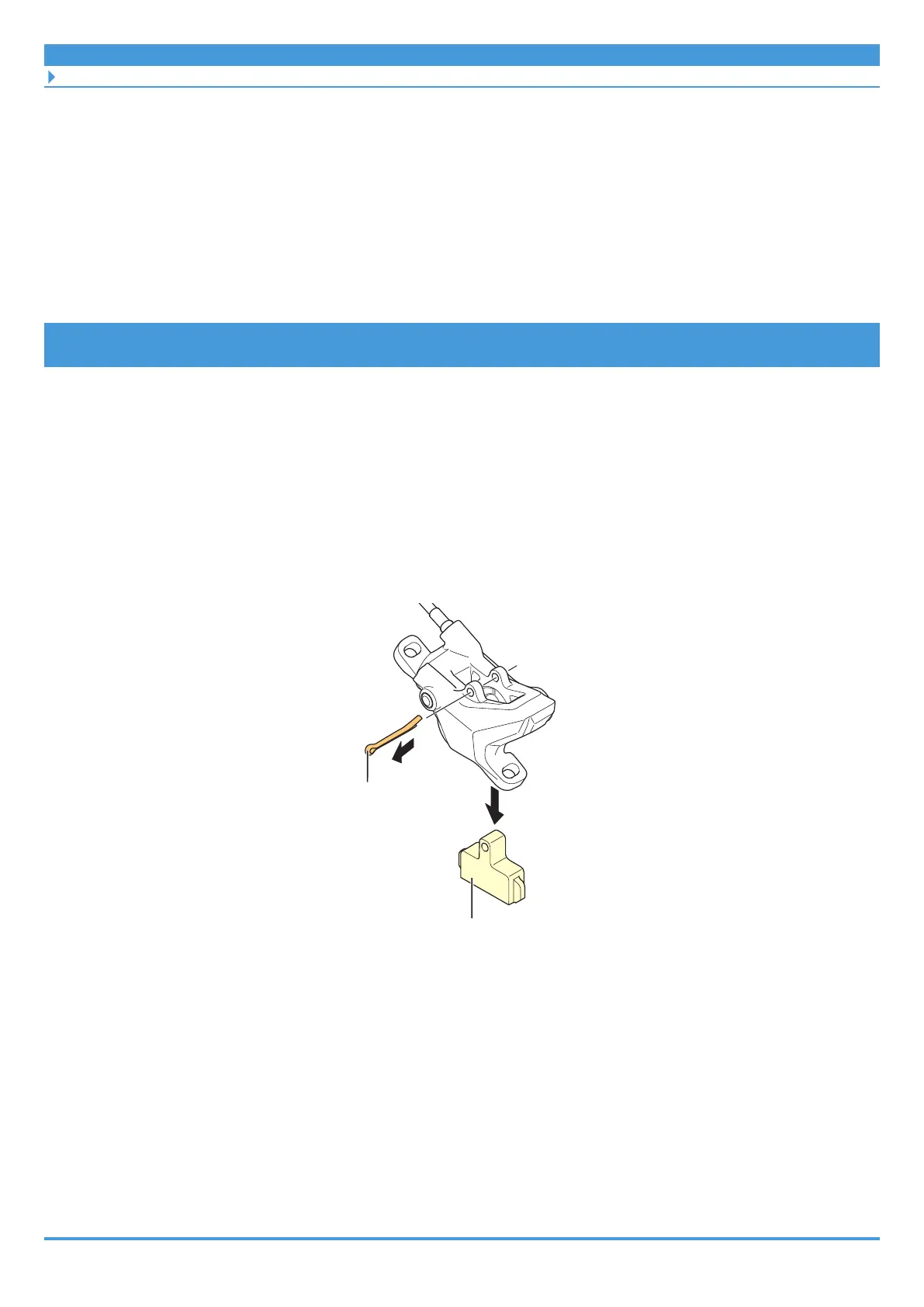
2. Remove the bleed spacer (yellow).
(1) Close the tip of the split pin.
(2) Remove the split pin.
(3) Remove the bleed spacer (yellow).
Bleed spacer (yellow)
(1)
(2)
(3)
Split pin



 To Next Page