Function Instruction Note
Simplifiction After simplification, the polygon numbers,
file size and detail of data will be reduced
universally.
Set the ratio from 0 to 99 and the default is
0.
The result will not be
added by multiple
operations on
Simplification.
Mesh
Optimization
Mesh optimization can optimize the quality
of the data by adding more triangles to
curvature regions.
Set the ratio from 0 to 100 and the default is
0.
/
Smooth Smooth the possible noise on the surface of
the scan data.
Set the ratio from 0 to 100 and the default is
0.
It might remove some
small details or smooth
some sharp edges at
the same time.
Remove
Small
Floating
Parts
Remove small floating parts which are not
connnected to the main data.
The maximum value is the square of the
diagonal length of the floating part/10,
MAX=(L/10)².
Set the ratio from 0 to 100 and the default is
0.
The result will not be
added by multiple
operations on Remove
Small Floating Parts.
Auto Hole
Filling
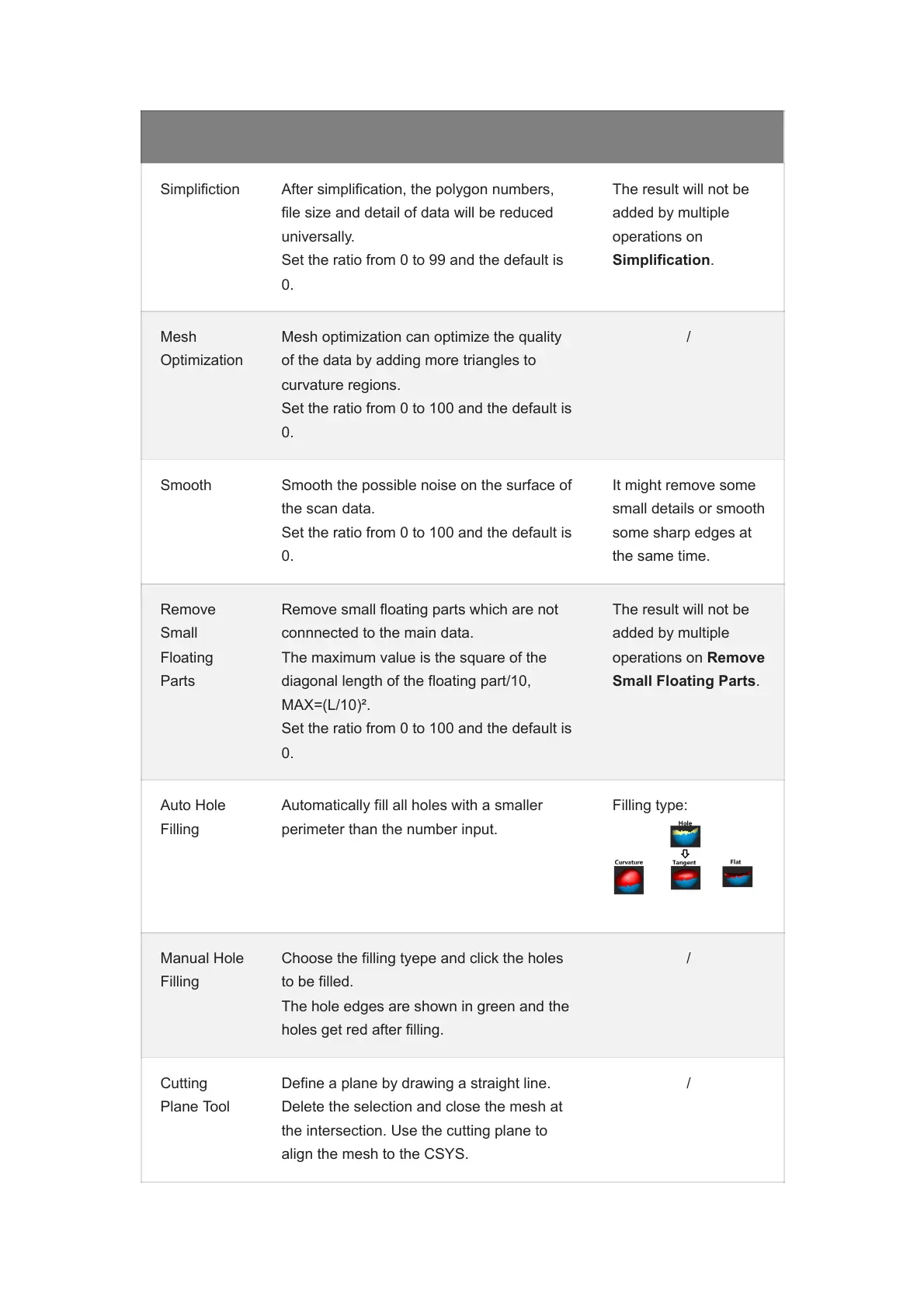
Automatically fill all holes with a smaller
perimeter than the number input.
Filling type:
Manual Hole
Filling
Choose the filling tyepe and click the holes
to be filled.
The hole edges are shown in green and the
holes get red after filling.
/
Cutting
Plane Tool
Define a plane by drawing a straight line.
Delete the selection and close the mesh at
the intersection. Use the cutting plane to
align the mesh to the CSYS.
/














 To Next Page