Caution
Make sure you are using the correct power adapter (12V/5A).
Step
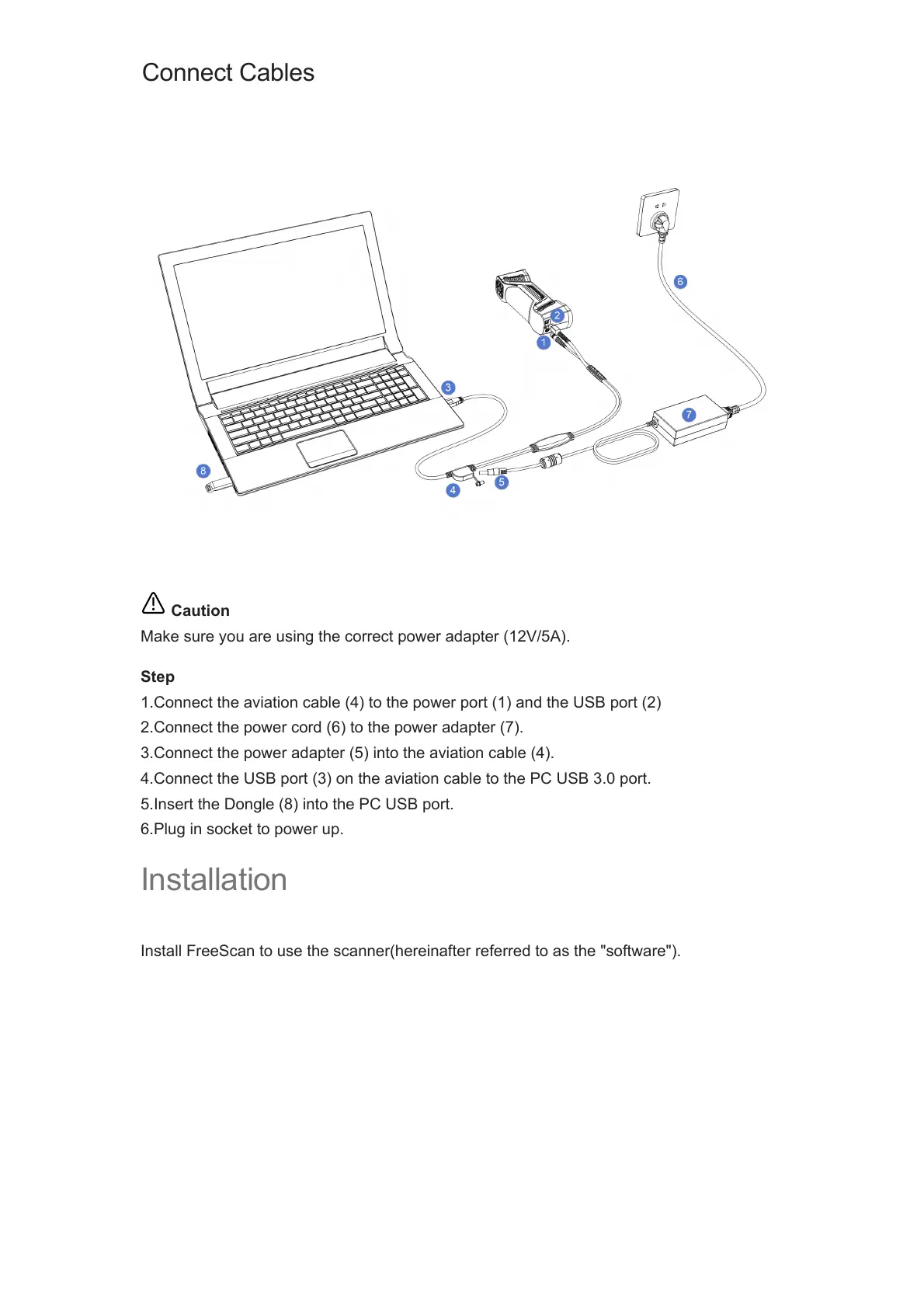
1.Connect the aviation cable (4) to the power port (1) and the USB port (2)
2.Connect the power cord (6) to the power adapter (7).
3.Connect the power adapter (5) into the aviation cable (4).
4.Connect the USB port (3) on the aviation cable to the PC USB 3.0 port.
5.Insert the Dongle (8) into the PC USB port.
6.Plug in socket to power up.
Installation
Install FreeScan to use the scanner(hereinafter referred to as the "software").
Connect Cables














 To Next Page