Desktop Quick-Start Guide • September 13, 2016
© Copyright 2016 ShopBot Tools, Inc. page 13
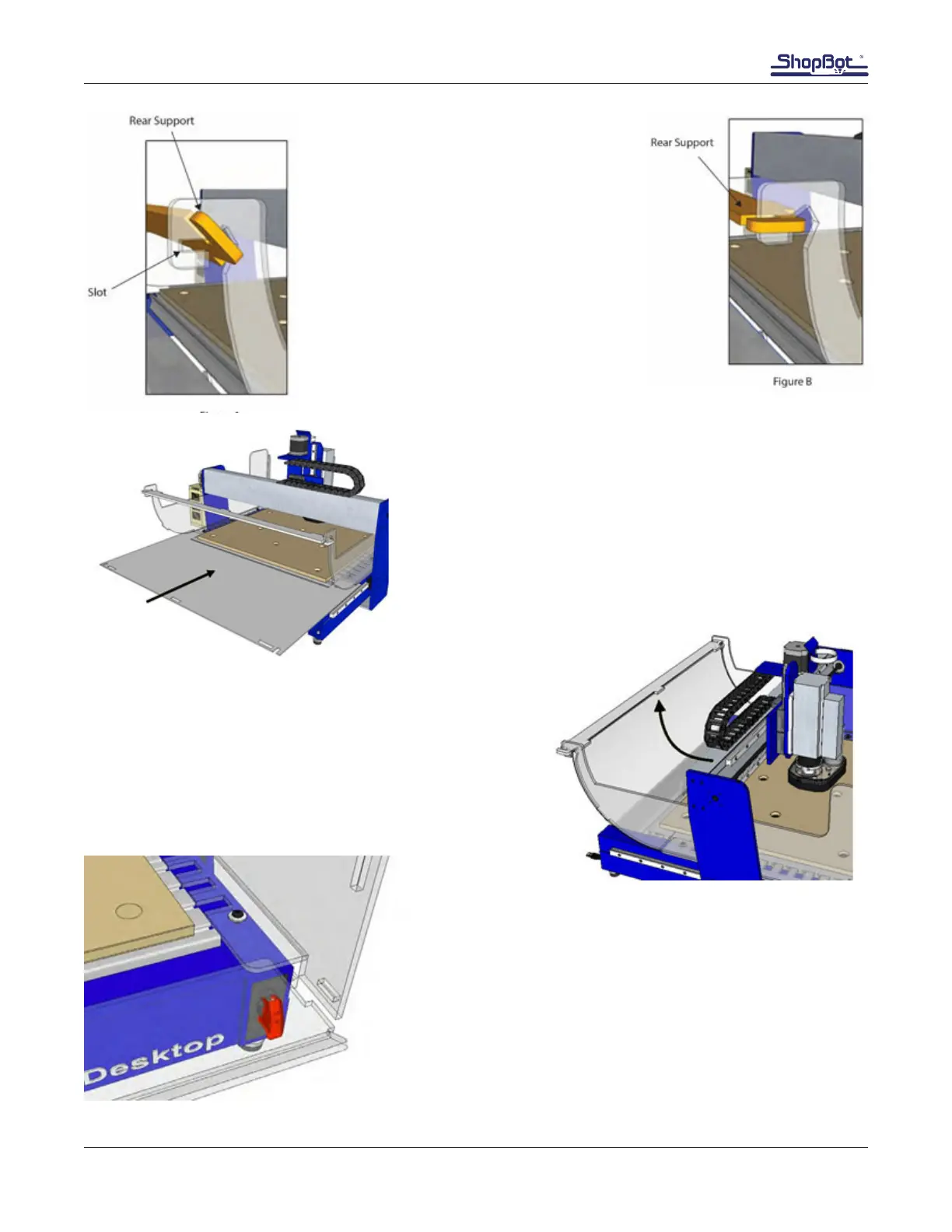
Install rear support into slot (Figure A) and
rotate it into position (Figure B).
Slide the rear panel in from the back.
Wrap the rear panel up and clip it in place.
Slide the front support under the side panels so the end
tabs clip into the notches in the side panels. The lip should
face up.



 To Next Page