Desktop Quick-Start Guide • September 13, 2016
© Copyright 2016 ShopBot Tools, Inc. page 18
Move the Desktop Tool
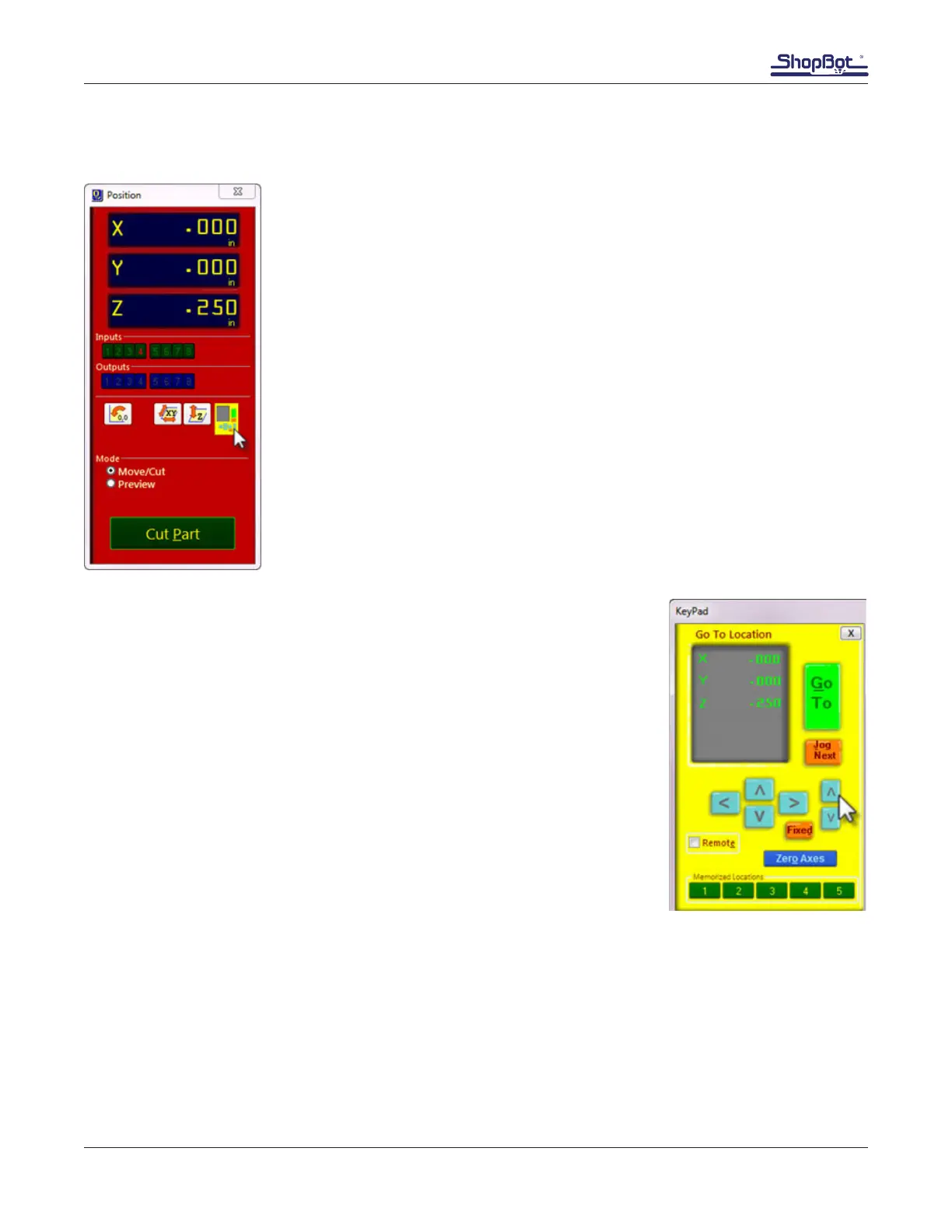
The “Easy” Control Panel
The “Easy” control panel provides essential machine information and con-
trols.
Click on the yellow button to bring up the “KeyPad” panel.
The KeyPad
This window allows the operator to manually move the X-, Y-, and Z-axes.
Click on the blue arrows or cursor buttons on the keyboard to move the
machine’s spindle/router and gantry.
Use the “Page Up” and “Page Down” buttons on the keyboard to move
the Z-axis up and down.
Move the spindle/router to a safe Z position below the Z proximity switch
and near the middle of the deck.
Click on the “X” in the upper right corner to close the yellow KeyPad.



 To Next Page