Desktop Quick-Start Guide • September 13, 2016
© Copyright 2016 ShopBot Tools, Inc. page 22
Zero the Z-Axis
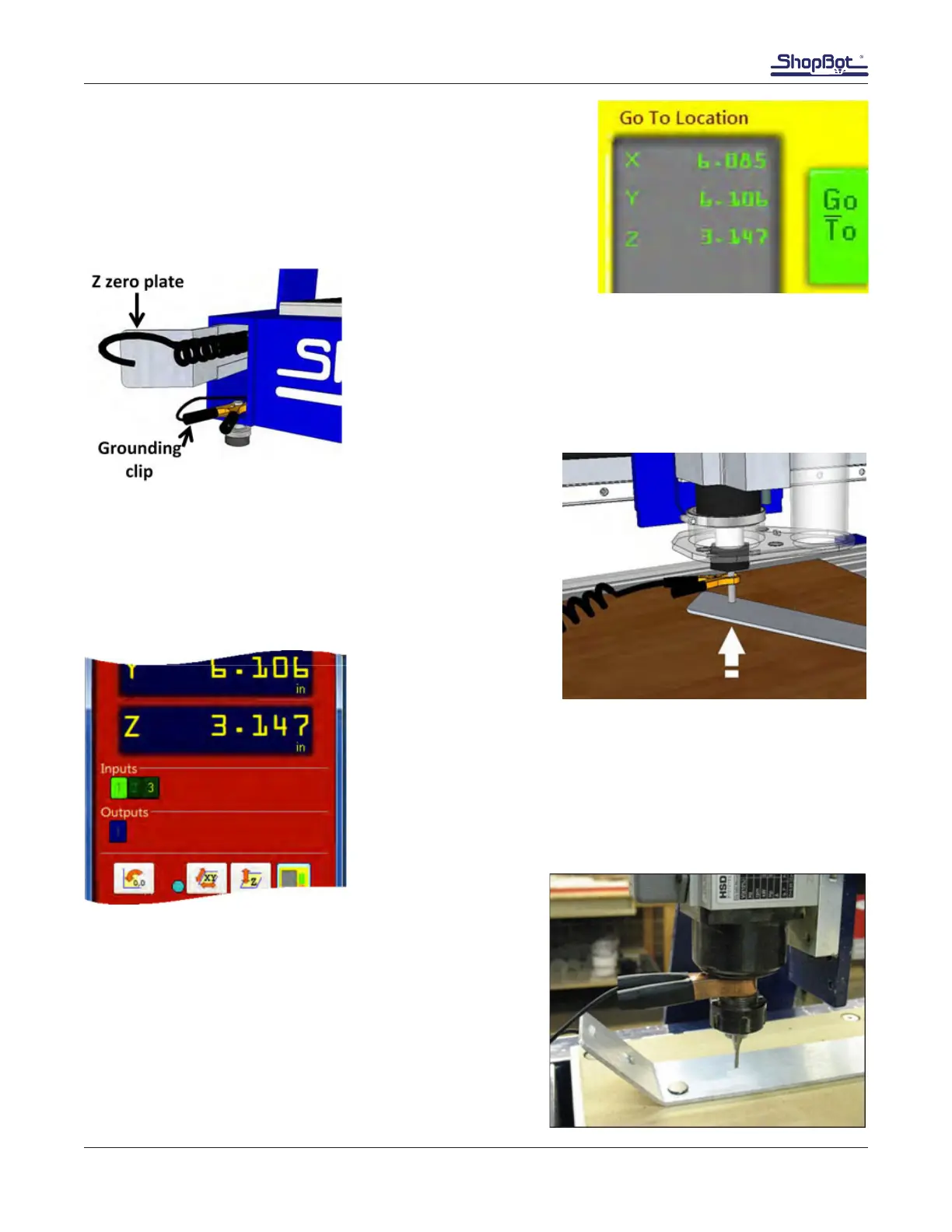
Open the yellow KeyPad and move the spindle to approximately
X=6, Y=6. Close the KeyPad.
Remove the Z zero plate and the grounding clip from their location.
Attach the grounding clip to the router bit (or collet) and
touch the Z zero plate to the bottom of the bit.
Input 1 should light up, then go off when the Z plate is removed.
Check this each time the grounding clip is connected. If Input 1
doesn’t light up, verify the grounding clip is well connected and try
again.
Lay the Z zero plate on top of the spoil board, below the
router bit.
Note: Z zeroing can be performed to the top of the spoil
board or on the top of the project material, depending on
how it is set in the design le.



 To Next Page