Desktop Quick-Start Guide • September 13, 2016
© Copyright 2016 ShopBot Tools, Inc. page 29
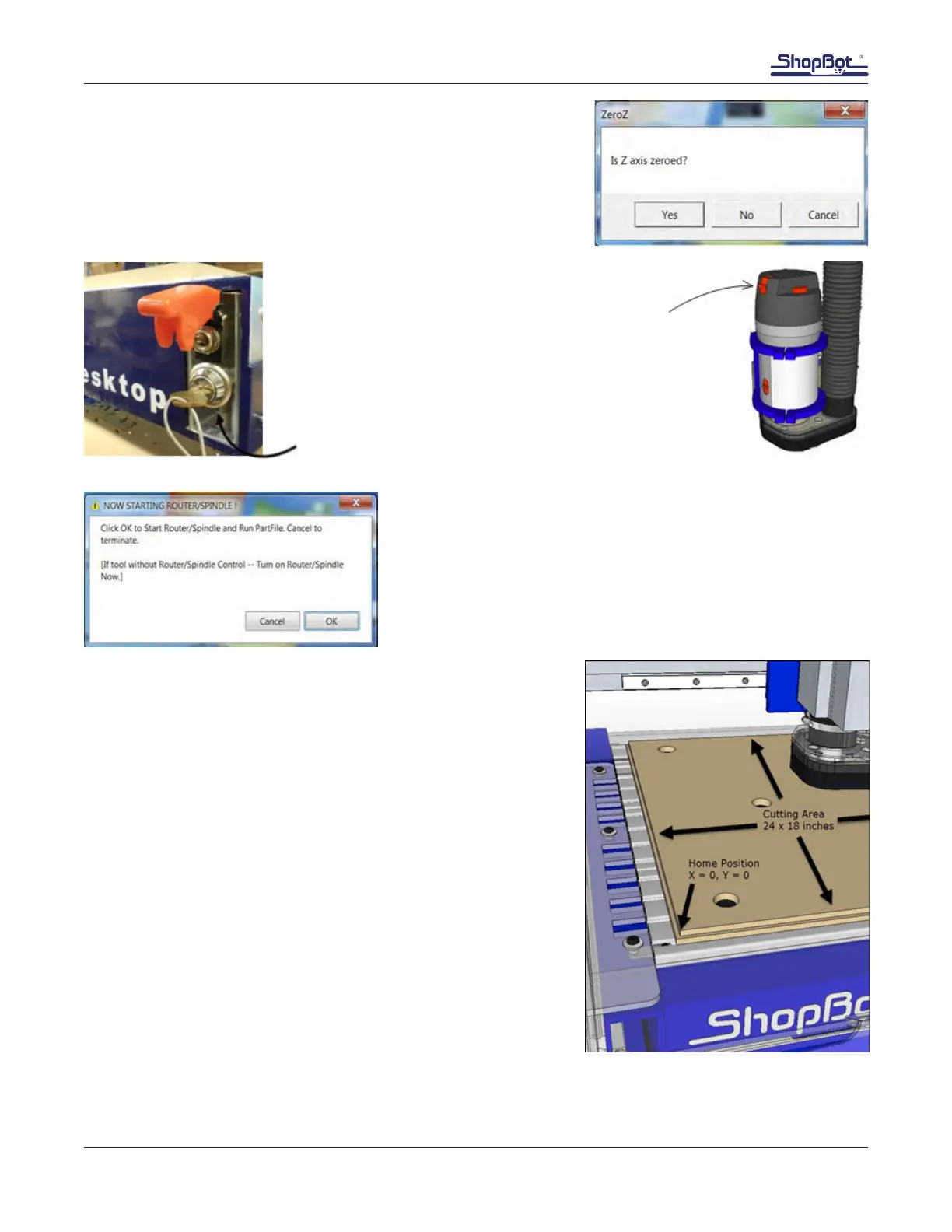
If the bit was zeroed to the top of the spoil board, click “Yes.”
Turn on the power to the router/spindle. If
using a router, engage the power switch, then
turn the interlock key switch clockwise.
Click “OK”. The tool will make two passes around the perime-
ter of the deck, creating a rabbet approximately 1/8” wide by
3/8” deep.
Keep in mind:
• The center section of the deck represents the cutting area
of the Desktop, 18” x 24”.
• The left front (lower) corner represents the home position
for the X- and Y-axes.
• The router returns to this position after completing a cut-
ting program.
• Home position aligns with the center of the bit.
• Most X and Y measurements for designing and routing are
based off this location.



 To Next Page