Desktop Quick-Start Guide • September 13, 2016
© Copyright 2016 ShopBot Tools, Inc. page 31
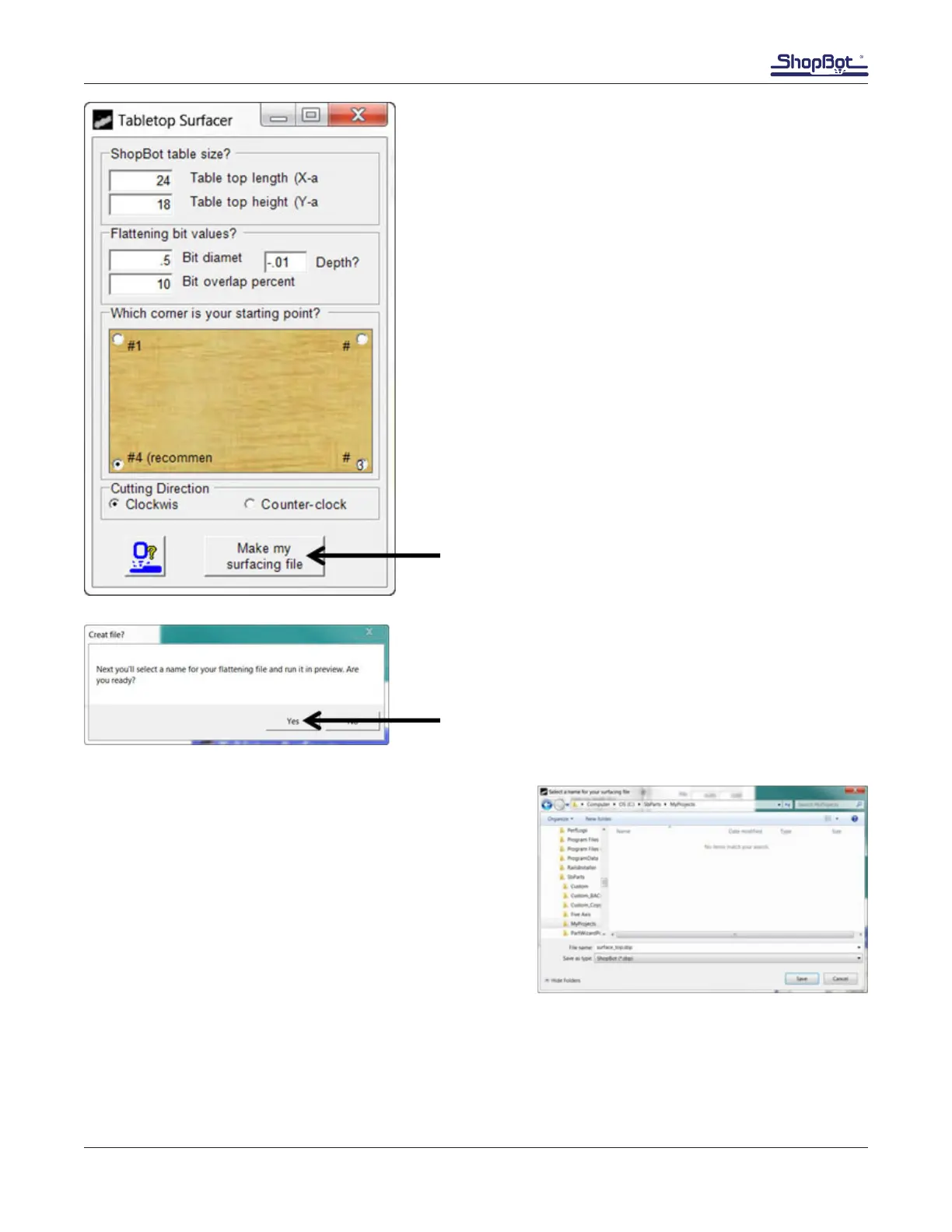
Choose a straight bit 1/2” in diameter or greater. Zero
the bit to the top of the MDF.
Default table size numbers are for a 96” X 48” table.
Change these values to 24” x 18”, set the depth to
-.01”, and change the bit diameter to the size of the
bit chosen (1/2” in this example). Click the “Make my
surfacing le” button.
Click “Yes” on the pop up.
Name the le, and include the tool used in the name.
Save the le in an easy to remember location.
Click “Save”.
The le will run.
If an area of the deck is left unsurfaced, re-zero to the
area that was missed and re-run the surfacing program.
Repeat this program any time the deck gets worn from
use.
When the MDF deck gets thin and close to the bolts holding the deck to the machine, simply glue on a
new piece of MDF.



 To Next Page