Control Panel Functions
For synchronous operation of multiple fixtures the fixtures must all be connected on a data-link.
Note: Disconnect the fixtures from the DMX controller before operating, otherwise data collisions can
occur and the fixtures will not work properly!
It’s necessary to insert the XLR termination plug (with 120 Ohm ) into the input of the first fixture and into
the output of the last fixture in the data-link, in order to ensure proper transmission on the data link.
DMX Addressing
With this menu you can set the DMX address.
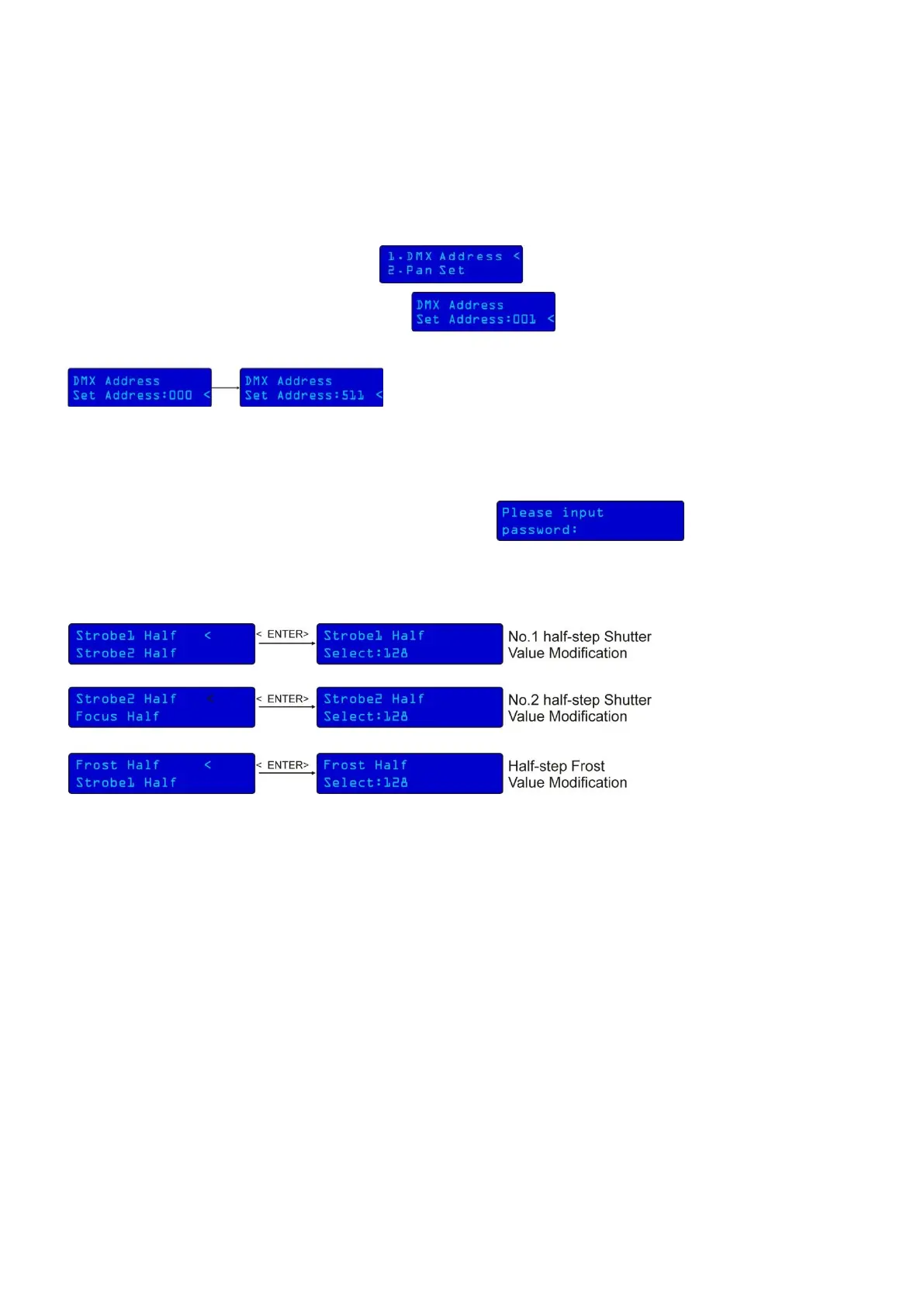
1) Press Mode/Esc, until the display shows .
2) Press Enter to confirm, the display will show (with actually stored address).
3) You can choose 512 different DMX addresses.
Use the Up / Down buttons to select the required address from 000 – 511.
Motor half-step Functions
With this you can set the motor half-step.
1) Press Mode/Esc for 10 seconds, until the display shows:
2) Enter the Password : 2322.
3) Press Enter to confirm your choice.
If there is no change or confirmation within 60 seconds, the fixture will automatically exit this function.











 To Next Page