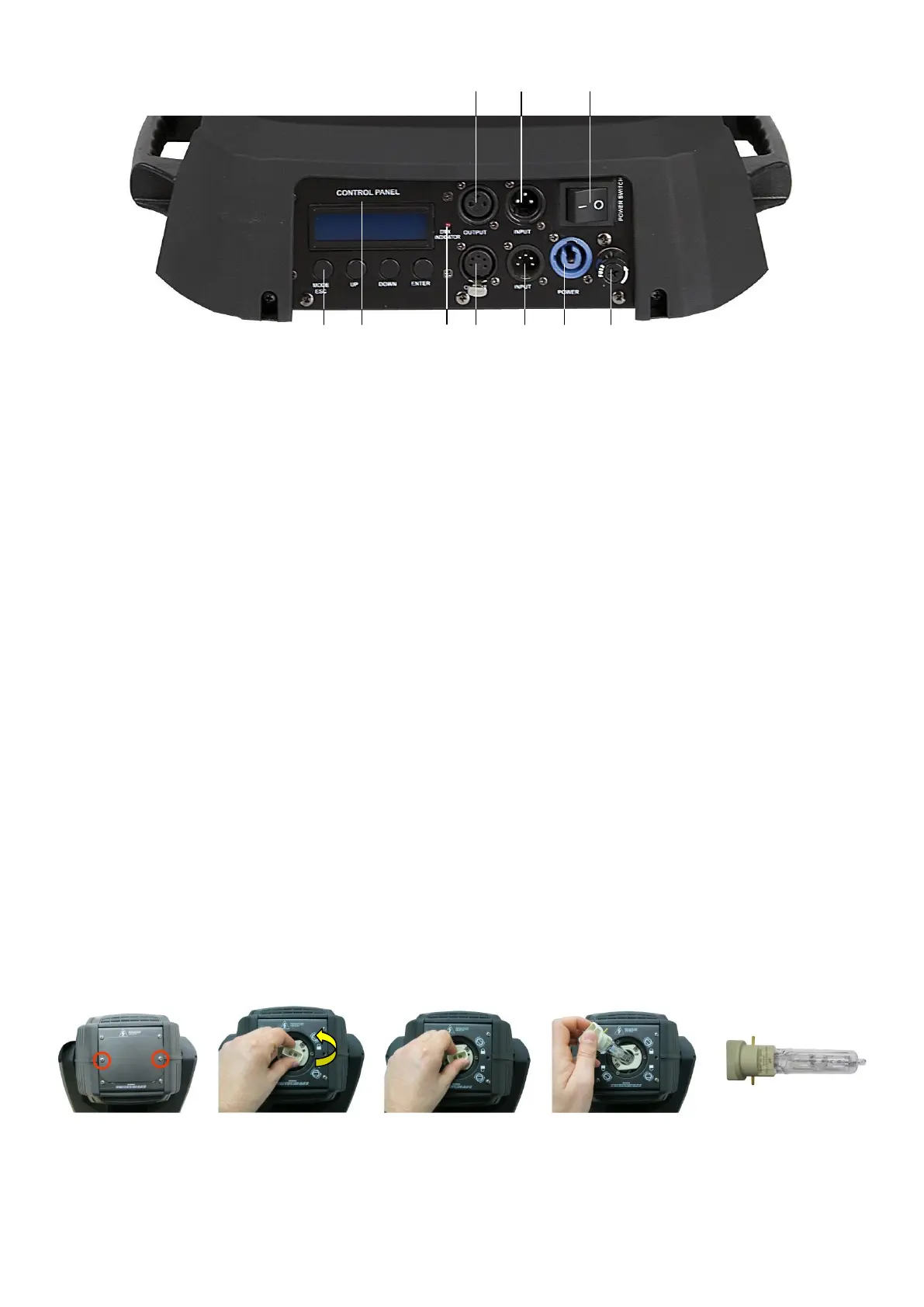
Backside 2 3 4
Fig. 2
5 6 7 8 9 10 11
2) DMX signal connector (OUT) 3-pin
3) DMX signal connector (IN) 3-pin
4) ON/OFF
5) Menu Buttons
6) LCD Display
7) DMX LED
8) DMX signal connector (OUT) 5-pin
9) DMX signal connector (IN) 5-pin
10) Powercable
11) Fuse T7A / 250V
Installation
Installing the Lamp
The Showtec Phantom uses the CSR-300 / MSR 300 (ordercode 80933 / 80851) bulb as manufactured by
all popular manufacturers. Use only the appropriate lamp for your unit.
Note that, product versions that use other lamps, may be offered in the future. Check your product
specification label for information.
Always disconnect from electric mains power supply before changing lamps.
The lamp has to be replaced when it is damaged or deformed due to the heat.
Do not install lamps with a higher wattage! Lamps with a higher wattage generate temperatures the
device was not designed for.
Damages caused by non-observance are not subject to warranty.
Procedure :
1. Loosen the 2 screws on the back of the housing.
2. Turn the backside of the lamp counter-clockwise.
3. Gently pull out the lamp. Read lamp instructions. Do not touch the lamp bulb glass. (See Figure 3.)
Oil on hands shortens the lamp life. (If you touch the bulb glass, wipe off the glass with a clean, lint-free
towel and rubbing alcohol.).
4. Gently insert the new lamp with its metal pins into the lamp socket and turn the new lamp Clockwise.
5. Put the lamp cover back and fasten the screws snugly.
1 2 3 4 5
Fig. 3











 To Next Page