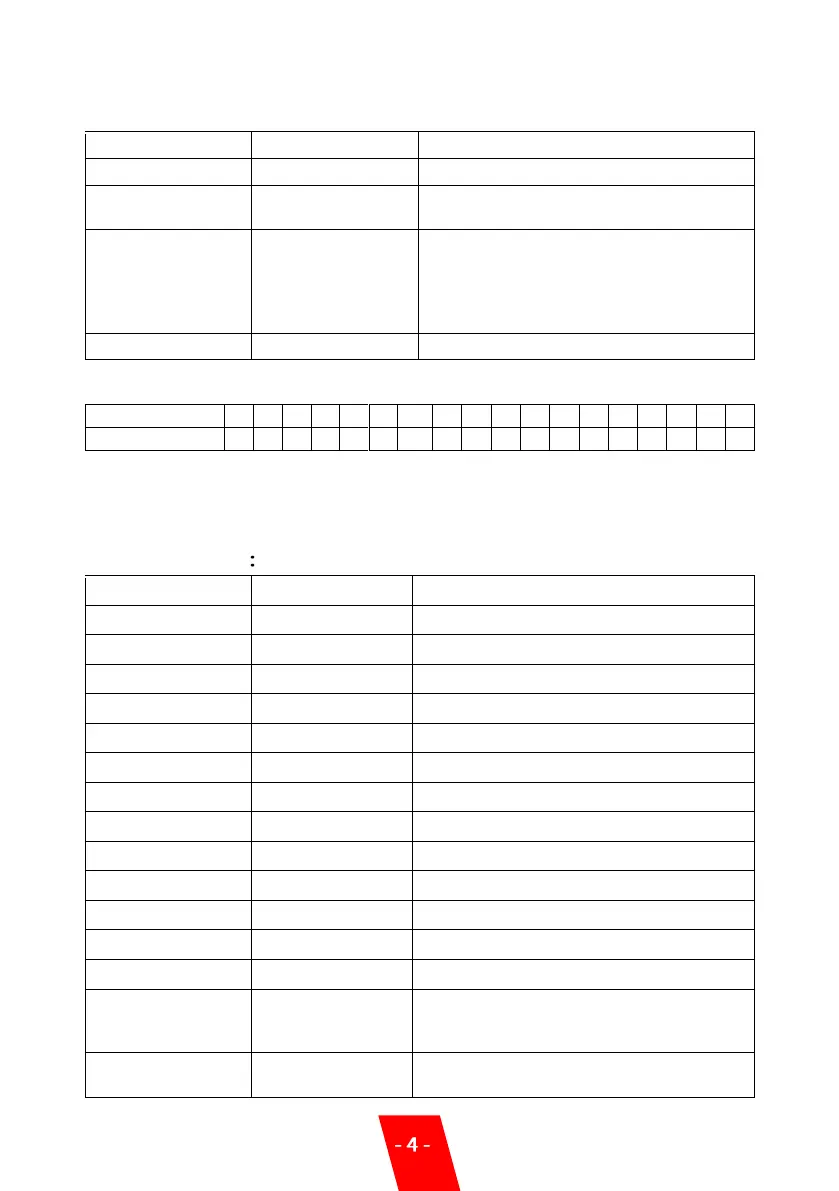
3. Setting Menu:
Press “MENU” switch through setup menu.
4. DMX address setup for SPARKULAR:
Note: DMX address must set according to above rules.
If use together with HOST CONTROLLER ZK6200/6300, each unit of SPARKULAR must use
different DMX address, otherwise it may leads to signal interference.
5. Advanced Interface
10 gears of fountain height, manually
adjust the height of sparks.
Auto preheat function switch after turn on
machine. If it is ON, machine will heating up
automatically after turn on. If it is OFF,
operator need to start heating up on HOST
CONTROLLER or DMX console.
Automatic clear material settings
Setup SPARKULAR inner core temperature
Wireless ON/OFF, for wireless version only
Adjusts the sparks density of Height gear 1*
Adjusts the sparks density of Height gear 2*
Adjusts the sparks density of Height gear 3*
Adjusts the sparks density of Height gear 4*
Adjusts the sparks density of Height gear 5*
Adjusts the sparks density of Height gear 6*
Adjusts the sparks density of Height gear 7*
Adjusts the sparks density of Height gear 8*
Adjusts the sparks density of Height gear 9*
Adjusts the sparks density of Height gear 10*
Factory mode is for engineer only. When in
Factory mode machine can’t controlled by
DMX console/host controller
Press ENTER in this interface, all parameter
of machine restore to default value.


 To Next Page