Shure Incorporated
5/10
⑧ Speech Mode
The LED indicator illuminates when speech mode is selected.
Preset Modes
These selectable modes adjust settings for gain, equalization, and dynamics to bring out the best sound characteristics for your
voice recording needs.
Mode Application Characteristics
Speech
Use for speech or vo
cals in conferencing ap
plications
A mix of preset gain, compression and EQ processing that optimizes the sound of
your voice for clarity. A de-esser reduces sibilance (the harsh sound that occurs
when words with an "S" are spoken).
Flat
Suited for any applica
tion
A completely unprocessed signal (no equalization or compression settings used).
Adds flexibility when processing the audio after recording.
Placement
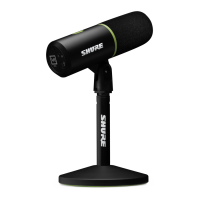
For conferencing applications, place the MV5C 12-18 inches (30-46 cm) away from your face and select speech mode. For
best results, place the microphone just to the left or right of your keyboard with the circular Shure logo pointed towards your
mouth. This properly orients the microphone for optimal sound pickup.
Adjusting Microphone Level
Microphone level (gain) typically does not need adjustment when using the microphone with a conferencing platform. However,
if you hear distortion or the audio is too low, adjust the microphone level in the audio or sound control panel of your computer.



 To Next Page