Shure Incorporated
5/14
2.
3.
1.
2.
3.
Connect the other end of the USB-C cable to your compatible laptop, phone, or tablet.
Plug your headphones into the monitor output.
Connecting to a Computer
Connecting to a Tablet
Quick Setup with MOTIV Mix
Use the USB-C cable to plug the microphone into your computer.
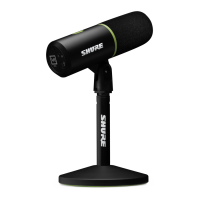
The LED panel on the MV6 will pulse when the connection is made.
Download MOTIV Mix at http://www.shure.com/MOTIVMix.
Your computer may request permission to use the external device the first time the app is opened.
Select your microphone from the Sources panel.
Access customized controls for your MOTIV microphone via the settings gear icon in MOTIV Mix.


 To Next Page