Shure Incorporated
7/14
•
•
•
•
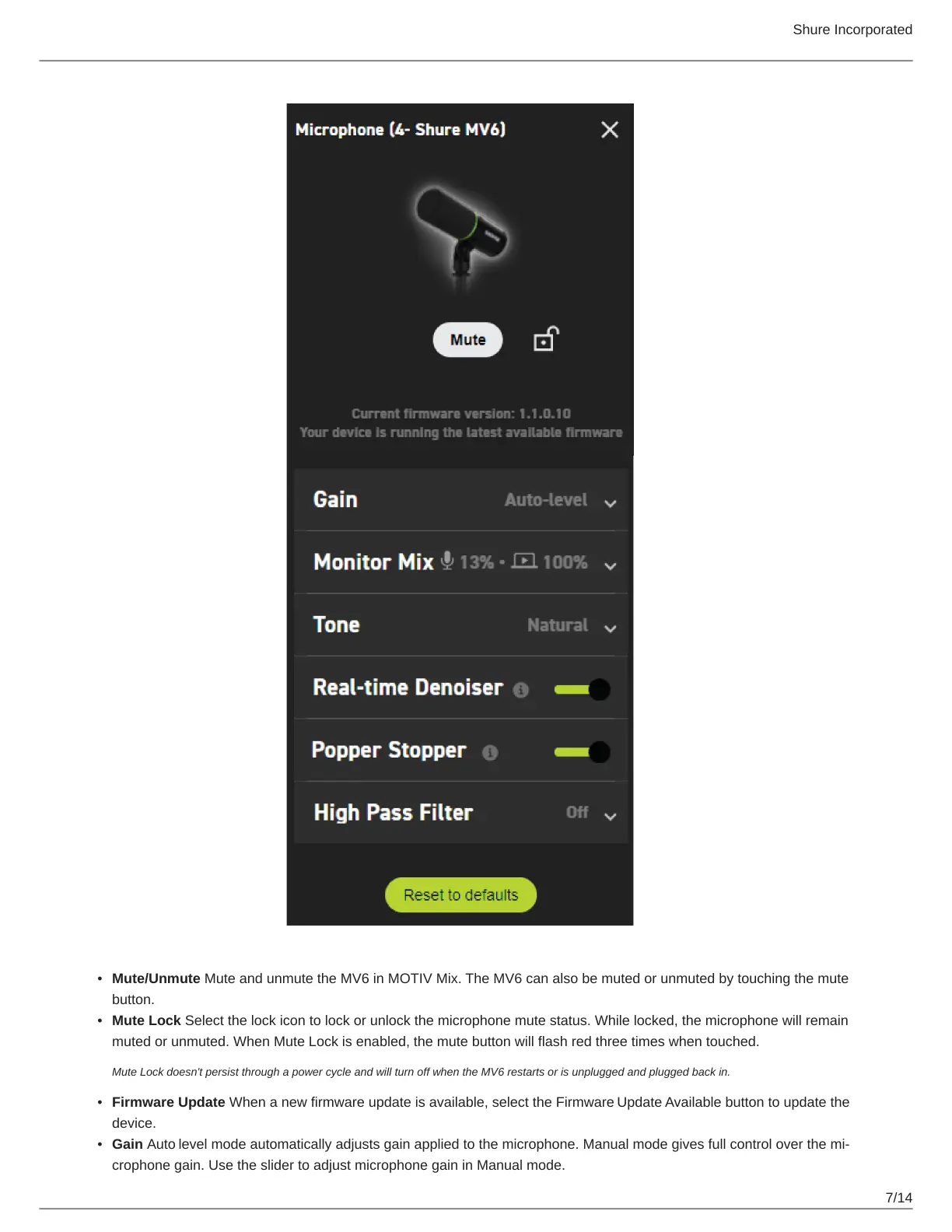
Mute/Unmute Mute and unmute the MV6 in MOTIV Mix. The MV6 can also be muted or unmuted by touching the mute
button.
Mute Lock Select the lock icon to lock or unlock the microphone mute status. While locked, the microphone will remain
muted or unmuted. When Mute Lock is enabled, the mute button will flash red three times when touched.
Mute Lock doesn't persist through a power cycle and will turn off when the MV6 restarts or is unplugged and plugged back in.
Firmware Update When a new firmware update is available, select the Firmware Update Available button to update the
device.
Gain Auto level mode automatically adjusts gain applied to the microphone. Manualmodegivesfullcontroloverthemi
crophone gain. Use the slider to adjust microphone gain in Manual mode.


 To Next Page