Shure Incorporated
11/31
Usethe▼▲buttonstoadjusttheaudiosothat,fortheaverageinputsignallevel,thetoptwoyellowLEDsflickerandthe
lower LEDs are solid. The red clip LED indicates the inputs are overdriven. Reduce the level at the audio source or change
the input sensitivity of the rack unit from the AUDIO > INPUT menu.
② Status Display and Menu Controls
Use the enter and exit buttons and the menu wheel to access the configuration menu. Push the menu wheel to move the
cursortothenextitem.Turnthemenuwheeltochangeaparameter—theenter button flashes. Press it to save the value.
Press the exit button to cancel changes and return to the previous menu.
③ Synchronization Button
Press the sync button while rack unit and bodypack IR windows are aligned to transfer settings.
④ Headphone Monitoring
The volume control adjusts signal output to the 3.5 mm headphone jack. NOTE: it does not affect rear panel outputs.
⑤ RF switch
Mutes RF output. For setting up multiple systems or adjusting settings without transmitting unwanted RF or audio signals.
⑥ Power Button
Turns the unit on and off.
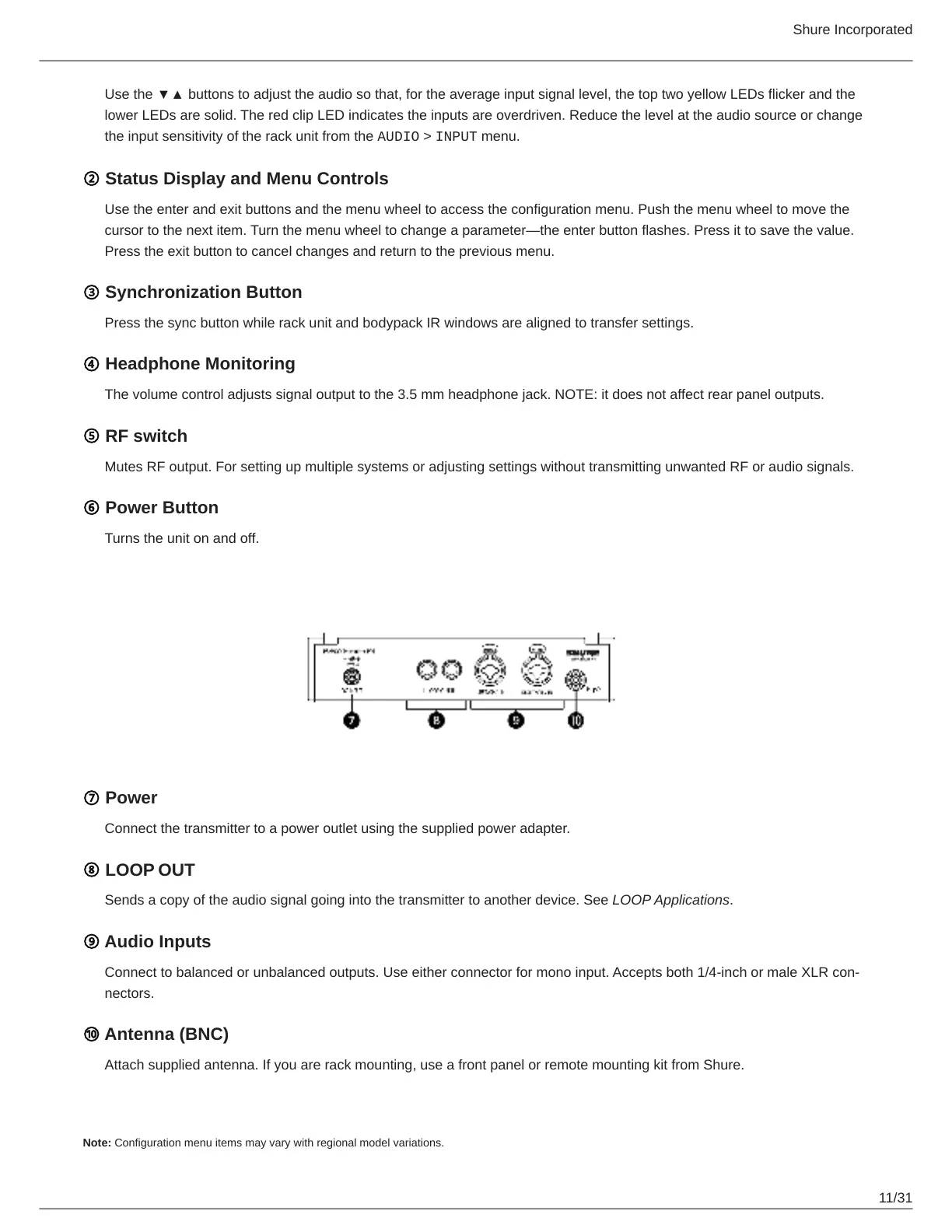
Rear Panel Connectors
⑦ Power
Connect the transmitter to a power outlet using the supplied power adapter.
⑧ LOOP OUT
Sends a copy of the audio signal going into the transmitter to another device. See LOOP Applications.
⑨ Audio Inputs
Connecttobalancedorunbalancedoutputs.Useeitherconnectorformonoinput.Acceptsboth1/4inchormaleXLRcon
nectors.
⑩ Antenna (BNC)
Attach supplied antenna. If you are rack mounting, use a front panel or remote mounting kit from Shure.
Configuration Menu
Note: Configuration menu items may vary with regional model variations.



 To Next Page