Shure Incorporated
6/31
•
•
•
•
1.
2.
3.
◦
◦
4.
Components
P9T: Rack Unit Transmitter
P9RA+: Bodypack Receiver
PS43: Power supply
Protective bumpers with 8 screws
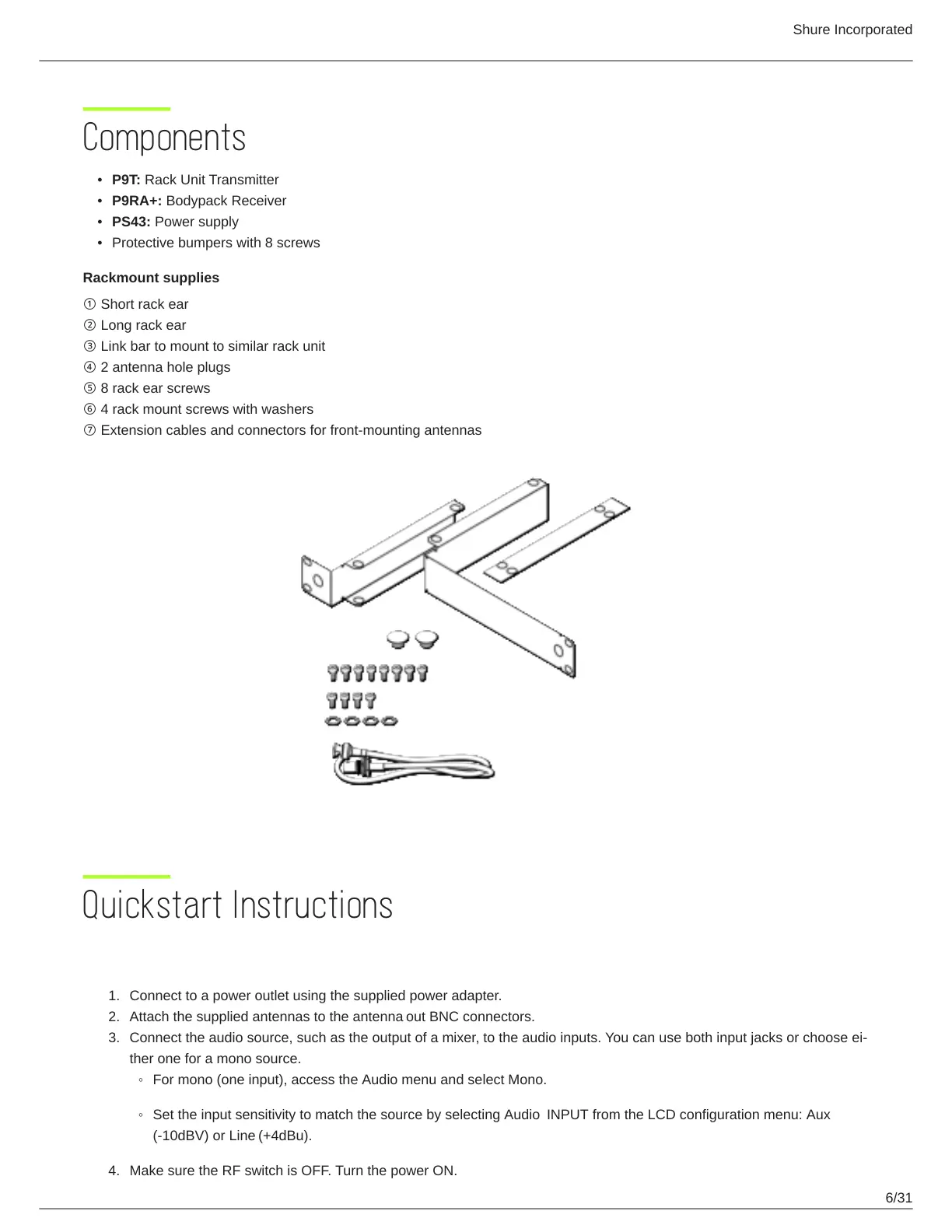
Rackmount supplies
① Short rack ear
② Long rack ear
③ Link bar to mount to similar rack unit
④ 2 antenna hole plugs
⑤ 8 rack ear screws
⑥ 4 rack mount screws with washers
⑦ Extension cables and connectors for front-mounting antennas
Quickstart Instructions
Rack Mount Transmitter
Connect to a power outlet using the supplied power adapter.
Attach the supplied antennas to the antenna out BNC connectors.
Connecttheaudiosource,suchastheoutputofamixer,totheaudioinputs.Youcanusebothinputjacksorchooseei
ther one for a mono source.
For mono (one input), access the Audio menu and select Mono.
Set the input sensitivity to match the source by selecting Audio INPUT from the LCD configuration menu: Aux
(-10dBV) or Line (+4dBu).
Make sure the RF switch is OFF. Turn the power ON.



 To Next Page