EasyManua.ls Logo

Shure U Series - User Manual

Shure U Series
19 pages
Print Icon
To Next Page IconTo Next Page
Loading...
27A8571 (RA) Printed in U.S.A.Copyright 1998, Shure Brothers Incorporated
The Sound of Professionals...Worldwide
Shure Brothers Incorporated
222 Hartrey Avenue, Evanston, Illinois 60202–3696 Phone: 847/866–2200 Fax: 847/866-2279
In Europe, Phone: 49-7131-72140 Fax: 49-7131-721414 Internationally, Phone: 847/866–2200 Fax: 847/866-2585
UHF
Users Guide

Questions and Answers

  • M
    Maria JonesJul 31, 2025
    Why is my Shure Microphone system signal noisy?
    • T
      Travis SpenceJul 31, 2025
      A noisy signal from your Shure Microphone system could be due to several reasons. First, check the transmitter's power or battery fuel gauge and replace the battery if the power is low. Also, try to remove any local sources of RF interference, such as lighting equipment. If you are using a guitar or another instrument, ensure it's connected to the U1 with a Shure WA302 adapter cable. It's possible that two transmitters are operating on the same frequency; locate and turn one off or change the frequency. Finally, the signal may be too weak, so try repositioning the antennas closer to the transmitter or adjusting the receiver squelch control.
  • J
    Jennifer Chavez MDAug 9, 2025
    What to do if my Shure Microphone system receiver makes noise with the transmitter off?
    • M
      Michael JohnsonAug 9, 2025
      If your Shure Microphone system receiver is producing noise when the transmitter is off, try adjusting the receiver squelch control. Another solution is to remove any local sources of RF interference, such as lighting equipment. You might also try using another frequency or repositioning the receiver or antennas.
  • L
    Laura MerrittAug 19, 2025
    Why does my Shure Microphone system have momentary sound loss?
    • M
      Michael GreenAug 20, 2025
      If you experience momentary sound loss with your Shure Microphone system as the transmitter is moved around the performance area, reposition the receiver and perform another 'walkthrough' test, observing the RF level or Diversity signal indicators. If audio dropouts persist, mark these 'dead spots' in the performing area and avoid them during the performance. You may also decrease the squelch control setting, although this might slightly increase noise in the 'dead spots'. Consider moving antennas to a remote location using a UA830 kit.

Summary

System Description and Features

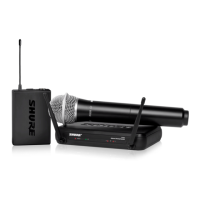
System Components

Details the individual hardware components that constitute the Shure UHF Wireless System.

U1 Transmitter Controls and Indicators

U2 Transmitter Controls and Indicators

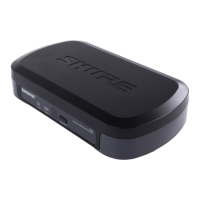
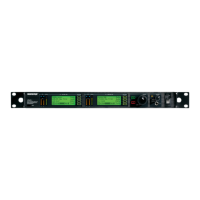
U4 S & U4 D Receiver Controls and Connectors

Receiver Setup

Programming the Receiver

Changing Receiver Group;Channel Settings

Procedure for adjusting the receiver's Group and Channel settings.

Changing Receiver Frequency Setting

Steps to modify the operating frequency of the receiver.

Transmitter Setup

Transmitter Battery Installation

Instructions for installing batteries into the transmitter.

Programming the Transmitter

Changing Transmitter Group;Channel Settings

Procedure for setting the transmitter's Group and Channel parameters.

Adjusting Transmitter Audio Gain Level

Adjusting Transmitter Audio Input Level

Troubleshooting

Shure U Series Specifications

General IconGeneral
Transmitter OptionsHandheld, Bodypack
Bodypack ConnectorTA4F
Receiver OutputsXLR, 1/4"
WeightVaries by component
DimensionsVaries by component
Power SupplyAC adapter or battery
ConnectorXLR, 1/4"

Related product manuals