ATTACHING THE TOWERS (CLINICAL PLUS ONLY)
STEP 7
ITEMS REQUIRED
Towers
Tower Crossbar
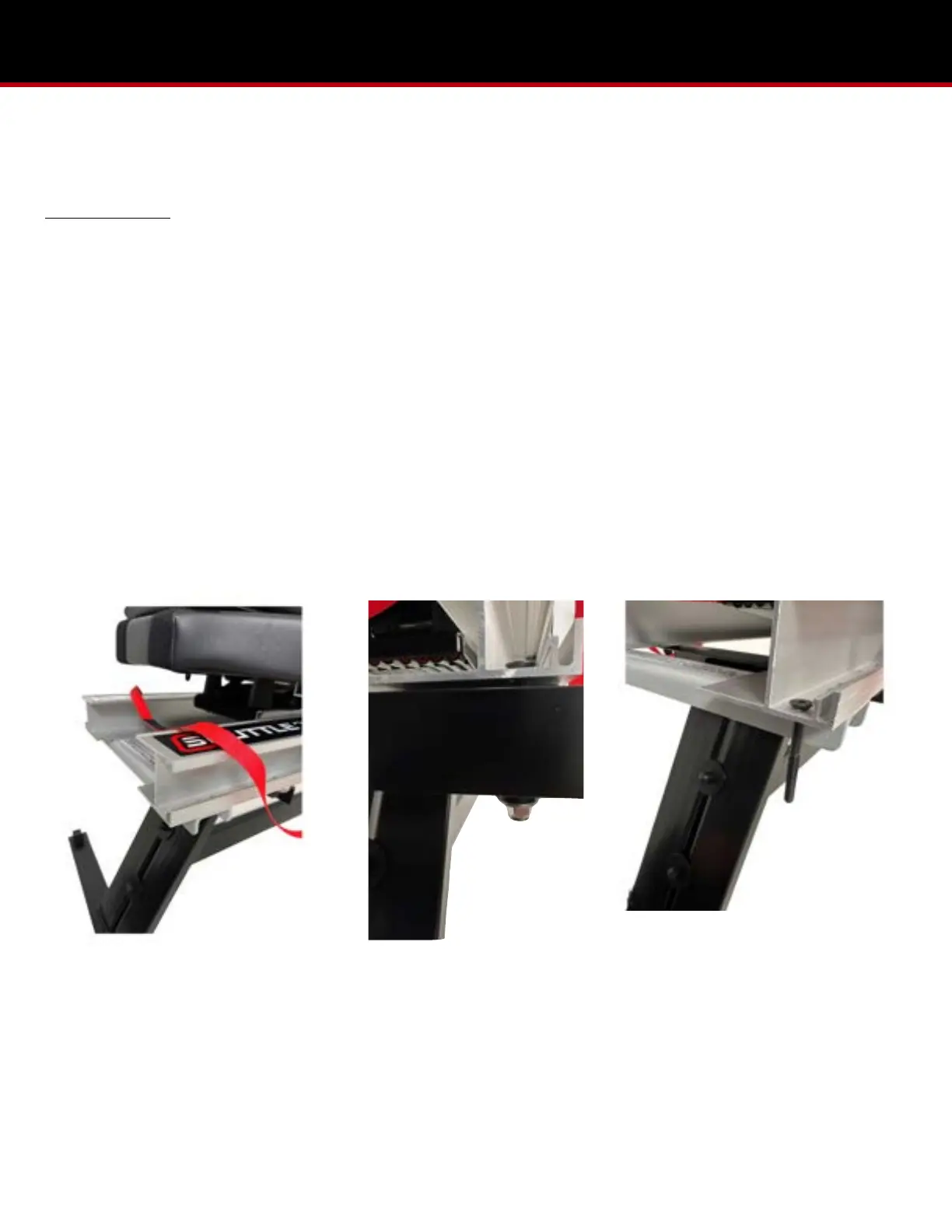
1. Before installing the towers make sure the red ROM (range of motion) control is placed above the rails. (Pic 7.1)
2. Remove the two bolts and two lock nuts from the tower crossbar. Align the two bolt holes in the tower crossbar with the
two bolt holes at the head-end of the rail, making sure that the velcro on the tower crossbar faces away from the
machine.. Secure the tower crossbar to the 2000-1 rails with the hardware. (Pic 7.2 & 7.3)
3. Loosen the bolts at the bottom of the towers and then place the towers over the black plastic blocks at the stand-ends,
making sure the upper eyebolts face the kickplate. (Pic 7.4 & 7.5)
4. Remove the four washers, two bolts, and lock nuts from the towers. Line the velcro of the towers with the tower crossbar
and secure with the hardware. Add nut caps to lock nuts after securing. (Pic 7.6, 7.7, 7.8)
5. Install the two rail caps from the parts bag into the head-end of the rails. It can be done with a rubber mallet. (Pic 7.9)


 To Next Page