16
English
Security
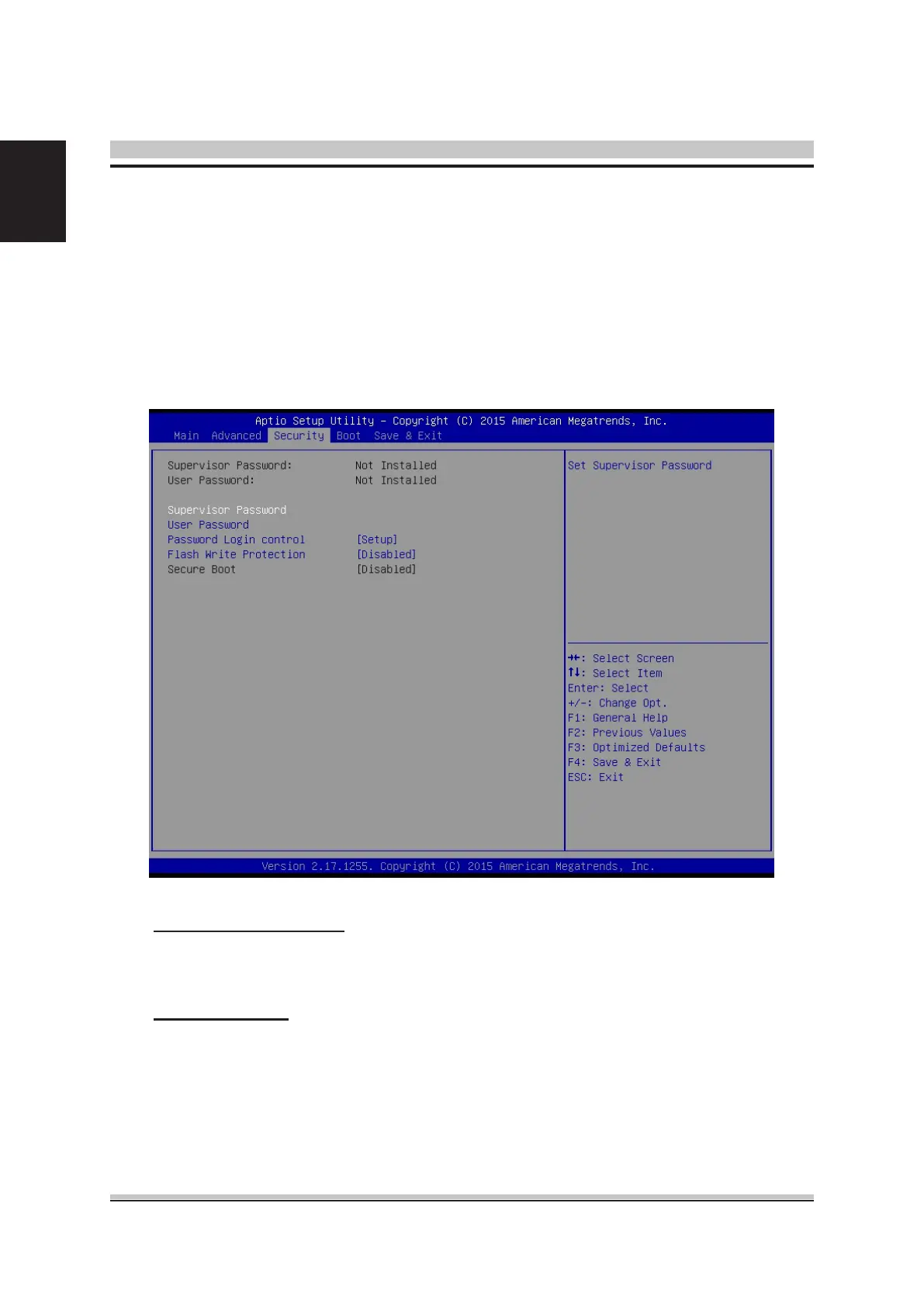
Select the Security tab from the BIOS setup screen to enter the Security BIOS Setup
screen. You can display an Security BIOS Setup option by highlighting it using the
<Arrow> keys. All Security BIOS Setup options are described in this section.
The Security Setup screen is shown below. The sub menus are documented on the
following pages.
Supervisor Password
Indicates whether a supervisor password has been set. If the password has
been installed, Installed displays. If not, Not Installed displays.
User Password
Indicates whether a user password has been set. If the password has been
installed, Installed displays. If not, Not Installed displays.










 To Next Page