✓
2.3 Integrating the safety laser scanner
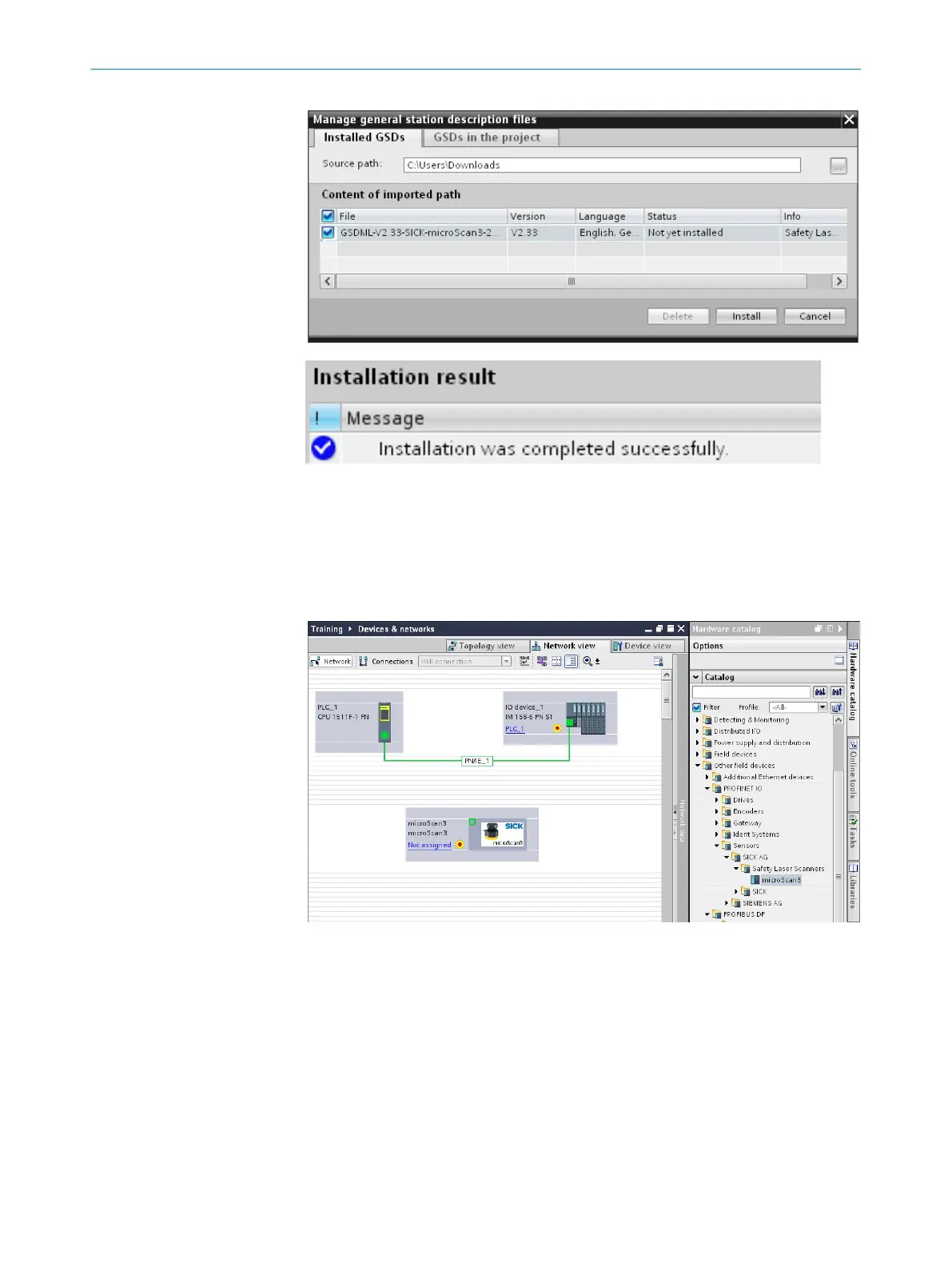
Approach
1.
In the Network view tab: Double-click on microScan3. Alternatively, use drag and drop
to drag microscan3 into the working range. You will find microScan3 under Other field
devices > PROFINET IO > Sensors > SICK AG.
2. Right-click on N
ot assigned and select Assign to new IO controller.
INTEGRATION 2
8026545/2021-03-15 | SICK T E C H N I C A L I N F O R M A T I O N | microScan3 - PROFINET
7
Subject to change without notice














 To Next Page