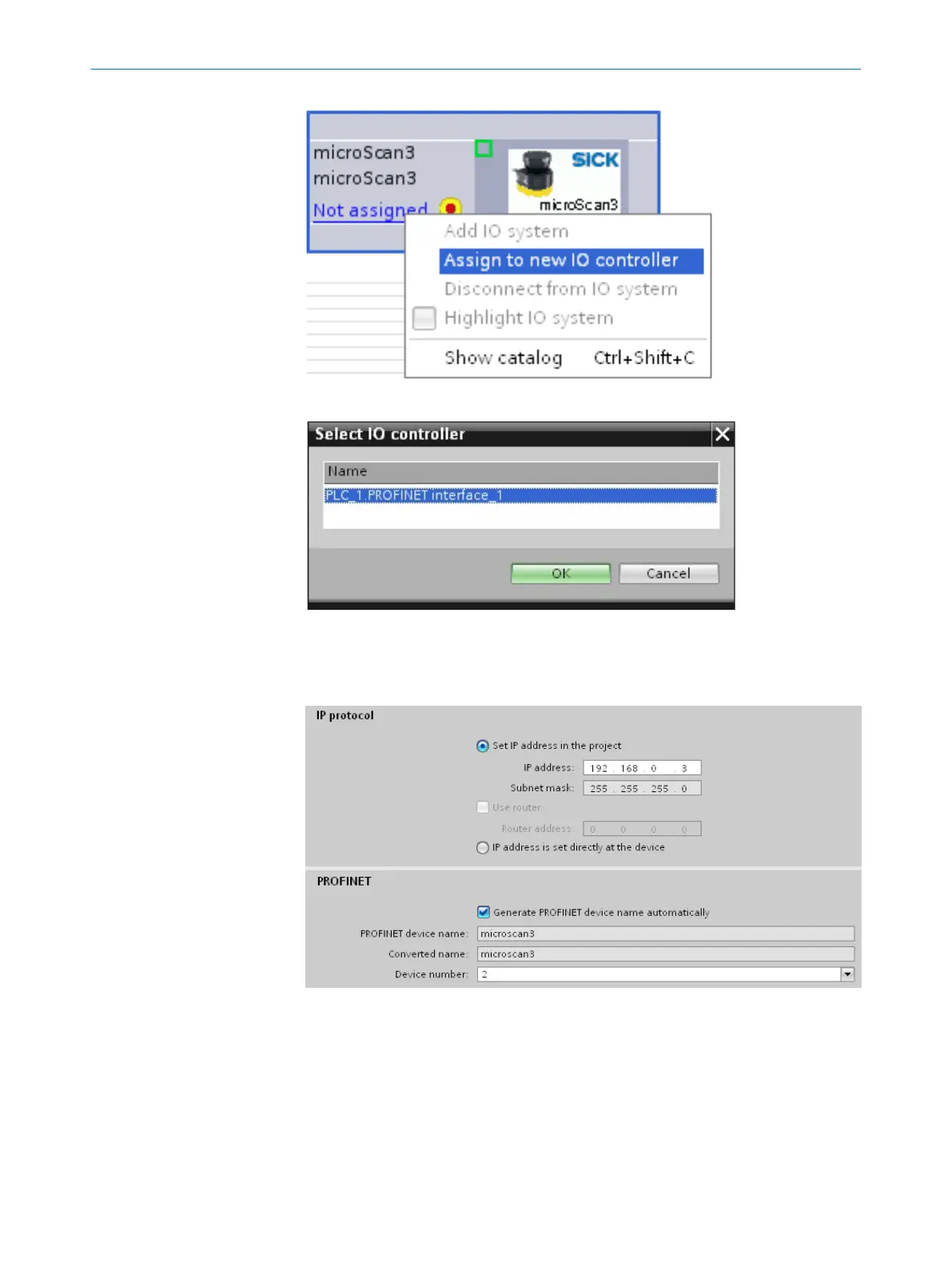
3. Select a suitable IO controller and click OK t
o confirm.
4. In the N
etwork view tab, double-click on microScan3.
5. Properties > General > Ethernet addresses
6. Enter the IP address and Converted name (=PROFINET device name). The entered
values must match the values configured in Safety Designer.
7. Expand the D
evice overview and Hardware catalog and select a suitable module.
see "Overview of the process images", page 12
8. If applicable, right-click on the standard module (highlighted in yellow) and select
Delete to remove it.
2 INTEGRATION
8
T E C H N I C A L I N F O R M A T I O N | microScan3 - PROFINET 8026545/2021-03-15 | SICK
Subject to change without notice














 To Next Page