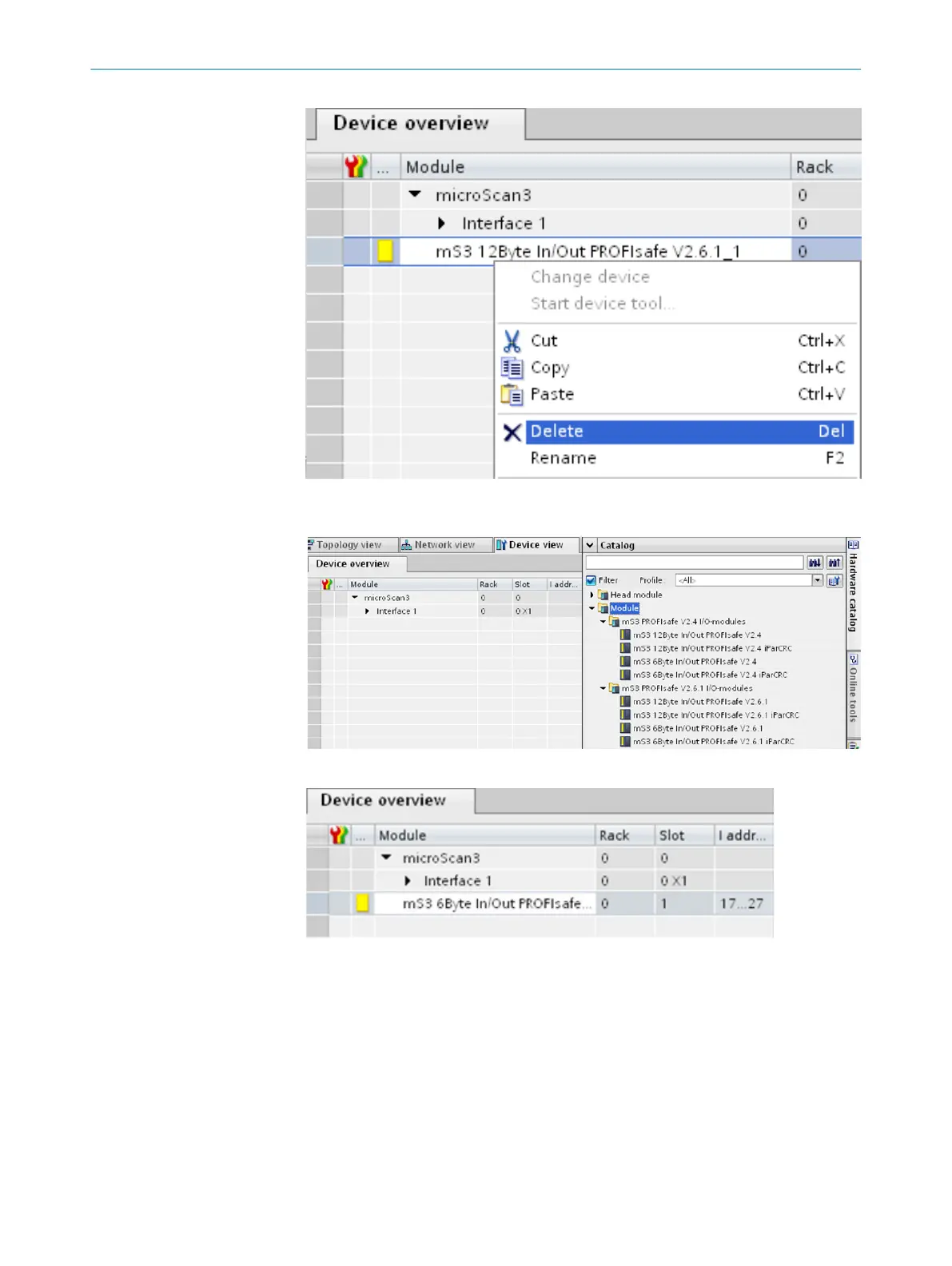
9. To add a new module, double-click on the desired module in the C
atalog. Alterna‐
tively, use drag and drop to drag the desired module into Device overview.
10. Click on the module (e.g., mS3 6Byte In/Out…)
11. Pr
operties > General > PROFIsafe
12. Enter the F_Dest_Add and, if applicable, F_iPar_CRC F_WD_Time. The entered values
must match the values configured in Safety Designer.
13. If applicable, enter the f_WD_Time.
see "Overview of the PROFIsafe parameters", page 11
INTEGRATION 2
8026545/2021-03-15 | SICK T E C H N I C A L I N F O R M A T I O N | microScan3 - PROFINET
9
Subject to change without notice















 To Next Page