A
B
C
D
E
F
H
I
J
K
L
M
N
O
P
Q
R
S
T
Subject to change without notice
Safety laser scanners
You can nd more connection diagrams at www.mysick.com
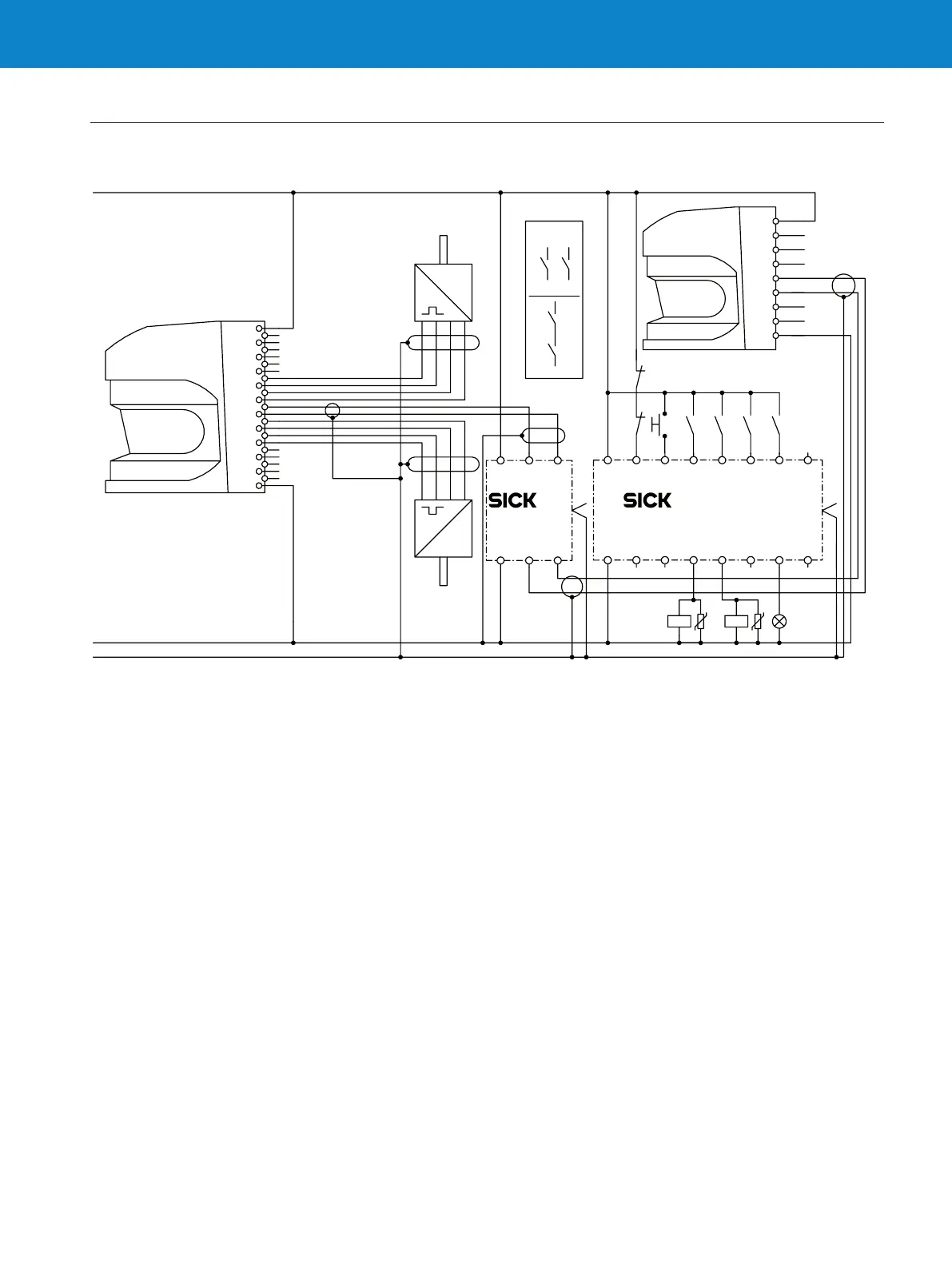
Switching of safety elds with static and dynamic inputs
90° 0° – +
90° 0° – +
1/f
1/f
HTL
HTL
S3000
Expert
S3000
Remote
Flexi Soft XTIO
Flexi Soft
CPU1
0 V DC
PE
1
6
11
13
17
19
15
22
20
8
4
2
5
10
12
16
18
14
23
21
7
9
3
1
5
6
7
14
15
4
3
2
A2 I7 Q1 Q2 Q3 X2 Q4 I8
A1 I1 I3 I4 I5 X1 I6 I2
A1 A B
A2 A B
EFI1
EFI2
k1
1)
k1
k1
K1 K2 H1
k2
FE FE
S1
k2
k2
z
y
y
x
x
z
A1 A2 B1 B2
• Combine and link safety solutions with Flexi Soft: Extended
safety with S3000 Expert safety laser scanners, Flexi Soft
safety controller and incremental encoders.
• S3000 Expert with incremental encoders (x2) for safe eld
switching based on dynamic input signals (speed)
• Switching of safety elds with static and dynamic inputs of
two scanners connected with Flexi Soft safety controller via
EFI (Enhanced Functional Interface)
• Speed signals are routed from scanner 1 to scanner 2 via
EFI and Flexi Soft













 To Next Page