5 Mounting
5.1 Overview of mounting procedure
NOTE
The mounting procedure described here for the device meets the requirements for use
in the target system. Additional or different requirements may become necessary in the
laboratory and during preparation, and should be taken into account as necessary, see
"Commissioning", page 29. If you have any questions or anything remains unclear in
this regard, please contact our service team.
b
Mounting the bracket, if provided.
b
Install the device.
b
Assembling and laying cables.
b
Connecting peripheral devices.
b
Connecting the voltage supply.
5.2 Scope of delivery
•
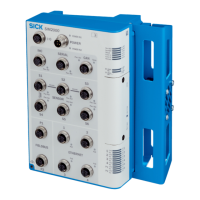
SIM2000
•
1x grounding screw
•
1x toothed lock washer
•
Safety note
•
Optional: ordered accessories
NOTE
For a list of cables suitable for use with the device, see: supportportal.sick.com.
5.3 Preparing for mounting
Mounting requirements
NOTE
Two mounting methods along with the relevant accessories are recommended:
•
Via adapter plates (accessory part no. 2084764)
•
Via mounting rail (accessory part no. 2084765)
To avoid damage to the device or the connected peripheral devices, avoid ambient
temperatures greater than 45 °C.
•
Select the mounting site:
Plan space requirements and sufficient distance from other devices.
Be aware of the possibility of heat dissipation.
•
Unpack the device and allow to acclimatize to avoid formation of condensation.
Preparing for mounting with mounting rail
1. Place the mounting rail at the mounting site.
2. Mark the mounting holes.
3. Proceed to drill the mounting holes.
MOUNTING 5
8023297//2021-06-22 | SICK O P E R A T I N G I N S T R U C T I O N S | SIM2000
15
Subject to change without notice









 To Next Page