5.4 Mounting the device
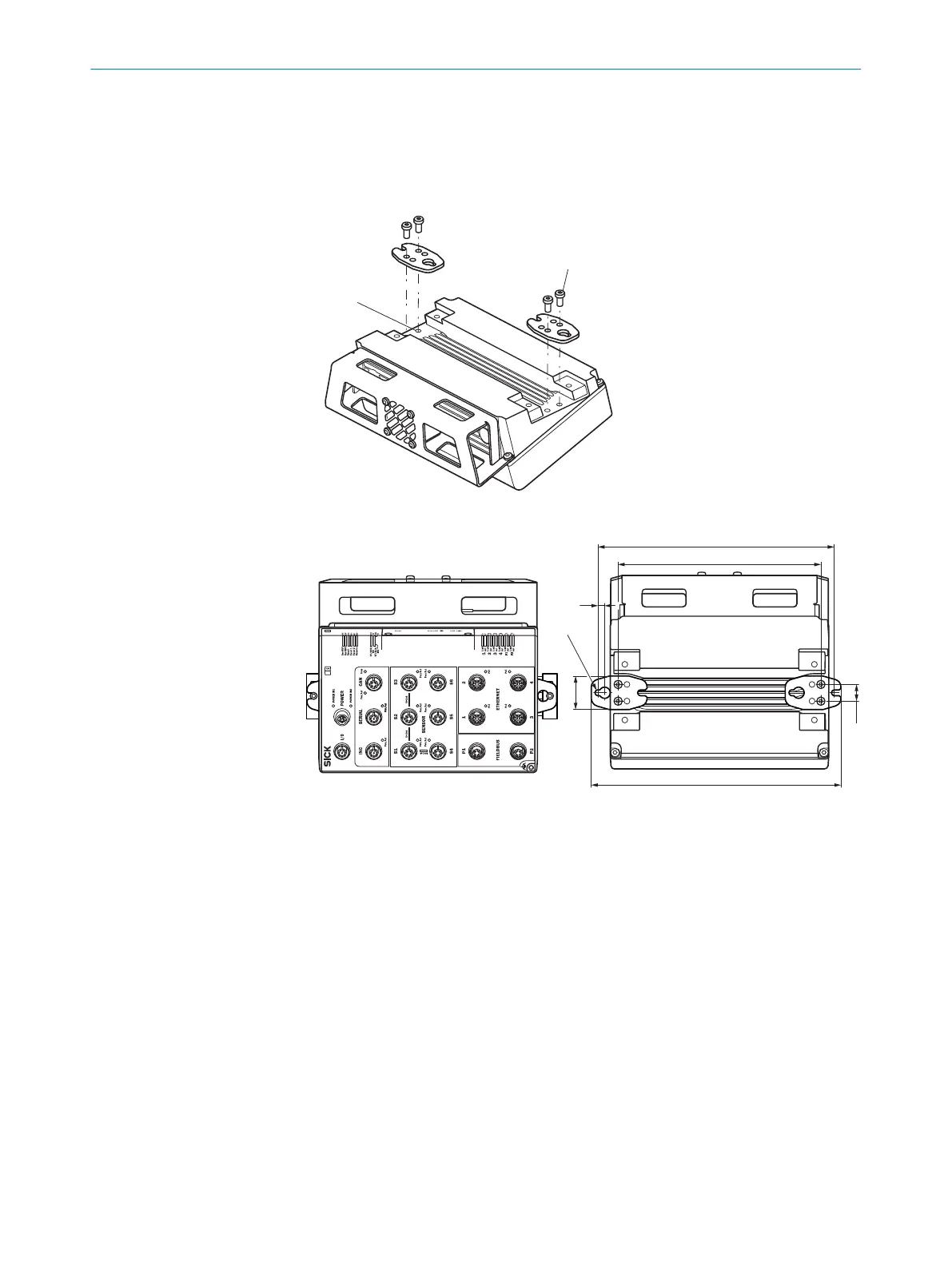
Mounting the device horizontally using a mounting rail
1. Attach the mounting plates to the device using two hexagon socket head cap
screws (A/F 3) on each
SIM2x00
1
2
6
15
30
R 2,6
212
182
224
2. Mount the lower clamping plate on the mounting rail.
3. Insert the lower clamping plate on the opposite side at an angle and hook into the
lower clamping plate.
4. Use the mounting plates and two hexagon socket heat cap screws (A/F 3) to screw
the device securely into the two clamping plates.
5
MOUNTING
16
O P E R A T I N G I N S T R U C T I O N S | SIM2000 8023297//2021-06-22 | SICK
Subject to change without notice









 To Next Page