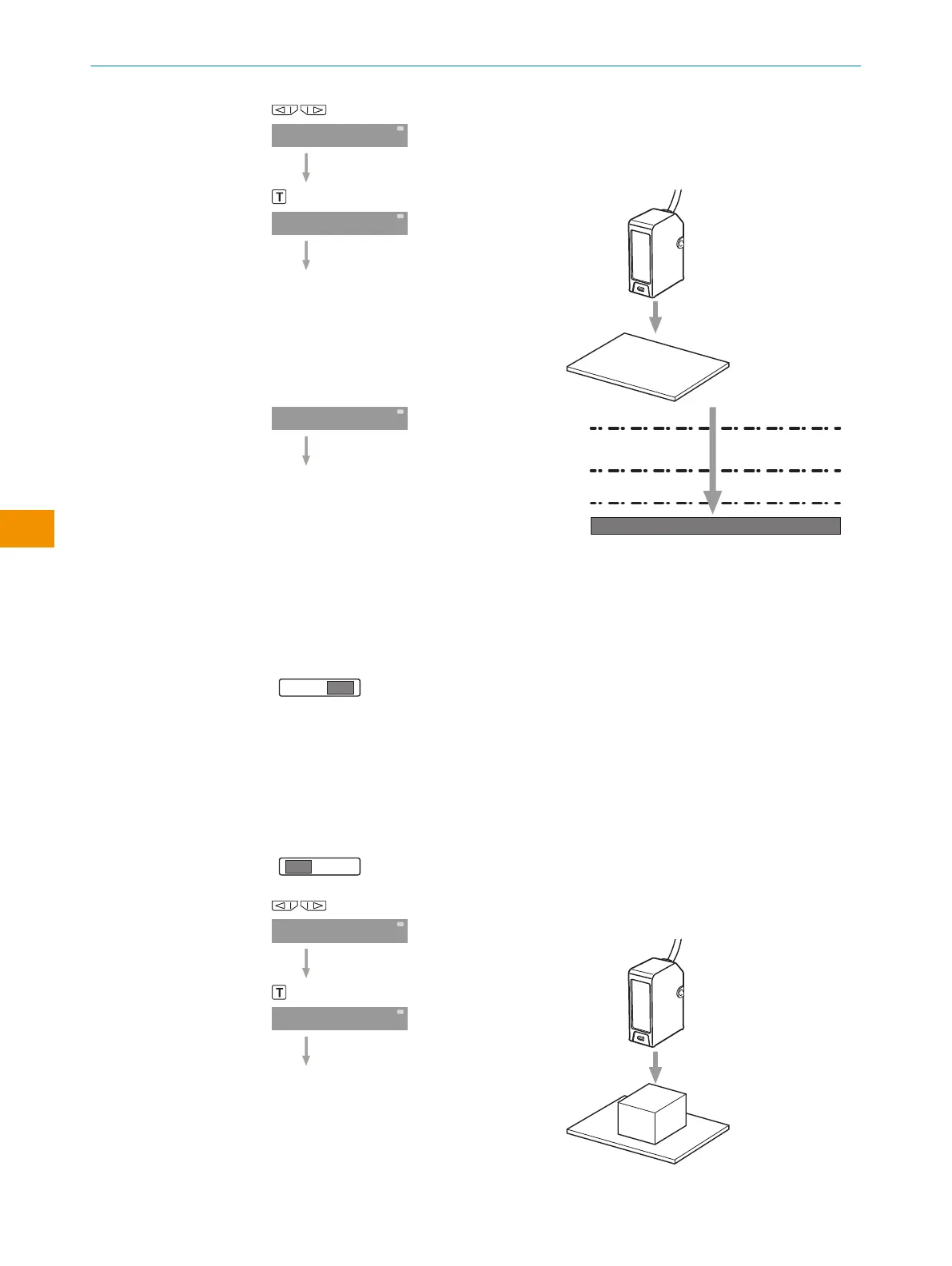
Select Single Value Teach-in.
Proximity sensor (WT): Adjust for back‐
ground without object.
Press the teach-in button.
Figure 9: Switching threshold
1
Schwellenwert
2
FaSt +15%
3
Stnd +5%
4
Long +1%
Pin on RUN.
The threshold flashes and the display
reverts to the initial setting.
The switching threshold is set based on the
received light signal (depends on the recep‐
tion speed setting).
6.4 Two Value Teach-in
Pin on SET.
Select Two Value Teach-in.
Proximity sensor (WT) 1. Adjust with object
present.
Value 1: Press the teach-in button.
OPERATING INSTRUCTIONS
44
O P E R A T I N G I N S T R U C T I O N S | Evaluation unit WI130 8020148.1HRJ/2023-02-08 | SICK
Subject to change without notice
en



 To Next Page