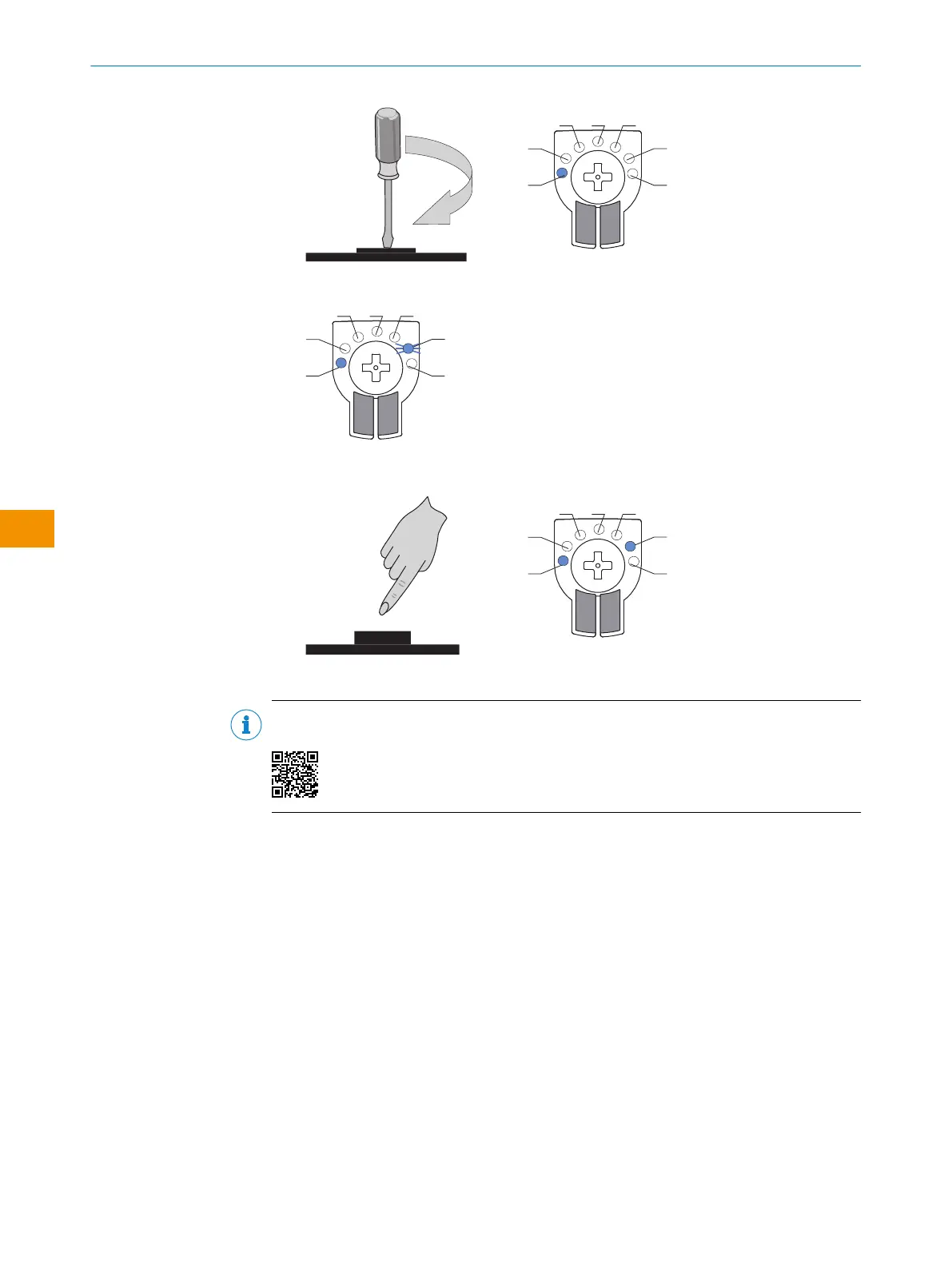
2. The desired mode LED 6 starts flashing.
3. Confirm the desired ApplicationSelect mode by pressing the control element. Acti‐
vate with this mode.
✓
ApplicationSelect mode is active.
NOTE
Selecting the ApplicationSelect mode is shown in the following tutorial:
OPERATING INSTRUCTIONS
54
O P E R A T I N G I N S T R U C T I O N S | WTM4S 8028212/2023/10/20 | SICK
Subject to change without notice
en











 To Next Page