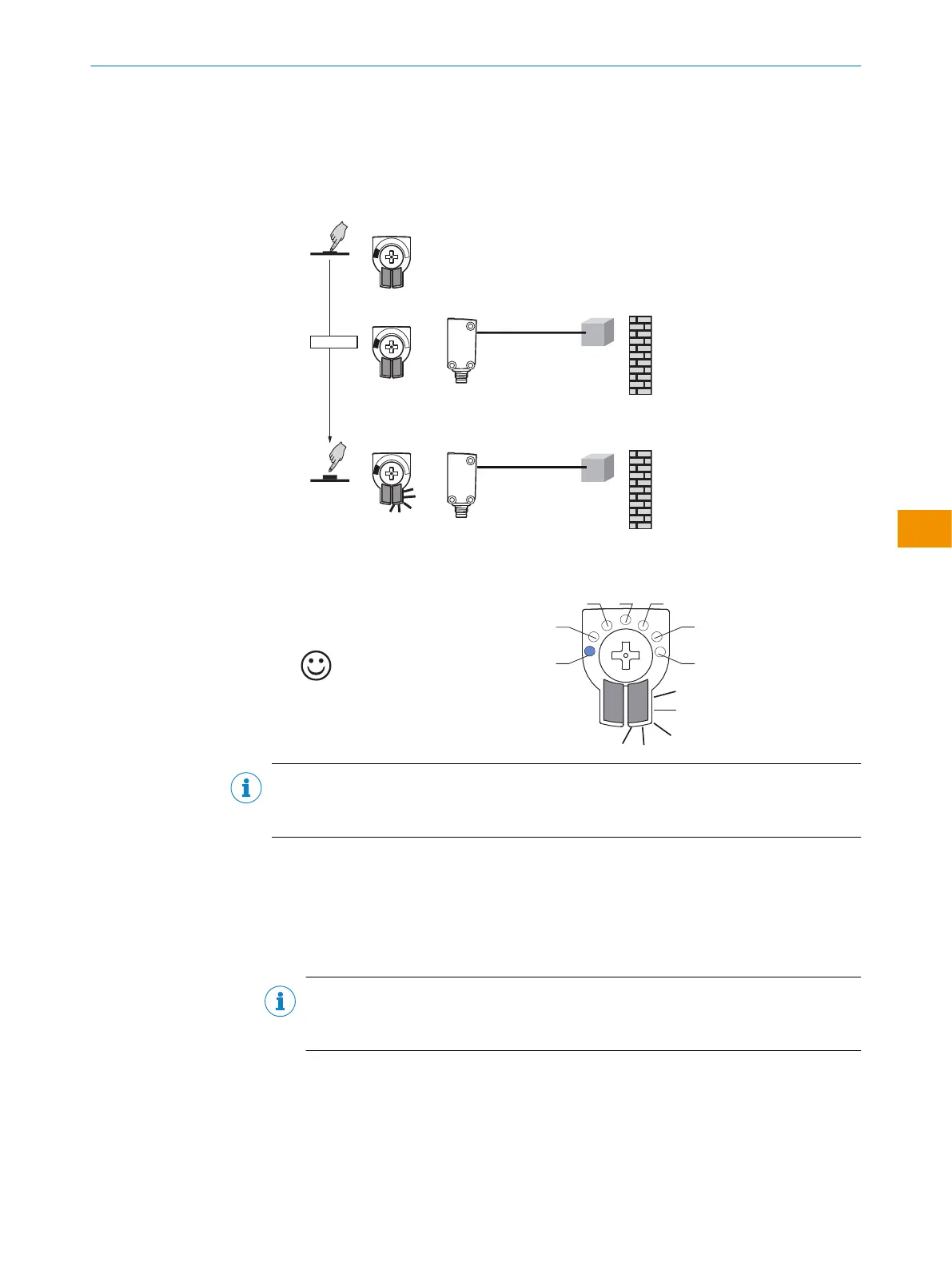
6.4.3 Teaching in the sensor in MultiMode 1 and 1+6:
Teaching in the sensor with background suppression
1. Position object in the desired position and press the control element for 1-3sec‐
onds until the yellow LED flashes.
✓
The sensor is adjusted and ready for operation.
Table 8: Teach-in result with object
Object present
NOTE
If dark objects or those of different colors are to be detected, it is recommended to
increase the sensing range by adding a supplement of 10% of the sensing range.
Please refer to the enclosed “IO-Link photoelectric sensors” operating instructions for
information about adjusting the IO-Link sensing range.
6.4.4 Setting in MultiMode 3-5:
Teaching in the sensor with background suppression and 2 switching points
NOTE
In MultiMode 4: First taught-in sensing range is always Q1 and is symbolized by LED
3. Second taught-in sensing range is always Q2 and is symbolized by LED 5.
1. Position object in desired position 1 and press the control element for 1-3seconds
until the yellow LED flashes.
OPERATING INSTRUCTIONS
8028212/2023/10/20 | SICK O P E R A T I N G I N S T R U C T I O N S | WTM4S
55
Subject to change without notice
en











 To Next Page